Interactive application Experimental
Interactive Video
Overview · selected highlights

BalanceForge

See learning happen inside a physical task. BalanceForge exposes the loop from observations to network activity, actions and training updates, with balancing, dodging, writing and putting giving those internal signals a visible consequence.

Learn a policy; find a balance
TrainBalanceRecover
Brochure →Open project ↗
  1. θ

    Set a physical goal

    Choose the mechanics, observations, actions and reward for a task you can watch.

  2. ↔

    Follow the policy

    Connect sensor inputs, network activations and action outputs to the resulting motion.

  3. ↗

    Watch learning change it

    Inspect NEAT topology, CMA-ES search or PPO training signals; explore the differentiable-simulation route.

  4. ↺

    Try it and inspect

    Disturb a saved controller, replay its behavior and compare it with analytical references.

A familiar physical task makes the inner workings of learning visible.
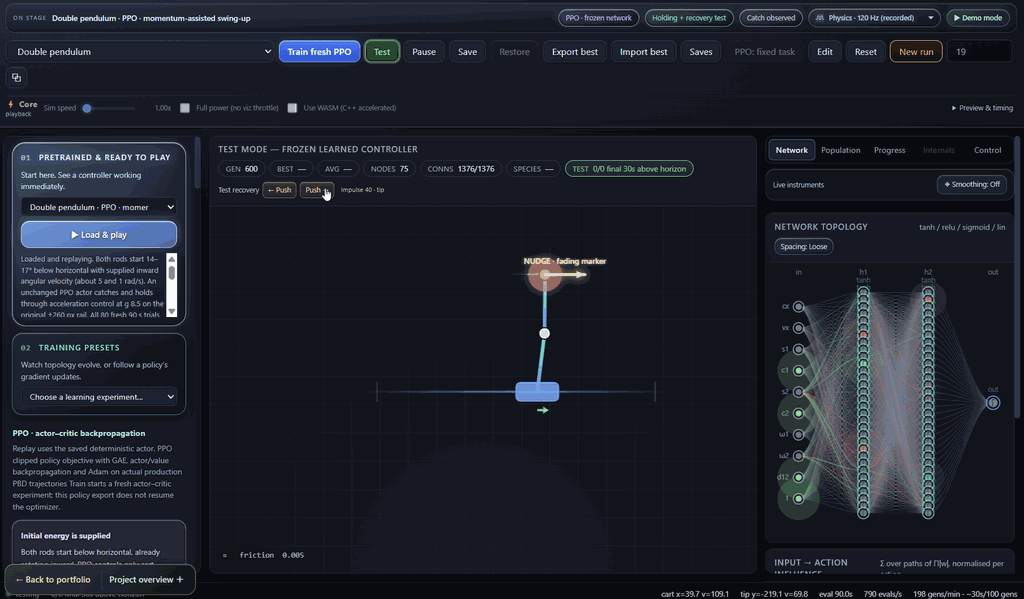
PPO double-pendulum recovery with an initial-momentum setup and a visible nudge marker; the screenshot shows replay, not training.
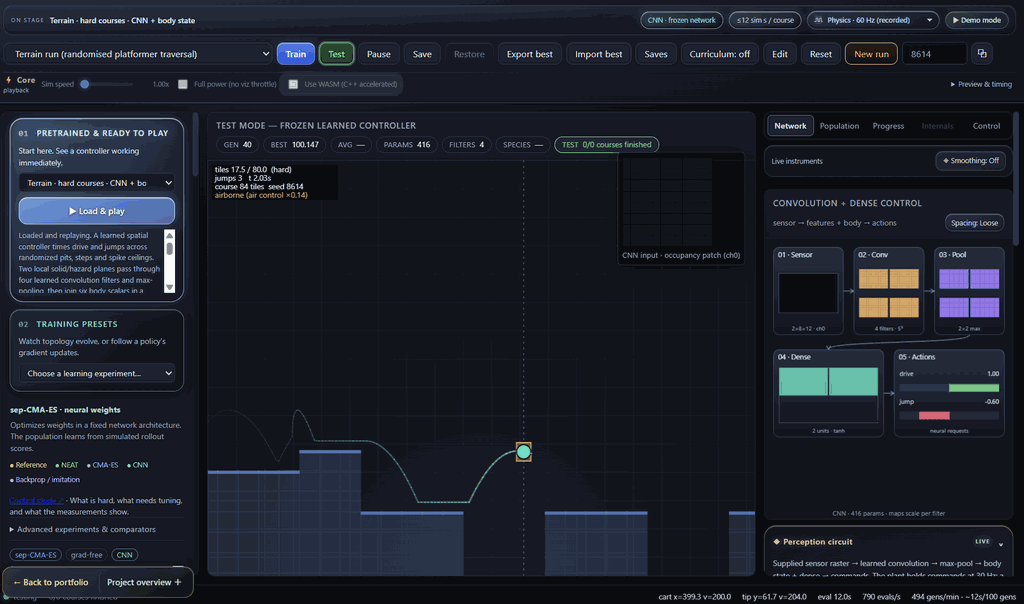
Terrain traversal with a CNN: sensor raster, convolution features, pooled maps and action outputs are visible beside the course.
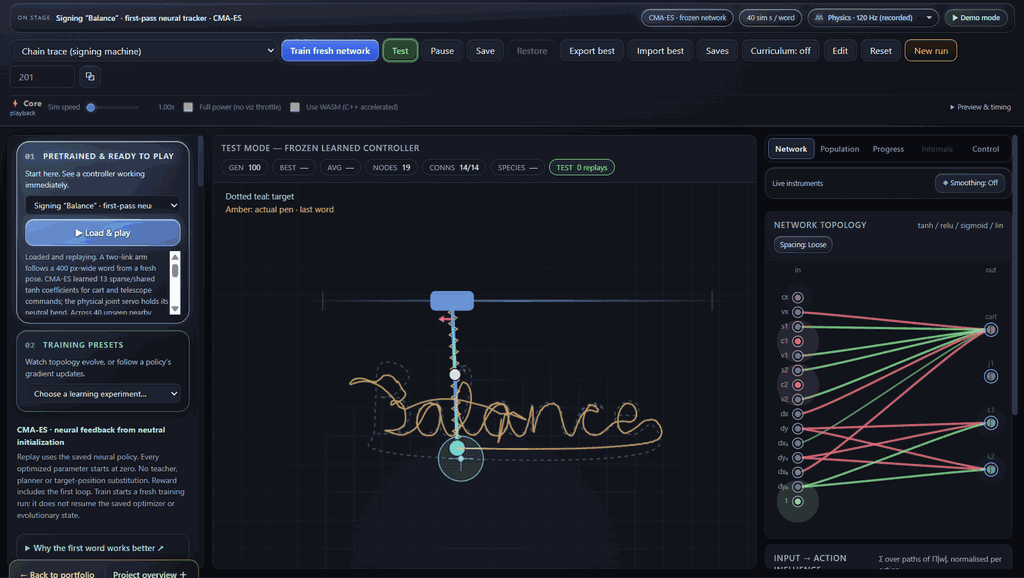
The signing arm traces “Balance” while its CMA-ES controller topology remains visible.
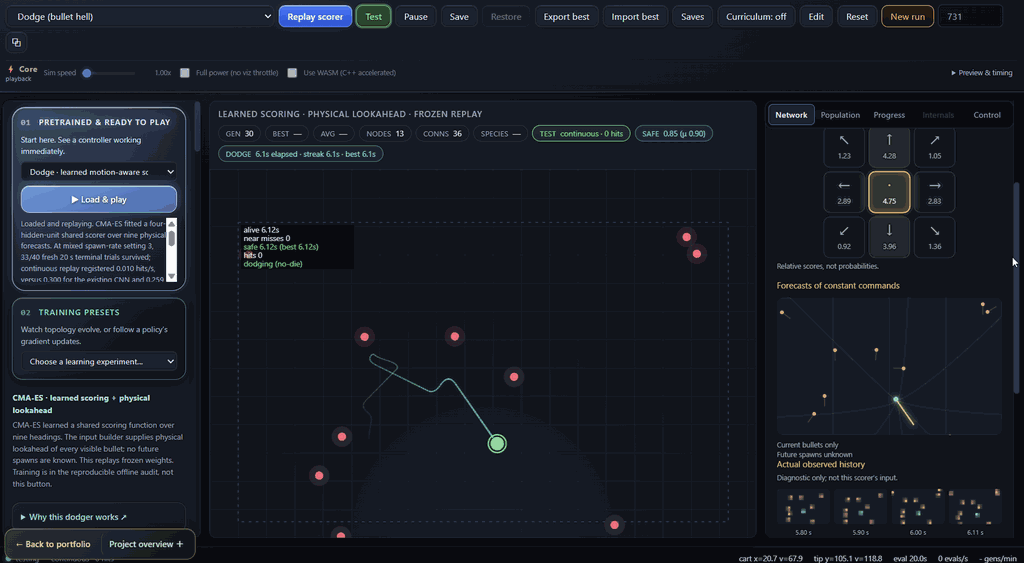
The motion-aware dodge scorer displays candidate commands, physical forecasts and the observed trajectory.