Interactive application Experimental
Interactive Video
Overview · selected highlights

Inverse Mechanics & Optics

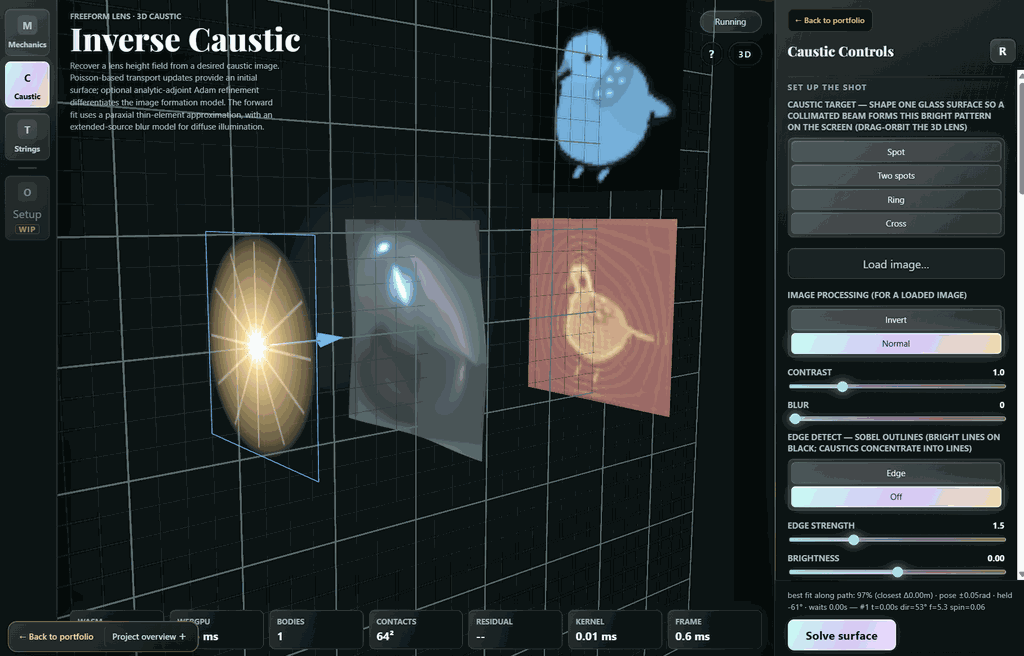
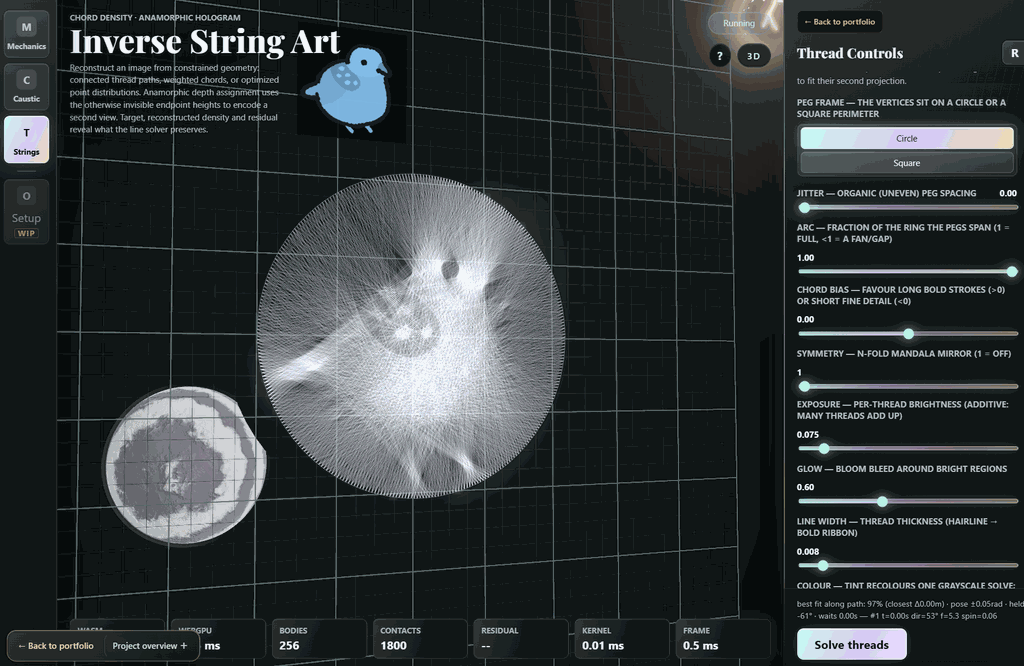
Choose an outcome and search for the physical parameters that produce it: a kick that reaches target poses, a lens that forms a caustic image, or threads that resolve from a chosen viewpoint. Forward simulation supplies the evidence for each proposed design.

Choose an ending; solve for the motion
StartConstrainSolve
Brochure →Open project ↗
  1. ◎

    Specify a target

    Place desired poses, an optical image or a viewing constraint.

  2. θ

    Propose a design

    Change impulses, optical shape or geometric arrangement.

  3. ↗

    Run the physics

    Simulate the motion or image formation produced by those parameters.

  4. Δ

    Inspect the miss

    Compare with the target and replay the resulting solution.

Mechanics and optics share the same inverse-design loop, with different forward models.
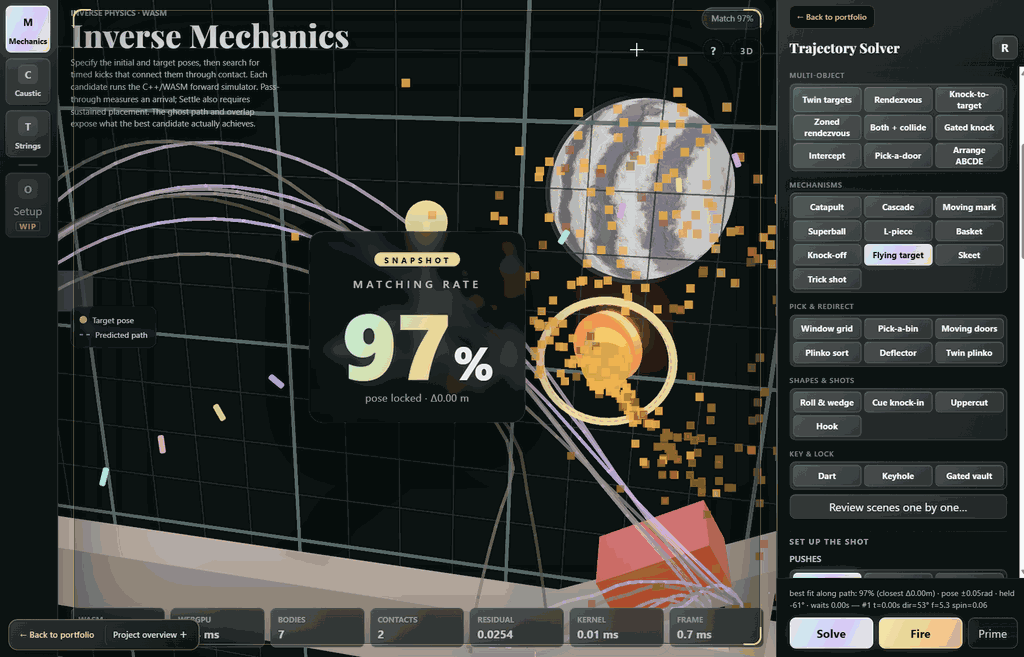
The trajectory solver records a 97% matching snapshot for this selected flying-target attempt; this is one result, not an aggregate success rate.
Recorded launch solutions around obstacle arrangements, with candidate trajectories, replay and matching scores.
Inverse caustic design shows the bird-shaped target, lens surface and projected output together.
Inverse string art reconstructs the bird target as a dense arrangement of chords, with thread controls visible.