Minimal Membrane
Surface tension pulls a soap membrane toward lower area; here we simulate that in two ways. Compare direct area minimization with damped physical relaxation on the same constrained membrane. Shared geometry and diagnostics expose how an optimization problem and a dynamical system approach related equilibria.
Explore connections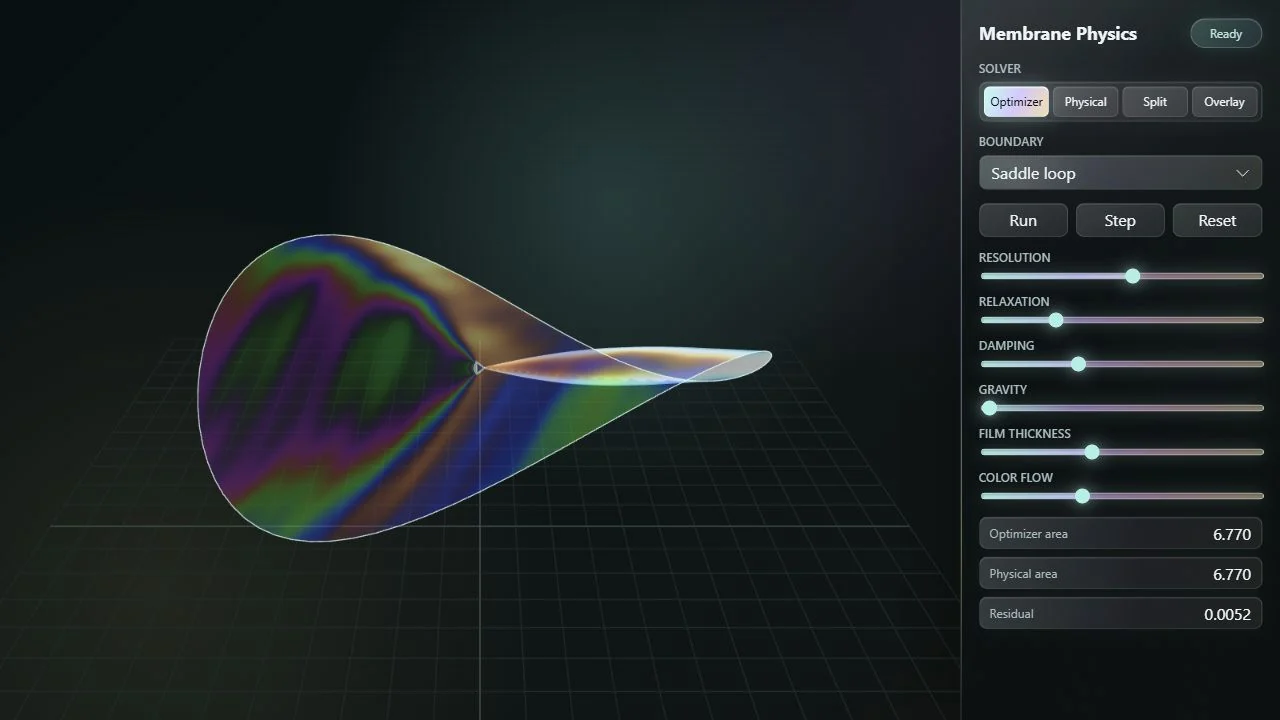
Open the application, then follow what changes
Two routes toward a constrained membrane: step directly downhill in area, or integrate the same area force through damped motion. Shared geometry and diagnostics reveal how optimization and physical relaxation approach related equilibria, and how added load changes the target.
-
01
Fix the boundary
Choose a spatial loop that constrains the triangular membrane.
-
02
Minimize the area
The optimizer moves directly along the triangle-area gradient.
-
03
Retain the motion
The physical branch integrates force with velocity and damping.
-
04
Compare the paths
Inspect shape, disagreement and convergence on the same mesh.
Compare the model, not just the final picture
A fixed boundary constrains a triangular disk mesh. Both branches compute triangle-area gradients: the mint optimizer steps directly downhill, while the amber physical branch integrates the same force through retained, damped velocity. Optional downward load changes the physical branch’s target.
Choose overlay or side-by-side presentation independently of the difference arrows. The diagnostic compares corresponding mesh vertices. Its signed-height colors and arrows reveal transient and settled disagreement; they do not measure nearest-surface distance or prove that two surfaces intersect.
Boundary design drives the surface
Smooth boundary presets include coils, orbits, cages, and knot-like loops. Changing the boundary reshapes the problem while keeping the solver comparison intact.
Both branches act on the triangulated surface and include tangential smoothing. At zero external load their area forces have the same stationarity condition, but inertia, damping, mesh discretization and initialization can lead to different trajectories or equilibria. The display does not certify a unique global minimum.
Make the surface legible
An interference shader gives the membrane an iridescent appearance with animated thickness variation. Lighting and surface color help reveal shape without changing the underlying comparison.
Try a cage boundary in overlay mode, let both solvers settle, and then add gravity to the physical model. The divergence illustrates the role of the objective and external forces.
More recorded views · 2
Current scope
- Mesh connectivity is fixed: there are no topology changes, foam junctions, Plateau borders, or volume/pressure constraints.
- Thin-film color uses an animated thickness model; it is not a coupled fluid-film thickness simulation.