Desktop application Research
Interactive Video
How much of a 3D world can become a Rive animation?

RIVX

A graphics laboratory built around Rive: turn supported 3D scenes into .riv animation, edit existing artwork with content-aware effects, and explore extended drawing and live GPU computation.

Explore connections Brochure · 33 chapters ↓
Geometry → light → vector animation
RenderBakeExport
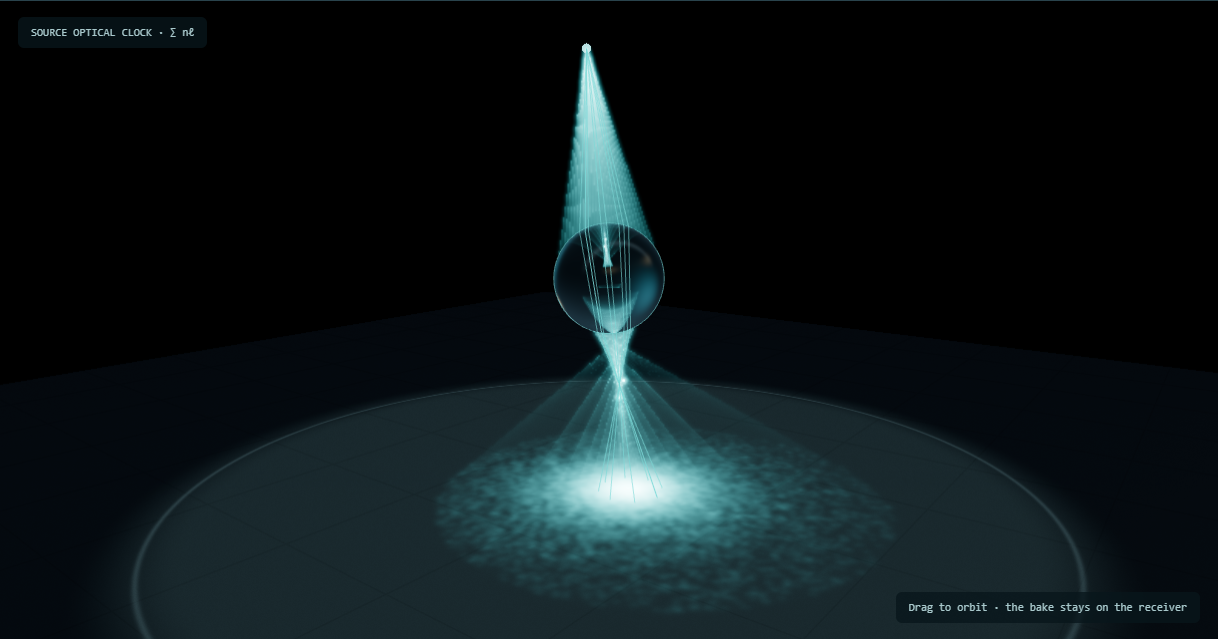
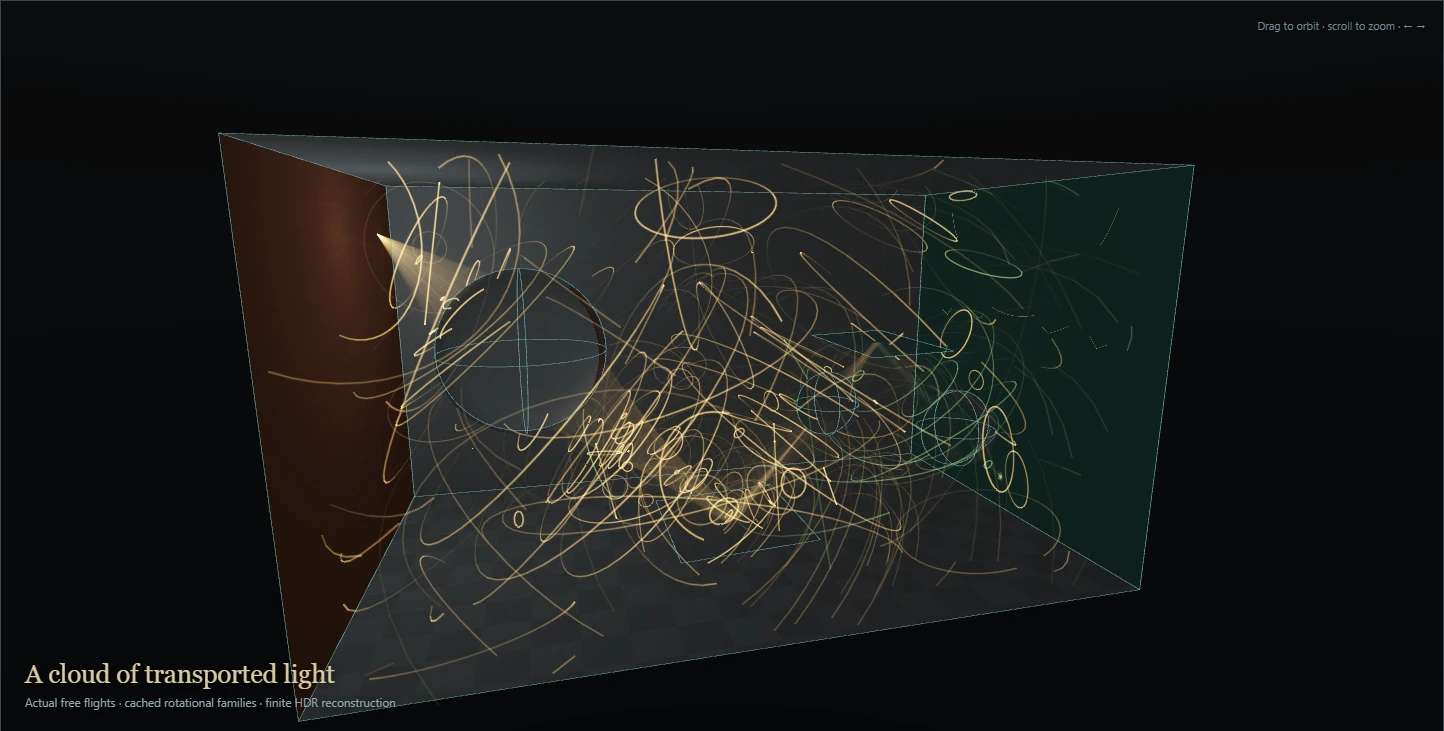
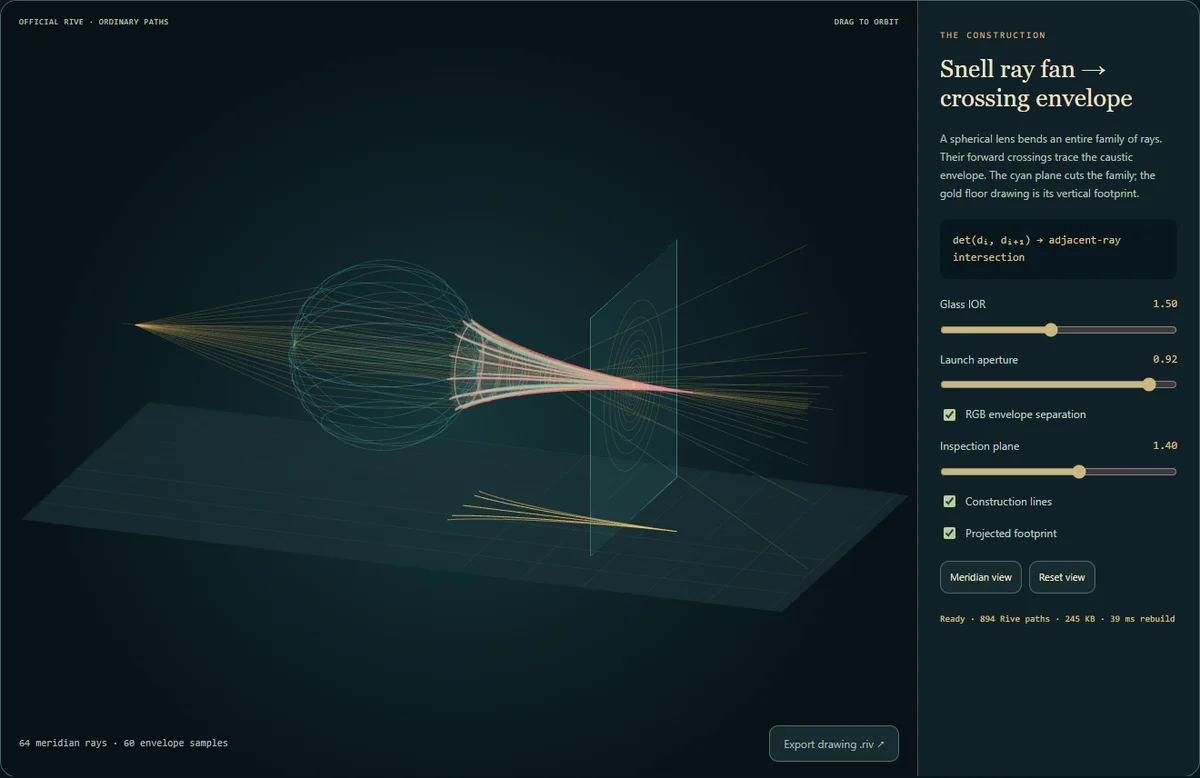
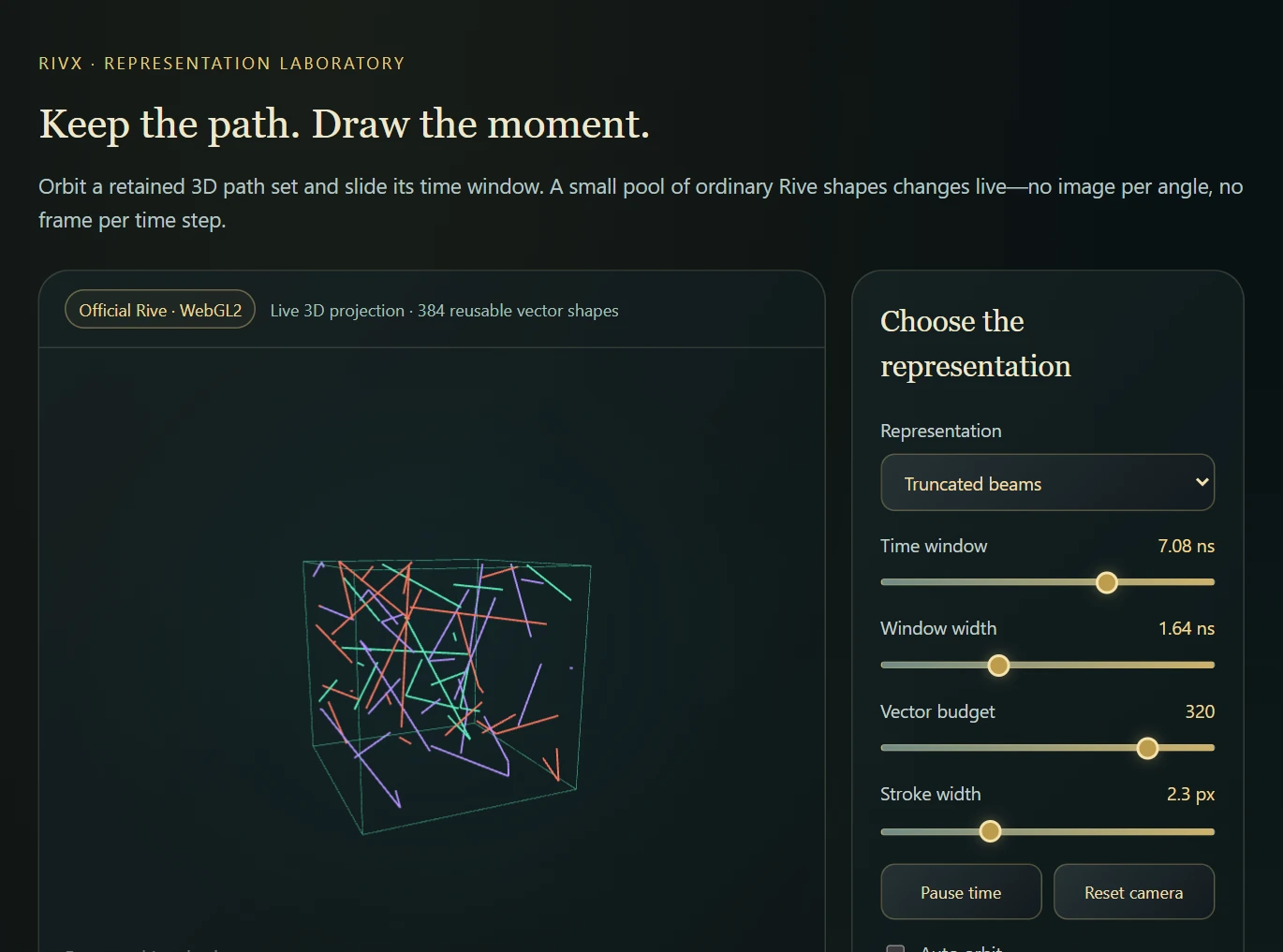
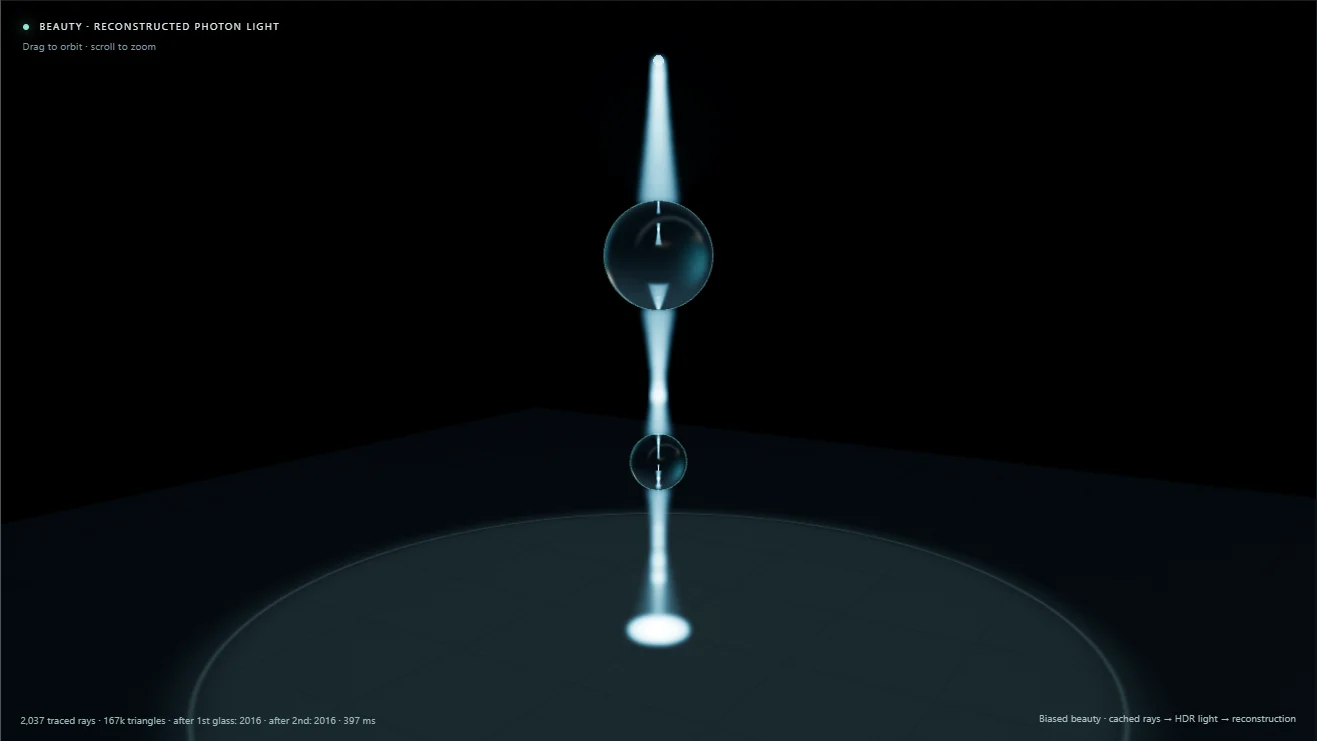
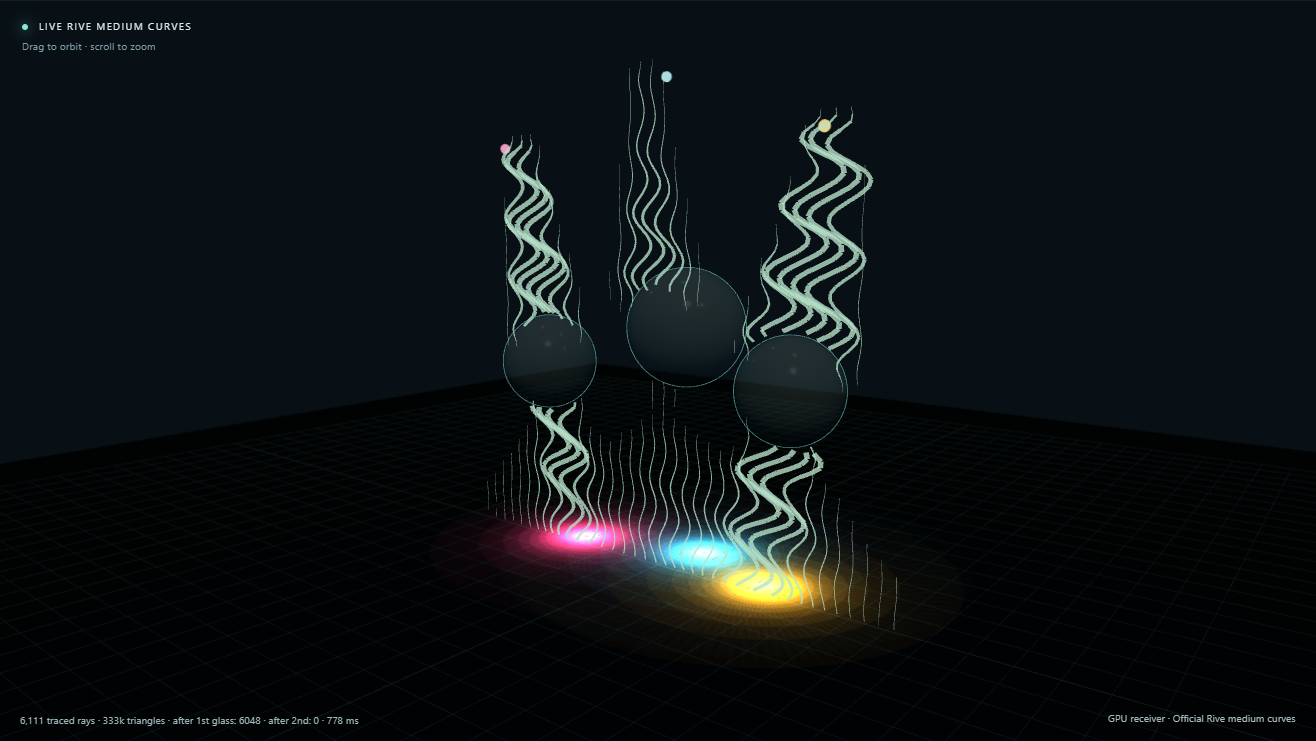
Browser sample · improved official .riv orbit A richer baked glass-and-lighting orbit drawn by the official Rive browser runtime. The desktop renderer is not required.Inside the export · 3D motion becomes 2D keys Inspect actual projected geometry keys, sampled glass dispersion and a baked receiver; download the ordinary .riv.Browser sample · official Rive path replay Official Rive renders a fixed shape pool driven by retained world paths and a live time gate. This bounded display experiment does not recompute scene visibility or transport.Browser studio · photons, time and Rive ink Native photon data becomes clipped beams, points, receiver splats and actual Rive hatch curves.Browser studio · rasterized photon hourglass Coloured refracted sheets and optical time gates, with scene-aligned Rive contours.Browser workshop · Rive effects and hybrid export Load a real .riv, apply effects or extract contours, then export a self-contained browser page.
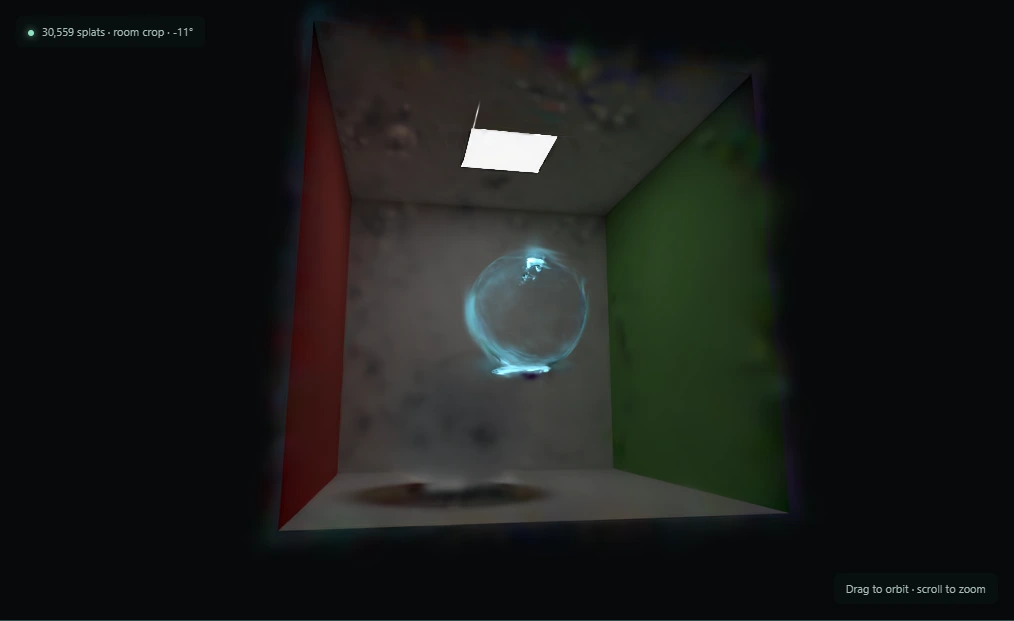
The native scene exported as an ordinary .riv, reopened in the official Rive player. Inspect the projected geometry and stored glass appearance in the first two studies.
An implemented pipeline

What I built around that question

The initial aim was to turn a real-time 3D render into a Rive animation. Following that idea produced four connected parts: a studio, an extended drawing backend, a light-transport renderer and a vector reconstruction pipeline. Some routes produce portable .riv files; others keep the extra computation in a matching player.

  1. 01

    Authoring and export studio

    Load Rive artwork, make simple edits, stack effects, compare official and custom backends, and write supported results as .riv.

  2. 02

    Extended drawing backend

    Implement Rive’s drawing interface with extra curves, splats and scene-derived buffers for content-aware treatments.

  3. 03

    Renderer, photon mapper and baker

    Build and light 3D scenes, follow light by travel time, and retain transport or bake illumination for playback.

  4. 04

    NPR and vector reconstruction

    Translate supported geometry and rendered fields into contours, strokes and other Rive-compatible drawing primitives.

3D → Rive

A render becomes an animation

Export selected scenes as projected geometry keys, baked images or vector approximations. The result preserves its authored camera, lighting and animation choices.

Artwork → effects

Treat the content, not only the framebuffer

Inspect and edit existing artwork, then stack effects that can use shape identity, contours and motion. Portable effects export to .riv; extension-dependent effects need a bake or matching player.

Extended drawing

Explore beyond the standard primitive set

Compare official Rive playback with a custom backend supporting Yuksel and B-spline curves, anisotropic splats and auxiliary fields.

Rive ↔ GPU host

Keep computation live

Use Rive animation and interaction with a WebGL/WebGPU host, including compute-based experiments. Separate authored GPU Canvas studies explore the official in-document route.

Capabilities / connected systems

Read the system by what it makes possible

Related techniques belong to one family. Follow a family into the interface, recorded results and mathematical detail.

01 / 06

Can a 3D render become Rive?

Begin with the glass export and its animation keys, turn shading into NPR contours, then ask whether light’s travel time can become moving geometry too.

Actual ordinary .rivGeometry and appearanceGoing deeper
Feature set · 3 capabilities
  • Actual ordinary .rivRendered glass and an authored orbit, reopened in the official player.
  • Geometry and appearanceSee projected keys, baked textures and sampled refraction separately.
  • Going deeperConvert tone into contour regions and export paths instead of pixels.
02 / 06

Or let Rive drive the renderer.

A parallel idea, the arrival of GPU Canvas, and a concrete reason to keep a host with compute support.

Two export formatsPersistent fields
Feature set · 2 capabilities
  • Two export formatsSigned GPU Canvas documents and matching Rive + GPU host bundles.
  • Persistent fieldsLiving fog and a shared photon receiver connect retained simulation data to the Rive instrument.
03 / 06

Build the drawing tools around it.

Implement the drawing interface, explore curves and soft fields, then make the experiments editable and stack their effects.

A custom drawing interfaceCurves and soft fieldsEditing and effects in one studio
Feature set · 3 capabilities
  • A custom drawing interfaceCompare the official renderer with an experimental implementation of the same interface.
  • Curves and soft fieldsExplore B-spline and Yuksel curves, Gaussian marks and portable approximations.
  • Editing and effects in one studioSelect and edit elements, then stack effects that can inspect the scene.
04 / 06

Then give the scene light and time.

Photon mapping makes the export choice tangible: retain volume samples, inspect surface deposits, or bake illumination into textures.

Photon mapping and time of flightVolume and surface samplesBaked surface illumination
Feature set · 3 capabilities
  • Photon mapping and time of flightTrace the paths, adjust the emitter and inspect the light’s arrival.
  • Volume and surface samplesSeparate the two layers in an actual native retained export.
  • Baked surface illuminationCompare explicit photon deposits with texture-based playback.
05 / 06

Follow selected ideas deeper.

Further path-drawing and time studies explain what each approximation preserves and where its assumptions end.

Distinct histories, explicit clocksLight-in-flight studiesBaked time slices
Feature set · 3 capabilities
  • Distinct histories, explicit clocksVector snapshots preserve path identity; image-time volumes preserve appearance; baked pose atlases preserve a chosen animation. Optical time is a separate quantity.
  • Light-in-flight studiesInspect traced paths, optical gates and internal Snell chords; compare the finite-sheet schematic with HDR reconstruction and bounded medium controls.
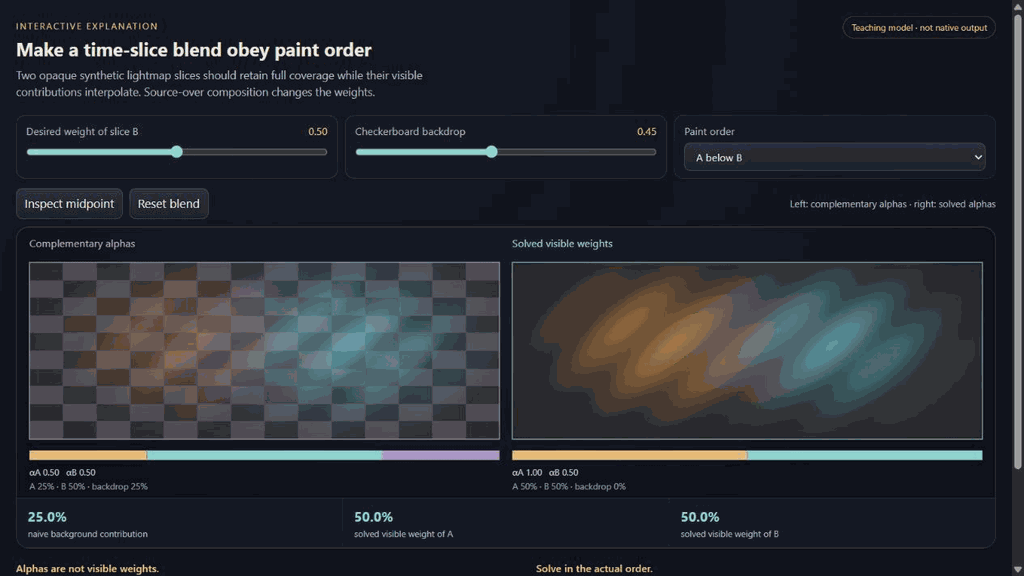
  • Baked time slicesStored illumination images carry a finite sampled history into playback; paint-order-aware opacity schedules avoid background leaks during a dissolve.
06 / 06

What survived, and what I learned.

Inspect drawing costs, player requirements and optional studies, then return to what the exploration produced.

Retained dependenciesOptional inverse tools
Feature set · 2 capabilities
  • Retained dependenciesCompare fixed samples with a live scene before choosing a delivery format.
  • Optional inverse toolsFit a scene, then deliver its selected Rive drawing.
Technical brochure · 33 chapters

Inside RIVX

RIVX is an experimental graphics studio built around Rive, a system for interactive vector graphics. I began by asking whether a real-time 3D render could become a .riv animation. The working results include keyed scene exports, vector reconstructions, content-aware effects and an extended drawing backend. A parallel route keeps Rive in charge of animation and interaction while a GPU host supplies live rendering and compute. The examples below show what each route preserves and what it needs to run.

Description · what it doesExplanation · how it worksTheory · equations & assumptions

Scan the descriptions and figures, or open a layer for the implementation and mathematical detail.

Capability family

Can a 3D render become Rive?

Begin with the glass export and its animation keys, turn shading into NPR contours, then ask whether light’s travel time can become moving geometry too.

01 · The original question · a 3D scene inside a 2D animation

Rendered glass. Delivered as Rive.

I began with the ambition of turning any real-time 3D render into .riv. The straightforward image route is to render each frame and display it as a texture in Rive. Image drawing made that a useful starting point, but I was more interested in what could survive as drawing structure and animation.

The next idea was to analyze the scene: which shapes persist, which properties move, and which appearance really needs an image? Reuse that structure and encode its changes as keys. Depending on how much of the scene you want to preserve, a seemingly simple exporter becomes a substantial rendering problem.

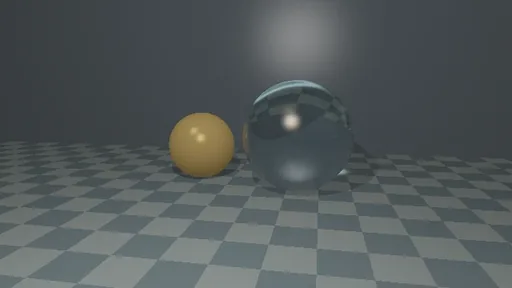
Start with a working result below. The native renderer packages an authored glass-and-lighting orbit into an ordinary .riv, which plays through the official Rive runtime. It mixes drawing structure with sampled appearance: the view-dependent glass still uses baked images. The next panel opens up those layers.

Actual native export · official Rive playback

A 600-angle glass orbit in the official Rive runtime

A 600-angle glass orbit in the official Rive runtime

Scrub the camera angle and inspect the object regions. The ordinary .riv carries the drawing and sampled glass appearance; the native renderer is absent from playback.

Draws with Official Rive runtime

Artifact Standard .riv + player wrapper

Export Native Scene3D → Orbit .riv; 600 baked angles

Purpose Playback of a baked 3D scene in official Rive.

Made with Existing Scene3D .riv export, played in a browser wrapper.

Demonstrates A sampled orbit needs no live 3D renderer, but only its stored views survive.

Open separately ↗

Wheel over the scene may zoom; move outside it to scroll the page.

Preview of A 600-angle glass orbit in the official Rive runtime

A standard .riv animation played by the official Rive JavaScript runtime. Lighting and view-dependent refraction are baked over 600 angles; the page contains no native RIVX renderer.

Suspended · activate to run; playback pauses after the full panel leaves the vertical viewport.

02 · Inside the exported drawing

3D motion becomes 2D keys.

Description · at a glance

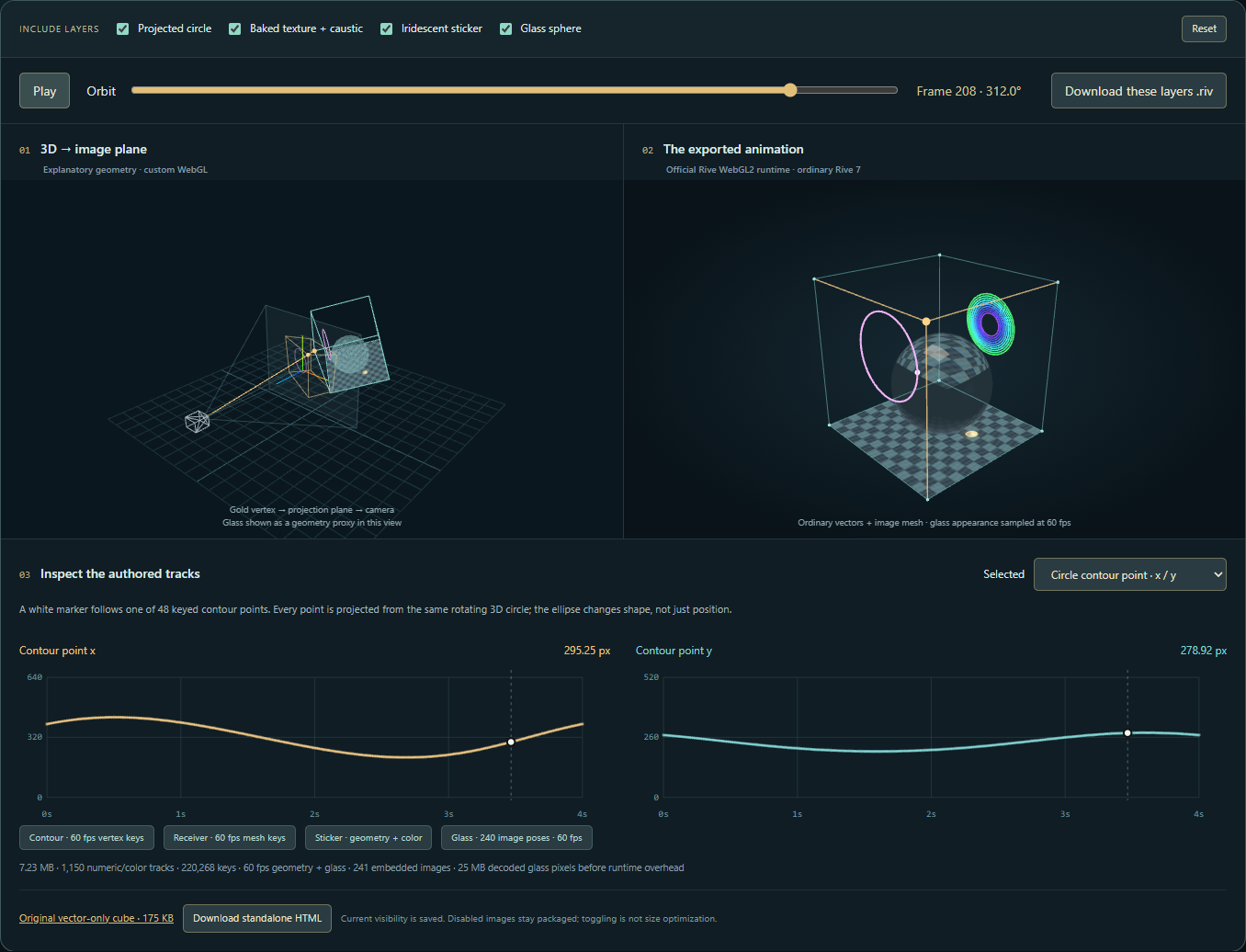
A keyed animation can reuse a shape across many frames, instead of storing the whole screen again. This layered export keys projected vertices, colours and image-mesh coordinates. Turn layers off and follow their tracks: geometry and appearance have different jobs, and only the dependencies that need images pay that cost.

Glass appearance is a separate dependency: this sphere stores 240 cropped refraction images, including three-band dispersion. The receiver carries a baked light texture, while contours and the foil accent are keyed geometry and colour. The diagram explains a companion artifact built with the same Rive property vocabulary; it is not a claim that the native 600-angle file is vector-only.

ExplanationGeometry keys, appearance samples and paint orderWhy one export contains several kinds of stored information.

A two-dimensional player composites a draw order rather than solving arbitrary per-pixel scene depth. As a camera orbits, faces may change their relative painter order. One shared mesh in one fixed position in the tree cannot necessarily represent every pose, even if its vertices can be animated perfectly.

The slot-based export distributes reused faces among an order-compatible sequence. Stable identity, matching topology, color, winding and placement constraints determine what can fold. If those conditions fail, the exporter falls back to another tier rather than silently reorder the image. Rings or other primitives that switch between an ellipse and multiple clipped arcs can still require pose-specific representations.

The new export preflight refuses reuse when ordered texture coordinates, mesh topology or pose identity differ. Refusal also propagates across overlapping ordered slots, preventing a foldable foreground mesh from moving behind a neighboring fallback mesh. Asset pruning then removes only images no final drawable references.

Scene3D mesh pose keys currently use HOLD interpolation. This preserves the authored pose snapshots; it is not a continuous camera solver. Smooth interpolation of projected vertices cannot reliably interpolate perspective, changing visibility or paint order. Compact parameter motion such as a gradient sweep is a different and more favorable keyed case.

The cube study makes this conversion concrete. Perspective projection is sampled into scalar animation tracks at 60 fps, and the official Rive runtime plays those keys. The host reads back the selected vertex’s position for the curve readout; it does not reposition the drawing. This preserves a smooth authored orbit while making the remaining limitation visible: a new camera projection requires new keys.

The richer keyed fixture deliberately separates shape from appearance. A circle’s projected contour is keyed as geometry; a photon-baked receiver is carried by an image mesh; the foil sticker has color tracks; glass uses sampled embedded images. Adding layers exposes the corresponding track families. This illustrates the same geometry-versus-appearance tradeoff as the larger native orbit without reusing images from an incompatible camera.

Once projection is back in ordinary Rive, the drawing can change without GPU Canvas. The follow-up replaces sampled glass and textured surfaces with engraved curves or cut-paper tones. The same projected sphere silhouette, layer controls and 60 fps orbit remain keyed Rive geometry. These authored vector styles retain a scene’s motion while choosing a different appearance; they do not need the original shader or a live refraction solve.

ExplanationReuse is constrained by topology and orderA slot can change values only when it still represents the same drawable structure.

An animation exporter can fold corresponding objects across sampled poses and key the properties that change. Correspondence requires compatible structure: path topology, material kind, image binding and ordering cannot be treated as arbitrary numeric channels. If a shape changes its role or topology, forcing it into an old slot can create a small file that draws the wrong scene.

Painter order is similarly structural. Rive’s serialized child ordering must be matched to the intended paint stream; reversing the relationship can produce a perfectly readable file with incorrect occlusion. The reduction reported in the existing fixture counts drawable nodes separately from all serialized components because additional keyed properties can increase the latter even as the visible tree shrinks.

Orthographic projection supplies useful geometric simplifications, including circles projected as ellipses at a fixed pose. It does not make arbitrary temporal interpolation exact. Between authored keys, the player follows the supported animation channels, so the sampled pose domain and interpolation error remain part of the export contract.

A documented 152-pose fixture reduced the drawable tree from 70,119 to 1,579 while making the file about 15 percent smaller. Total serialized objects increased because keyed properties have their own objects. This is a useful concrete result precisely because it distinguishes drawable reuse from universal compression, and because short sequences may not repay the keying overhead.

Source evidenceScene export orchestration and drawable serializationoffline_projs/RIVX/backend/src/scene3d/scene3d_export.cppOfficial-import, object and animation regressionsoffline_projs/RIVX/backend/tests/export_import_tests.cpp
ExplanationA smaller file is not automatically a faster animationThe 120-frame test scenes measure file size, component count, import time and property-update work separately.

In a two-wall 120-frame fixture, drawable reuse reduced serialized components from 1,562 to 135. A held-camera file fell from 49,090 to 17,592 bytes; the moving-camera keyed result was 28,064 bytes. The held-camera semantic update improved slightly, but the moving case became slower. That is exactly why file size should not stand in for playback performance.

These timings use official import and property replay through a non-rendering factory. They exclude GPU drawing and PNG decoding. The larger historical 152-pose result remains a separate case study; neither fixture supplies a universal compression or frame-rate factor.

A separate asset-liveness fixture retained one referenced PNG out of eight supplied assets, reducing 34,389 to 4,814 bytes. This removes unused data. It does not discard the required view-dependent refraction images or imply that keyframes can regenerate them.

120-frame fixtureFrame-copy representationKeyed representation
Held camera: bytes49,09017,592
Moving camera: bytes49,09028,064
Held camera: semantic update26.2 µs23.3 µs
Moving camera: semantic update24.5 µs28.8 µs
Live export

3D motion becomes 2D keys.

Inspect actual 60 fps Rive drawing and a detailed glass breakdown. PBR image selection, engraving strokes and paper-tone motion now have different color-matched tracks. Then compare live optical warping with the stored frame history.

3D motion becomes 2D keys.

Toggle circle, caustic receiver, foil and glass. Enable Detailed glass sphere breakdown to inspect color-coded image-quad measurements and the actual frame selection.

Draws with Official Rive playback; custom WebGL diagram

Artifact Ordinary .riv with keyed vectors and images

Export Download these layers .riv or standalone HTML; original cube remains available

Purpose Actual keyed Rive playback with a property/timeline schematic.

Made with Dedicated Python Rive writers using verified native property IDs; not a native-editor capture.

Demonstrates Geometry, colour, images and NPR tracks encode different dependencies in ordinary .riv.

Open separately ↗

Wheel over the scene may zoom; move outside it to scroll the page.

Preview of 3D motion becomes 2D keys.

An actual ordinary .riv: 60 fps projected geometry and 240 sampled glass appearances, plus a keyed receiver texture and vector sticker. The 7.23 MiB file contains the drawing; the diagram is a companion. Download selected layers or an offline player. Original 175 KiB cube preserved.

Suspended · activate to run; playback pauses after the full panel leaves the vertical viewport.

03 · Isocurves · from appearance to editable geometry

Going deeper: turn shading into paths.

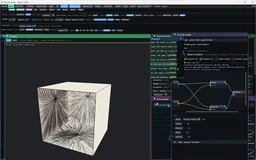
Video The 3D room is shown with layered tonal bands and simplified shading while the non-photorealistic render controls change the result.
Description · at a glance

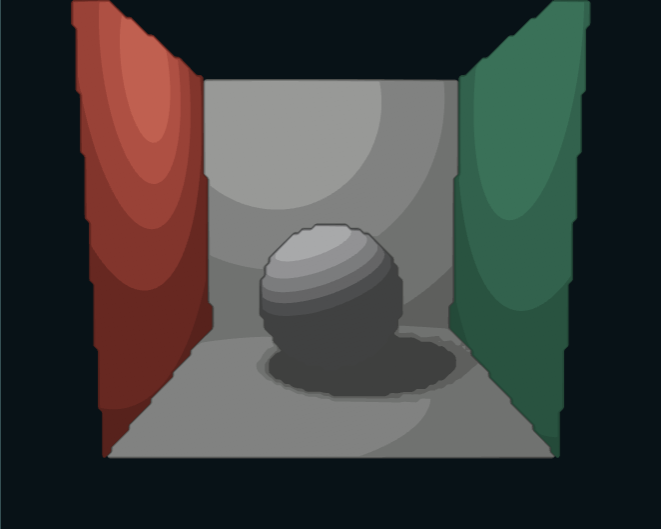
The furthest I pushed the drawing route was to start with non-photorealistic rendering, then turn the result into isocurves. A few well-chosen tone regions can preserve a surprising amount of the scene while giving it a new visual character. This was worth exploring as a graphics problem even where the practical answer would simply be a texture.

Sample the shaded field, choose luminance levels, then join their crossings into closed contours. Nested filled regions approximate the tone with ordinary Rive paths. The native recording shows the drawing style, the schematic exposes the conversion, and Iso Studio lets you relight and export a scene. The exported drawing retains the selected projection.

Pattern / nodeEditable constructionUseful visible intervention
FlowStreamlines follow iso-tone, gradient or velocity fields.Switch Gradient to Iso-tone; then test Velocity while moving the camera. A stationary camera should not invent speed lines.
Relief / Oneline / Ink spiralRows, a continuous oscillating path, or variable-width ribbons encode tone geometrically.Keep lighting fixed while changing the mark language; zoom to distinguish actual paths from a raster filter.
Stained glassFace-local Voronoi cells are clipped by bisector half-planes; leading is an inset.Vary leading width and colour mode. The pane boundaries belong to the geometry, not an overlaid screen texture.
AdaptiveTone-dependent placement is separate from the chosen Segments, Dashes, Sketch or Flow language.Hold placement fixed and change language, making the two stages legible.
RepaintA shaded Splat layer is fitted with gradient coats and bounded residual lobes.Use “* Repaint: the cloud, refit to primitives”; compare final, coats only and lobes only, then lower lobe cap from its preset 256 toward zero.
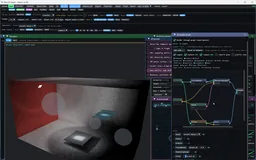
Image Native relief-style geometry and a luminous beam display, with the node graph visible. The isocurve diagram and export studio below show how a selected tonal field becomes ordinary Rive paths.
Image Native render → isocurve output: a smooth field becomes nested tone regions. The Rive-friendly restriction became a useful NPR style in its own right; GPU Canvas can supply richer fields without removing that vector endpoint.
ExplanationThe native Iso, Hatch and Inkline routesDifferent drawing languages retain different parts of the same field.

The live isocurve pipeline below samples a lit scene, extracts closed tone boundaries and draws them with official Rive. Move the light or camera and the paths change. The fitted-ellipse and photon-relief studies offer two other ways to turn appearance into actual geometry.

This is also a study of how to design for Rive’s drawing budget. Tone bands, coherent strokes and a small set of soft marks can preserve the structure of a scene with different costs and editing possibilities. The aim is to find useful vector encodings and measure their error and workload. A shader can supply the lighting field while the final contours remain ordinary Rive geometry.

The preset “* Ink and tone: the drawing, analytic” combines Hatch and Inkline on the same built-in scene. Hatch starts in Flow / Gradient with coats off, so tone is carried by strokes; Inkline adds creases, object contours, sphere terminators and shadow boundaries as separate line classes. This route works from the scene and analytic illumination approximation, rather than vectorizing the final color image.

The Hatch node now exposes eleven patterns: Lines, Dots, Scribble, Relief, Oneline, Ink spiral, Stained glass, Flow, Hilbert, Isolines and Adaptive. The shared colour and normalize-tone controls allow the drawing language to change without replacing the underlying tone source. This is a more focused demonstration than cycling unrelated screen filters.

The native Iso node already emits ordinary Rive-compatible paths and works with both official and enhanced renderers. It is not desktop-only by design. This browser counterpart demonstrates the conversion; the full native graph, gradient/feather fitting and depth-of-field extensions remain separate.

Illum, Hatch, Brush and Cel use an analytic direct-light/shadow construction for the supported scene geometry. Exact subproblems such as a boundary or Voronoi clip do not make the entire image an exact global-illumination solution. Repaint is explicitly a fit, and its Rive soft-lobe appearance remains an approximation.

Theory / mathematicsTone becomes coverage, width or path lengthA vector counterpart needs a geometric encoding of darkness.

A screen shader can change the color of every pixel. A vector recipe instead encodes the sampled illumination in geometry: dot radius, stroke width, the number of crossing families, or the length of a wavy path. The halftone route makes radius proportional to the square root of darkness so dot area, rather than radius, varies linearly with its tone signal. This is a chosen coverage law; the square lattice and maximum circular footprint still limit the coverage range.

Other recipes preserve their own invariants. Ink spiral width is capped below one turn’s spacing to prevent neighboring ribbons from overlapping into even-odd holes. Relief rows are emitted in an ordered stack and sample the baseline field that defines their displacement. These details are what turn a suggestive filter into a valid drawable with predictable fill and ordering behavior.

The surface versions anchor their construction to face coordinates and the relevant baked or analytic illumination. That attachment is what keeps marks from sliding across a wall during a camera orbit. Pixel-level and surface-level styles may resemble one another while retaining different motion behavior.

r=s21−V,πr2=πs24(1−V)r=\frac{s}{2}\sqrt{1-V},\qquad \pi r^2=\frac{\pi s^2}{4}(1-V)
V is clamped visibility or brightness, s is dot spacing and r is the generated dot radius. The second expression shows the area law and its π/4 maximum cell coverage for a circle of radius s/2.
Source evidenceSurface-anchored vector patterns and streamline generationoffline_projs/RIVX/backend/src/scene3d/scene3d_hatch.cppConcrete graph presets and parameter valuesoffline_projs/RIVX/backend/src/scene3d/scene3d_presets.cpp
ExplanationStreamlines and cells expose two different constructionsFlow follows a local field; stained glass partitions a surface.

The flow recipe can follow an isophote, the illumination gradient or a motion-derived direction. For the velocity option, correspondence between poses is pulled back into the face coordinates before generating marks. Near-singular mappings and negligible screen motion are gated, so a stationary camera can legitimately produce no velocity-oriented strokes. That behavior is different from a procedural swirl that continues regardless of motion.

The stained-glass recipe clips local surface cells against Voronoi bisectors. Its lead is formed by inset boundaries rather than a blurred edge pasted over the final image. The partition and its outlines share the same face coordinates. In both cases, the intermediate field or cells explain the result more clearly than a final stylized screenshot alone.

The eleven current hatch patterns are not eleven interchangeable filters. Some distribute tone by coverage, some generate an ordered ribbon, and some construct a partition. The preset table above is therefore organized around the representation and field used, with repaint and illumination layers kept distinct.

Source evidenceSurface-anchored vector patterns and streamline generationoffline_projs/RIVX/backend/src/scene3d/scene3d_hatch.cppConcrete graph presets and parameter valuesoffline_projs/RIVX/backend/src/scene3d/scene3d_presets.cpp
Interactive construction diagram

From four samples to a contour.

From four samples to a contour.

Move the threshold. Follow interpolated edge crossings into connected boundaries and nested tone regions.

Draws with Sampled field + SVG diagram

Artifact Explanatory construction; scene-to-.riv export is in Iso Studio below

Export Open Iso Studio to export an actual scene drawing

Purpose Explain the conversion from sampled shading to contour geometry.

Open separately ↗

Wheel over the scene may zoom; move outside it to scroll the page.

Preview of From four samples to a contour.

A synthetic luminance field isolates the construction used by Iso Studio: threshold cells, interpolate crossings, connect loops, then fill the resulting regions. It does not perform the native gradient or feather fitting.

Suspended · activate to run; playback pauses after the full panel leaves the vertical viewport.

Live ordinary Rive output

Light becomes contour bands.

Light becomes contour bands.

Move the light, turn the room and resize the sphere. Choose the field resolution, inspect its real Rive contour drawing, then export the current .riv.

Draws with CPU field sampling → official Rive WebGL2 paths

Artifact Ordinary .riv paths and fills; no GPU Canvas

Export Export this drawing .riv; fixed projection, no live scene evaluator

Purpose Live conversion and real .riv playback/export.

Made with Browser adaptation of the native Iso construction; newly authored CPU scene.

Demonstrates A sampled appearance can become restylable filled paths without GPU Canvas.

Open separately ↗

Wheel over the scene may zoom; move outside it to scroll the page.

Preview of Light becomes contour bands.

Closed luminance level sets become compound Rive paths. The default field is 240 × 192; the resolution slider reaches 420 × 336, with a 120 × 96 preview during edits. This browser counterpart uses a CPU direct-light scene and the native Iso construction; the current projection exports without shaders or a custom renderer.

Suspended · activate to run; playback pauses after the full panel leaves the vertical viewport.

Live representations

From the image to ordinary Rive geometry

Fit an appearance, inspect its residual, then export its actual vector approximation. Compare that image-derived route with scene-derived medium curves.

Optimize splats; export the Rive drawing

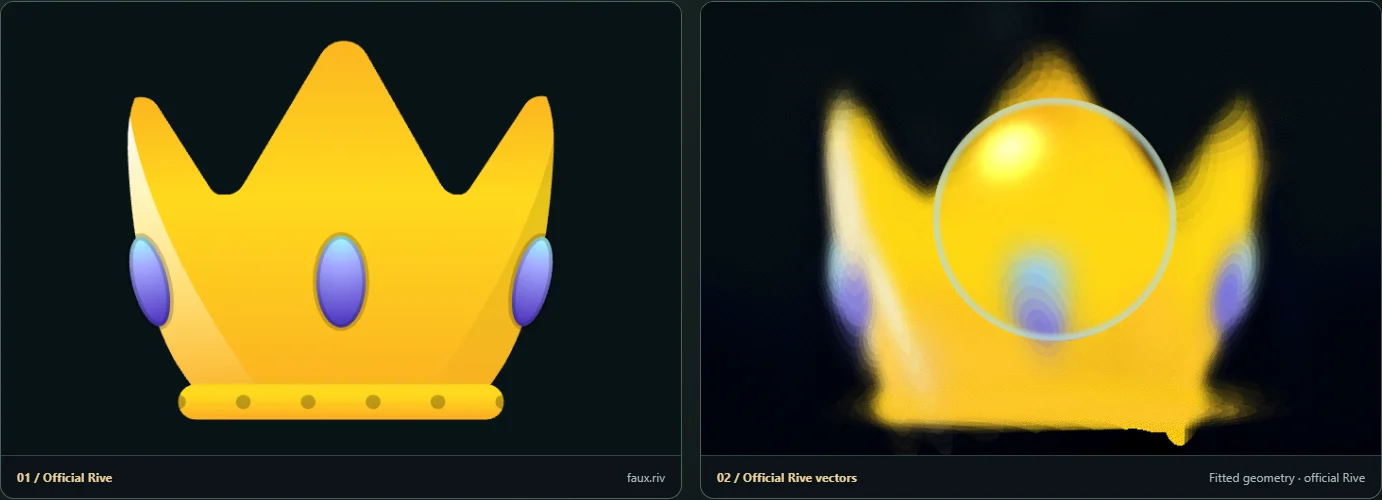
A bounded alpha-compositing optimizer refines centres, covariance and colour against the frozen source. Watch measured loss fall, inspect the residual and export ordinary Rive ellipses. This is image fitting, distinct from the native geometry-aware Hatch node.

Draws with Official Rive source and output + browser optimizer

Artifact Static ordinary .riv / interactive hybrid HTML

Export Export .riv snapshot / Export hybrid HTML

Purpose Actual fitting experiment whose output is drawn by official Rive.

Made with Credited/imported .riv input, browser Gaussian optimization, bounded Rive ellipse representation.

Demonstrates Fitting loss belongs to the Gaussian model; finite ellipse layers add a separate display approximation.

Open separately ↗

Wheel over the scene may zoom; move outside it to scroll the page.

Preview of Optimize splats; export the Rive drawing

A bounded alpha-compositing optimizer refines centres, covariance and colour against the frozen source. Watch measured loss fall, inspect the residual and export ordinary Rive ellipses. This is image fitting, distinct from the native geometry-aware Hatch node.

Suspended · activate to run; playback pauses after the full panel leaves the vertical viewport.

Recorded examples · 3Vector surface styles and residualsTwo usable surface vocabularies are paired with the residual that reveals their approximation limits.
Image The 3D bake is translated into a dense hatching and ink vocabulary suitable for vector output.
Image Banded isolines turn the same shaded scene into ordered, editable contour regions.
Image A repaint residual view reveals where the compact vector approximation fails to reproduce the source.
04 · From shading contours to moving wavefronts

What about time of flight?

If you have explored my other rendering projects, you may already have met time of flight (ToF). Instead of showing only a steady-state image, with all arrival times combined, we separate light by how long it has travelled. Follow a short pulse in simulated slow motion and light appears to ripple outward, reaching different parts of the scene at different times.

In a participating medium, such as fog, scattering makes the pulse visible between surfaces as well as when it reaches them. The first recording shows this time-resolved view: watch the light move through the room and illuminate its surfaces as the clock advances.

A contour can describe more than brightness. What if the quantity we draw is the time light takes to arrive? The analytical-wavefront experiment in the second recording constructs fronts of equal optical travel time, then projects their geometry into the drawing. Advancing the clock makes the front move through the scene.

This extends the same question behind the isocurves: can a rendering result become meaningful geometry rather than just another image? Here the geometry describes light in flight. The native construction handles selected geometric-optics paths, including supported specular branches; it does not model diffraction. Later, the transport section separates these fronts from time-gated photon beams and explains what each representation retains.

Video Time of flight in a scattering medium: advancing the simulated clock reveals different portions of the light paths and surface illumination. This is a time-resolved transport view; the analytical construction beside it draws equal-travel-time fronts explicitly.
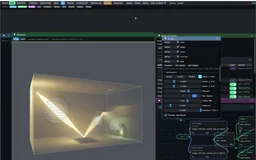
Video Analytical wavefronts in the desktop renderer: connected fronts expand through the box as the optical clock advances. This geometric-optics study omits diffraction; the recording shows the renderer, rather than an exported .riv.
Capability family

Or let Rive drive the renderer.

A parallel idea, the arrival of GPU Canvas, and a concrete reason to keep a host with compute support.

05 · Another route · let Rive drive the renderer

Two export formats. Five instruments to explore.

Description · at a glance

There was another way to connect the two worlds: use .riv as an intermediate layer for animation and interaction, and let a WebGL or WebGPU host do the rendering. The drawing no longer has to approximate every shaded detail as a vector shape.

While I was working on this, Rive released GPU Canvas. I was a little disappointed that I might be reinventing the wheel, but also excited: we were exploring a very similar idea about how to push Rive further. I then tried both formats, with computation inside the document or in a host alongside it.

This project supports two delivery formats for these visual instruments: a GPU Canvas .riv containing the shader behavior, and an ordinary .riv paired with a JavaScript/GPU host. Four studies are available in both forms: compound materials, wavelength-dependent refraction, a playable membrane and a liquid lens. Prismatic Garden adds a fifth instrument using the host format, with a movable prism and time sections through a Julia field.

The next chapter shows a concrete reason to keep the host route: persistent fog and photon accumulation implemented with compute shaders. This is an API distinction in the current implementation, rather than a claim that RIVX is a better replacement for Rive.

ExplanationHow the instruments are authored and playedLinked controls, supported shader documents and a separate host format.

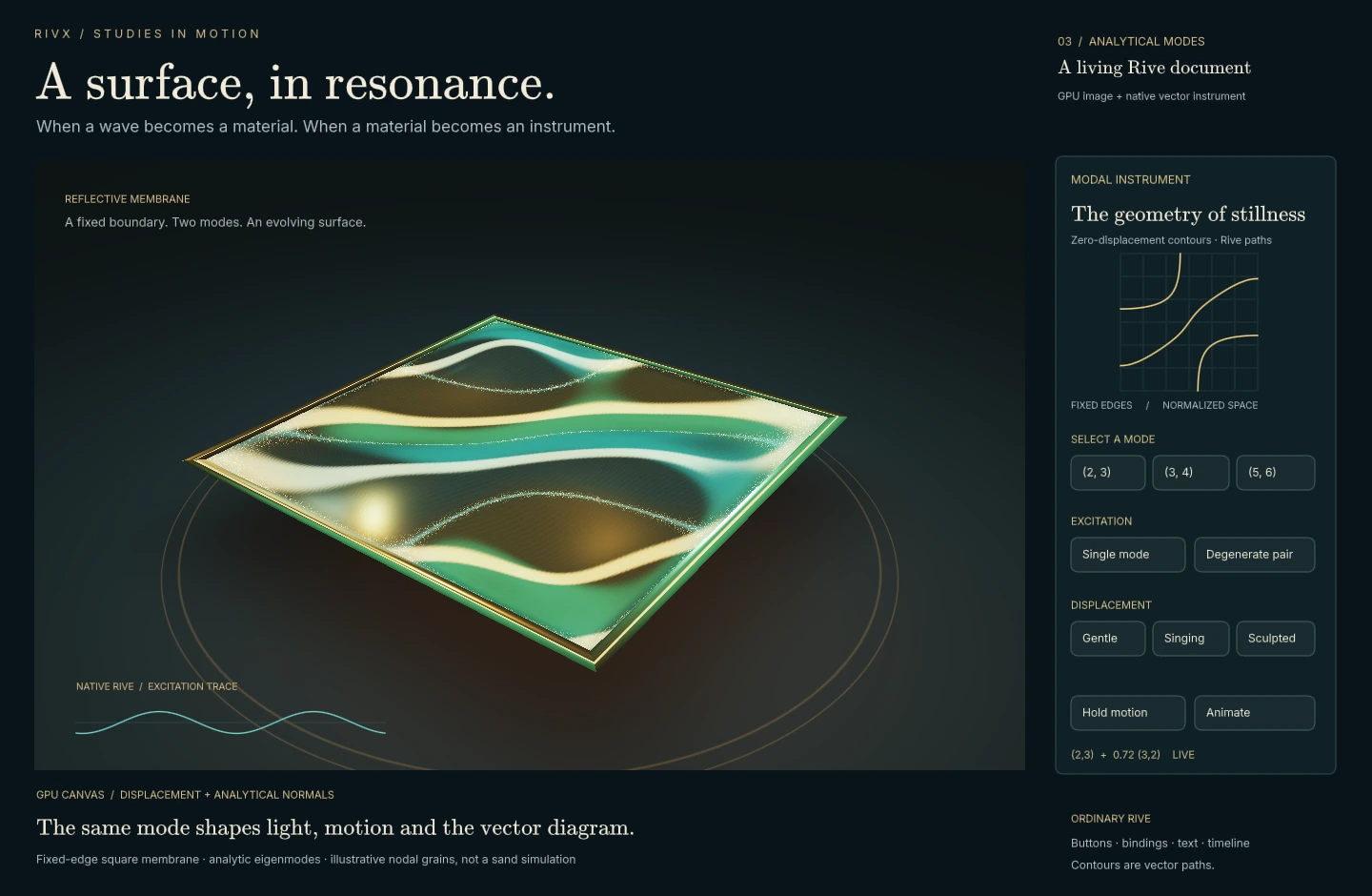
The controls are part of the composition. Material Nocturne and Resonant Membrane use springy liquid handles; Spectral Observatory uses constructive, Mondrian-like geometry. Hover, press and drag to see their response. In Resonant Membrane, a strike chooses the modal weights; the surface, nodal drawing and optional browser-generated sound follow the same excitation and decay. Its visual GPU Canvas document is self-contained; procedural audio uses a small Web Audio bridge.

The four established showpieces are authored and signed with the official Rive CLI. The public gallery presents the working instruments; editable documents and source archives are kept outside the public site. This standalone authoring route is separate from the native RIVX desktop exporter. The official CLI watermark remains visible.

The two formats serve different deployments. GPU Canvas keeps a bounded visual instrument together inside Rive. A host bundle can connect its Rive interface to an existing renderer, browser libraries and external scene data. In either form, a parameter changes the GPU model and the Rive explanation together.

The visual and mathematical vocabulary comes from related portfolio projects: compound-material lighting in LTC, optical studies in Aperture, and excitation, decay and nodal patterns in Modal2D. These are focused adaptations authored for Rive, with shared controls driving both the image and its explanation. They do not package the complete source applications or their full solvers inside a .riv.

Prismatic Garden connects this instrument work to High-dimensional Fields & Shadow Design. The surroundings keep a fixed Julia parameter while the movable prism reveals a time section through nearby parameters. The gold Rive path and orbit follow the same section; W moves the path and a tilted mode couples image position to time. GPU Canvas can express this fragment-shader study too: its distinction is the linked mathematical instrument and its delivery contract, not a rendering effect exclusive to RIVX.

ExplanationWhat the five scenes computeTheir diagrams share parameters with their GPU images; the renderer stays bounded and explicit about approximation.

Material Nocturne combines analytic geometry with finite rectangular-light quadrature and a GGX material response. The native plot follows roughness and the light marker follows the controls. Studio reflections and the floor caustic are approximations; this scene does not implement fitted LTC tables or a general path tracer.

Spectral Observatory traces seven wavelength bands through a sphere and prism with wavelength-dependent refraction and absorption. The native plot shows the same index model. RGB reconstruction, receiver caustics and visible shafts are bounded approximations rather than converged spectral transport.

Resonant Membrane connects Modal’s eigenmode and audible-decay teaching ideas to a Rive instrument. A nine-mode fixed-edge square membrane weights each mode by its value at the strike position. The GPU surface and ordinary Rive diagram share these coefficients and damping; Web Audio plays them at audible frequencies while the visible oscillation is slowed. This is an analytic teaching model, not the full Modal finite-element backend or simulated sand.

Liquid optics makes lens position, refraction, dispersion and frost directly controllable inside the signed document. Hover feedback and drag surfaces are ordinary Rive interaction around the embedded GPU image. This is a stylized optical instrument, with its visual approximations kept distinct from a general spectral path tracer.

Prismatic Garden holds the Julia family fixed and reveals another parameter section under a movable prism. Time traverses a periodic ellipse in the complex parameter plane, W offsets that path, and a tilted mode couples vertical position to phase. Ordinary Rive paths draw the parameter loop and current orbit. This relates to the sectioning idea in High-dimensional Fields & Shadow Design; it is not its complete 5D volume renderer. The optical effect uses designed RGB transmission.

Live experiment

Four instruments, exported both ways

Four instruments, exported both ways

Use either instrument and compare the two supported packages: GPU Canvas .riv, or an ordinary .riv interface with its JavaScript/WebGPU renderer. Parameters and clocks stay linked.

Draws with Official Rive GPU Canvas / official Rive + external WebGPU

Artifact Signed .riv / script-free .riv + shader + host

Export GPU Canvas .riv and an ordinary .riv + JavaScript/WebGPU bundle

Purpose Paired delivery comparison for the established four instruments.

Made with Official signed documents beside matching authored Rive interfaces and WebGPU hosts.

Demonstrates Keep the instrument inside Rive, or connect it to an application-owned renderer.

Open separately ↗

Wheel over the scene may zoom; move outside it to scroll the page.

Preview of Four instruments, exported both ways

Four matched pairs with fixed control materials. Both export formats preserve the selected scene and its interaction; the membrane shares one optional browser audio bridge.

Suspended · activate to run; playback pauses after the full panel leaves the vertical viewport.

06 · Rive scripting competition · a small 3D world

First, the original entry.

Before the desktop studio and these browser instruments, I built a small hybrid rasterizer and ray tracer for a Rive scripting competition entry. The idea was to explore a three-dimensional scene through Rive’s drawing vocabulary: move around it, change how it is drawn, and use light to reveal its forms.

These recordings show that original experiment: the spatial scene, its alternative drawing styles, and traced lighting with implicit forms. It was more convincing than I expected, but many samples and repeated drawing updates made the scripting route expensive. That experience helped motivate the native renderer and the different export paths explored here.

The flashlight experiment below revisits that interaction with a different implementation. Flashlight Atlas keeps Rive as the linked vector instrument while a WebGPU host handles the optical scene, caustics and optional moving fog. It is a reimagining of the entry, not playback of the original competition file.

Recorded examples · 3The original Rive scripting prototypeThree recordings preserve the competition experiment: a spatial scene, drawing styles, and traced or implicit forms.
Video Rive scripting prototype: orbiting a gridded scene with luminous objects and sampled surface appearance.
Video Rive scripting prototype: switch the scene among point, line, Hilbert and other drawing representations using the exposed controls.
Video Rive scripting prototype: traced lighting and a parameterized green implicit form, with the original authoring controls visible.
07 · A concrete host extension · persistent fields and compute

The flashlight returns.

Description · at a glance

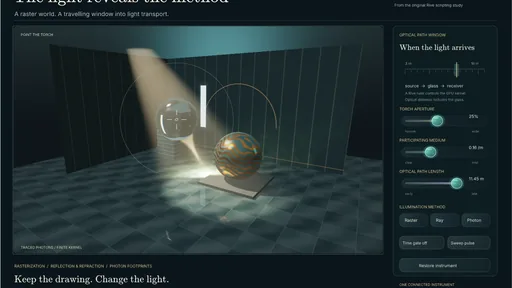
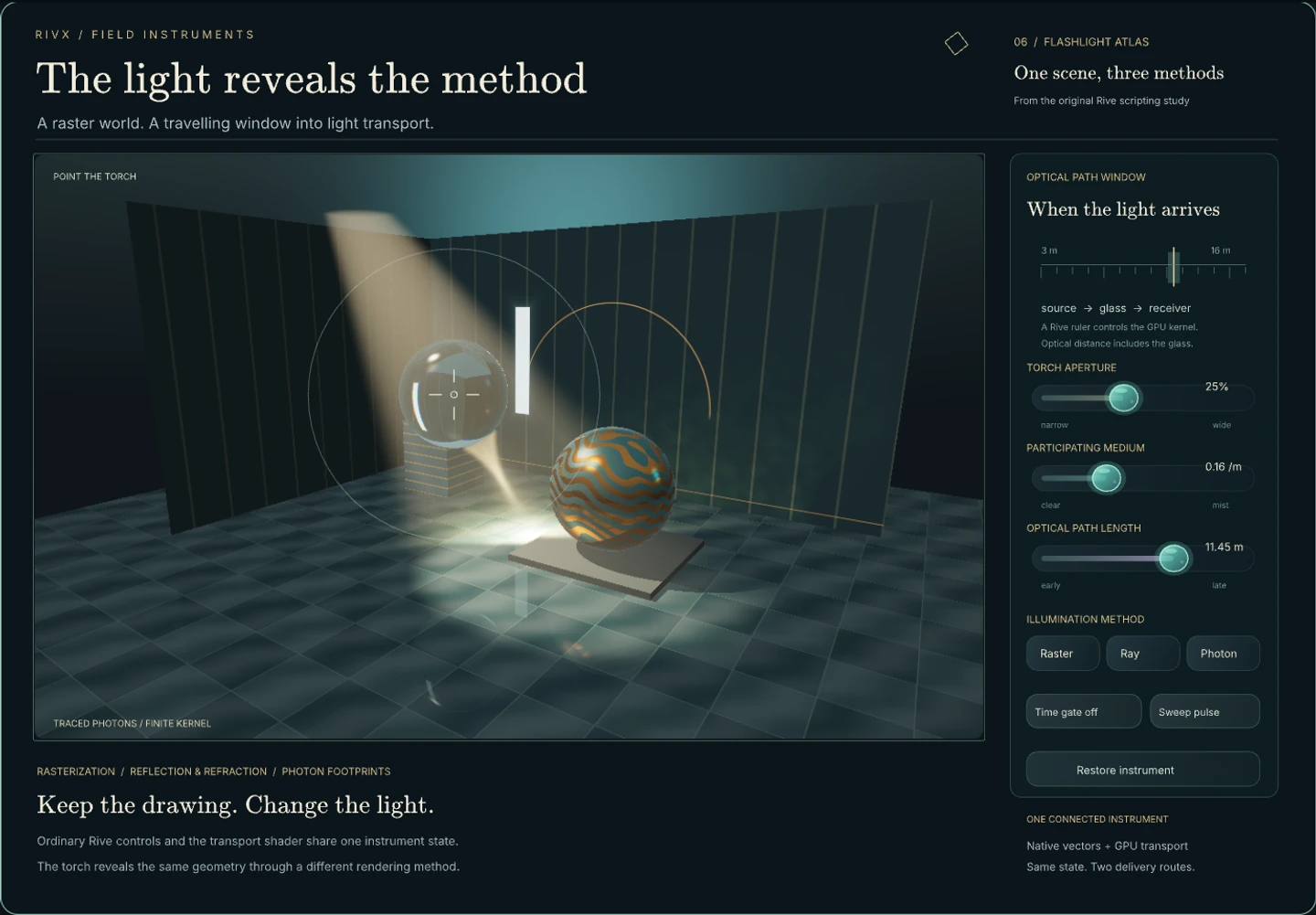
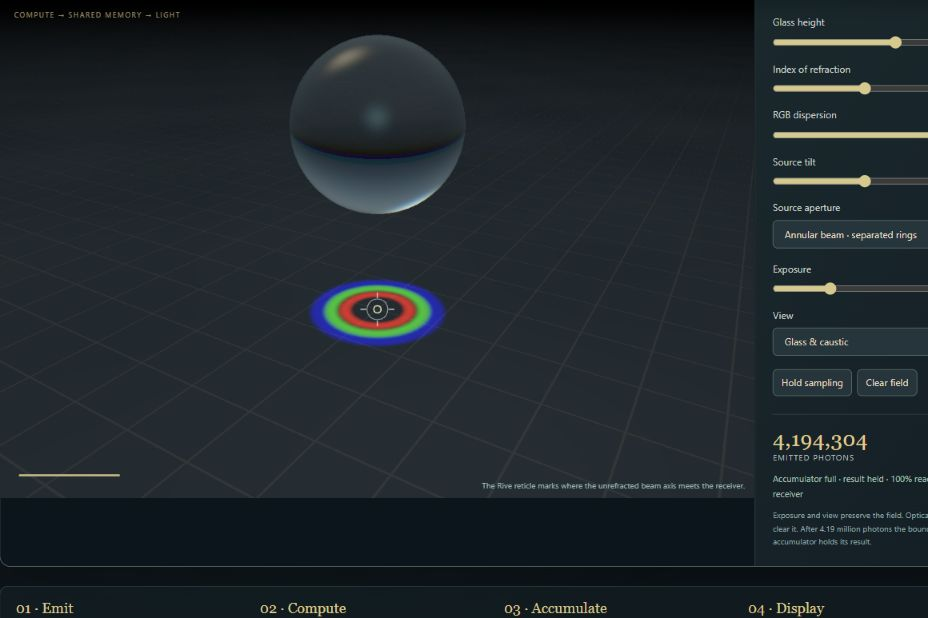
Point a flashlight into a drawn world. Flashlight Atlas returns to the original Rive scripting gesture with glass refraction, reflected surroundings and traced photon caustics. Switch on Living fog and the gallery fills with rising plumes: sweep the light to stir them, then freeze the smoke and inspect how it changes the illumination.

Here Rive supplies the linked vector instrument: the sight, optical-time ruler and labels share values with the rendering passes. The browser host owns the optical renderer and optional simulation. Switch on Living fog to make that division tangible: the medium now remembers motion between frames.

Living fog updates a persistent smoke field with compute passes. The photon-receiver companion below assigns work to photons and atomically accumulates their contributions into a shared receiver. Rive’s documented GPU Canvas API currently supports vertex and fragment shaders, but not compute shaders, so these particular implementations stay in the host. Similar imagery could be produced with a different algorithm.

ExplanationOne gesture, three evaluationsThe original prototype supplies the interaction; the new instrument makes the drawing and computation boundaries explicit.

The base pass rasterizes depth-tested triangles with visible edges. Analytic ray intersections add bounded reflection and refraction. Photon rays follow the flashlight through dielectric entry and exit to their first receiver; post-glass segments also reconstruct volume caustics. Show photons outside aperture adds those traced contributions to the raster world. Rays missing the glass contribute no glass caustic.

The temporal window selects source-to-sample optical path length: air distance plus refractive index times the distance inside glass. The camera leg is omitted, so this is a source-clock pulse view rather than a camera-return time-of-flight measurement. The medium is a single-scattering approximation; the photon reconstruction is deliberately biased.

Torch brightness scales source power before tone mapping. Yaw and tilt offset the continuous aiming direction. Disk and five-point-star emitters sample finite source areas with fixed total flux; direct surface illumination uses bounded quadrature and direct fog keeps a central-source approximation. RGB dispersion traces three index bands through the glass, receiver and volume beams. It is geometric three-band dispersion, not a continuous spectral solver. These new settings use host controls beside the ordinary Rive instrument, and survive both setup lists and Suite export.

While a control moves, a small 512-ray batch supplies feedback. After the scene rests, independent batches accumulate into a fixed-memory linear running mean for both receiver and beams. Refinement has no batch cap. This reduces sampling noise with a fixed reconstruction kernel; it is not progressive photon mapping with a shrinking radius or a converged full-transport solver.

The base raster, ray and photon evaluations use vertex/fragment render passes. Living fog adds a separate compute simulation before those passes. This browser route is a RIVX Suite: ordinary Rive content, a host and GPU programs. An earlier companion GPU Canvas document was compiled and rendered in the official local CLI; these enriched materials, media and controls have not been copied into a newly signed all-in-one document. Neither artifact implies a complete port of RIVX Draw.

StageWhat it contributesWhat remains connected
Original scripting prototypeFlashlight, sampled rendering and alternative drawing stylesThe gesture and the question: how does a 3D scene become a Rive drawing?
GPU Canvas documentEarlier companion with embedded raster, ray and photon passes; locally compiled and renderedRive-owned controls and shader parameters in one document; latest Suite enrichment is not in this companion
Live RIVX SuiteExternal WebGPU player with receiver and volume transport, plus optional fluid computeAn ordinary .riv interface and shared state, packaged with the renderer it needs
ExplanationLiving fog: a field that remembers motionThe optional smoke simulation shares its density with the existing light transport.

Living fog retains density, heat and face velocities on a 40 × 32 × 40 grid. Developed plumes are seeded once, then semi-Lagrangian advection, buoyancy and vorticity confinement move that state. Fourteen weighted Jacobi iterations approximate pressure projection. The spheres, cube, pedestal and chamber walls act as voxelized obstacles.

Smoke source controls the three floor emitters. Stirring applies an artistic helical air jet along the aimed flashlight cone; it is not radiation pressure. Heat in the smoke reveals the retained temperature field. Freeze flow holds the density so stationary photon batches can refine the lighting. Reset plumes restores the seed, while switching the optional toggle off returns to the selected procedural medium.

One density field supplies direct fog, source-to-surface extinction, refracted volume beams and photon receiver extinction. Short density columns also attenuate the camera view, and a bounded ambient fill makes unlit smoke readable. Entry and exit air segments are treated separately from travel inside glass. This remains a single-scattering visual approximation and finite photon reconstruction, not complete heterogeneous or multiple-scattering transport.

The flow advances at most 30 times per second with no catch-up burst after suspension. Live flow uses at most 2,048 photons per batch; a frozen volume restores the selected full count. The coarse grid, first-order advection, limited pressure iterations and faster top-layer dissipation favor a responsive visual study over a calibrated fluid experiment.

Suite export includes the compute module and shader alongside the ordinary Rive interface and renderer. It preserves the settings, then reloads Living fog as a frozen seeded setup; the evolved volume is not serialized. This browser companion does not mean the native RIVX exporter automatically generates fluid simulations.

ExplanationWhere these experiments runThe host owns the compute simulation; Rive supplies the linked vector instrument.

GPU Canvas currently exposes vertex and fragment shaders, with up to four bind groups. Its documented WGSL subset excludes compute shaders, override declarations, subgroup operations and non-uniform resource indexing. These are current API limits; they are not a judgement about which visual styles belong in Rive.

Living fog dispatches grid updates into persistent simulation buffers and a 3D density texture. The photon-receiver companion assigns a compute invocation to each photon and uses atomic additions when paths reach the same cell. The browser owns those pipelines, resource lifetimes and dispatches; their current compute execution paths cannot be placed directly into the documented GPU Canvas API.

That execution gap does not make smoke or caustics impossible without compute shaders. NVIDIA’s GPU Gems Chapter 38 implements fluid advection and pressure projection with fragment programs and render passes. Reworking this solver around another resource layout and rendering algorithm is a separate engineering route, not a port demonstrated here.

Prismatic Garden and Flashlight Atlas’s base optical passes remain render-pass algorithms; their visual effects are not exclusive to this host. Living fog is the new compute addition within Atlas. A full learned-Gaussian export is also simply not implemented here. The paired gallery demonstrates the delivery routes that already exist.

Live optical instrument

A raster world. A flashlight into traced light.

A raster world. A flashlight into traced light.

Shape the torch, edit the spheres and split refracted light into RGB paths. Try Living fog to stir rising smoke with the flashlight; freeze the volume to let photon batches refine its lighting. Save a setup or export the working instrument.

Draws with Official Rive controls + WebGPU rendering and optional fluid compute

Artifact RIVX Suite · ordinary .riv interface + GPU renderer

Export Export this RIVX Suite → standalone HTML; Export setup list → scene-settings JSON

Purpose Interactive transport showpiece and editable scene study.

Made with Authored Rive interface + browser WebGPU transport; inspired by the original scripting prototype.

Demonstrates One instrument coordinates Rive controls, traced light and optional persistent smoke in a browser Suite.

Open separately ↗

Wheel over the scene may zoom; move outside it to scroll the page.

Preview of A raster world. A flashlight into traced light.

Rive controls share the optical scene with a WebGPU renderer. Optional Living fog retains smoke between frames; the same density shapes direct light, refracted beams and caustics. Freeze flow to inspect and refine the lighting.

Suspended · activate to run; playback pauses after the full panel leaves the vertical viewport.

Photon accumulation · compute study

Light writes into a shared field.

Light writes into a shared field.

Choose an optical setup using the Rive instrument. Its bound values drive compute photon tracing; the accumulated receiver returns as a Rive vector profile. Move the glass or inspect the field to follow the same energy through both representations.

Draws with Official Rive state machine and data bindings + host WebGPU compute

Artifact Browser RIVX companion · ordinary .riv instrument + compute host

Export Runs with its WebGPU host; the ordinary .riv contains the controls and vector profile

Purpose Demonstrate Rive controlling and inspecting a host compute experiment.

Made with Authored ordinary Rive instrument with native listeners; browser compute counterpart inspired by native photon accumulation, not a native scene export.

Demonstrates Rive drives the optical choices and draws the returned measurement; the host supplies compute and storage atomics.

Open separately ↗

Wheel over the scene may zoom; move outside it to scroll the page.

Preview of Light writes into a shared field.

A two-way Rive + host-compute study: native Rive buttons configure photon tracing, compute threads accumulate energy, and an ordinary Rive path displays the measured receiver profile.

Suspended · activate to run; playback pauses after the full panel leaves the vertical viewport.

08 · The algorithmic contribution

Choose what to preserve

Description · at a glance

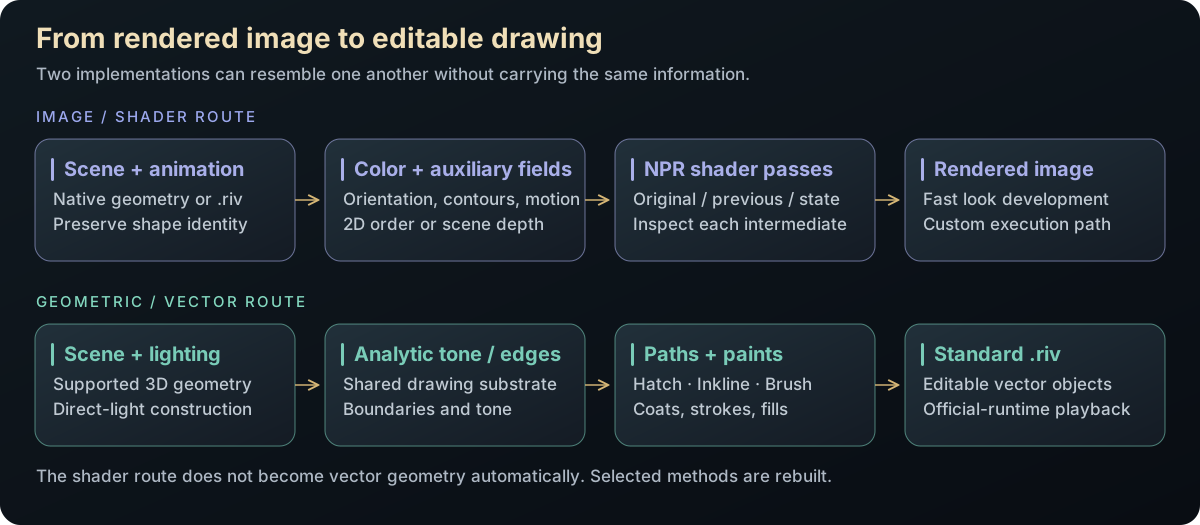
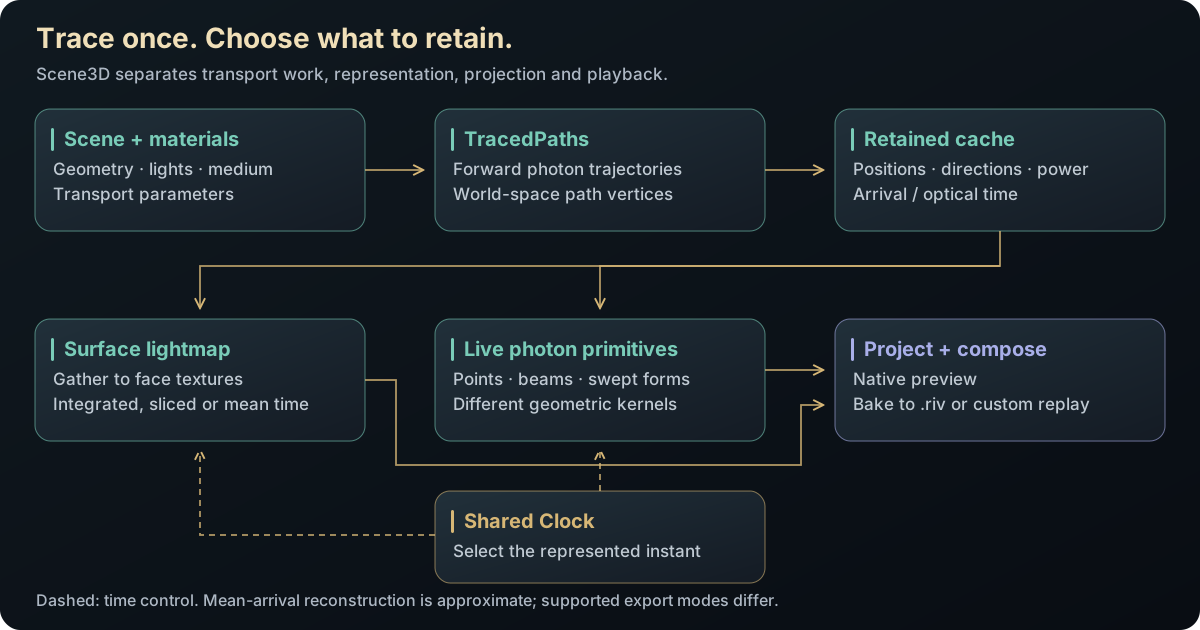
The shared operation is a change of representation. Start with a scene, animation or measured field; retain the information needed by the intended interaction; then express its appearance as pixels, geometric marks or a mixture. The shader route evaluates a field directly. The vector route constructs curves, strokes, fills or textured meshes from that field. Neither result makes the other unnecessary.

The interesting mathematics lives at those boundaries: projection turns 3D motion into 2D keys; covariance turns a spatial Gaussian into a screen footprint; contours turn a scalar field into a drawing; a temporal kernel selects an optical path-length shell; compositing determines whether exported opacity keys reproduce the intended mixture. Each conversion has a quantity to preserve and an error or cost to measure.

The Scene3D preset grid exposes these choices as reproducible graphs. Keep the scene or path cache fixed while changing the drawing to see what the representation itself contributes. The browser studies make selected conversions interactive and reopen their exported results in the intended player.

Representation schematic: evaluate a field as an image, reconstruct it as geometry, or combine both. Ordinary .riv stores supported drawing objects; GPU Canvas can additionally package authored shader computation.
Diagram Representation schematic: evaluate a field as an image, reconstruct it as geometry, or combine both. Ordinary .riv stores supported drawing objects; GPU Canvas can additionally package authored shader computation.
ConversionWhat must surviveWhere to inspect it
3D motion → projected keysPose, paint order and the authored view domain600-angle orbit and keyed projection
Radiance or image → curves / splatsSelected contours, tone or fitted appearance under a primitive budgetSurface styles and the progressive 2D fitter
Paths → beams, rings and temporal slicesThe estimator measure, valid domain and optical clockRetained photon studio and finite hourglass
Rive draw stream → a new drawing modelAnimated path geometry and its traversal orderNative vector beam and the portable browser command-adapter instrument
Live shader + vector explanationShared parameters and a defined order for combining the layersSigned GPU Canvas instruments and paired hybrid studies
ExplanationA typed graph separates acquisition, representation and viewingGeometry, Camera, Layer and Clock inputs determine which work can be cached.

A graph layer carries the geometry and camera context needed downstream, rather than being just an unnamed color texture. That allows a raster view, a pattern generator and an export node to refer to the same scene. Clock is a separate input: advancing an observation window need not imply generating an unrelated photon population.

The evaluation plan distinguishes expensive static work from pose-dependent work. TracedPaths can produce the retained transport population; PhotonLightmap can deposit it onto surface charts; an illumination, hatch or splat node can choose a display vocabulary. The camera then projects that result. A camera input attached to a baked representation does not make the underlying lightmap camera-dependent. Geometry, light or material edits can invalidate the bake, while an ordinary camera orbit can reuse it.

This separation is also the basis of the preset comparisons. Changing only the final representation exposes its approximation; changing the tracer, lightmap and display together would mix several causes. The recipes above name actual graph presets, while the full node reference documents the inputs and the recomputation rules.

Source evidenceLight through vectors: graph, baking, refraction and projection derivations ↗Concrete graph presets and parameter valuesoffline_projs/RIVX/backend/src/scene3d/scene3d_presets.cppNode interfaces and live explanationsoffline_projs/RIVX/backend/src/scene3d/scene3d_graph_info.cpp
Capability family

Build the drawing tools around it.

Implement the drawing interface, explore curves and soft fields, then make the experiments editable and stack their effects.

09 · Official Rive and the enhanced RIVX backend

Keep compatibility. Expand the drawing vocabulary.

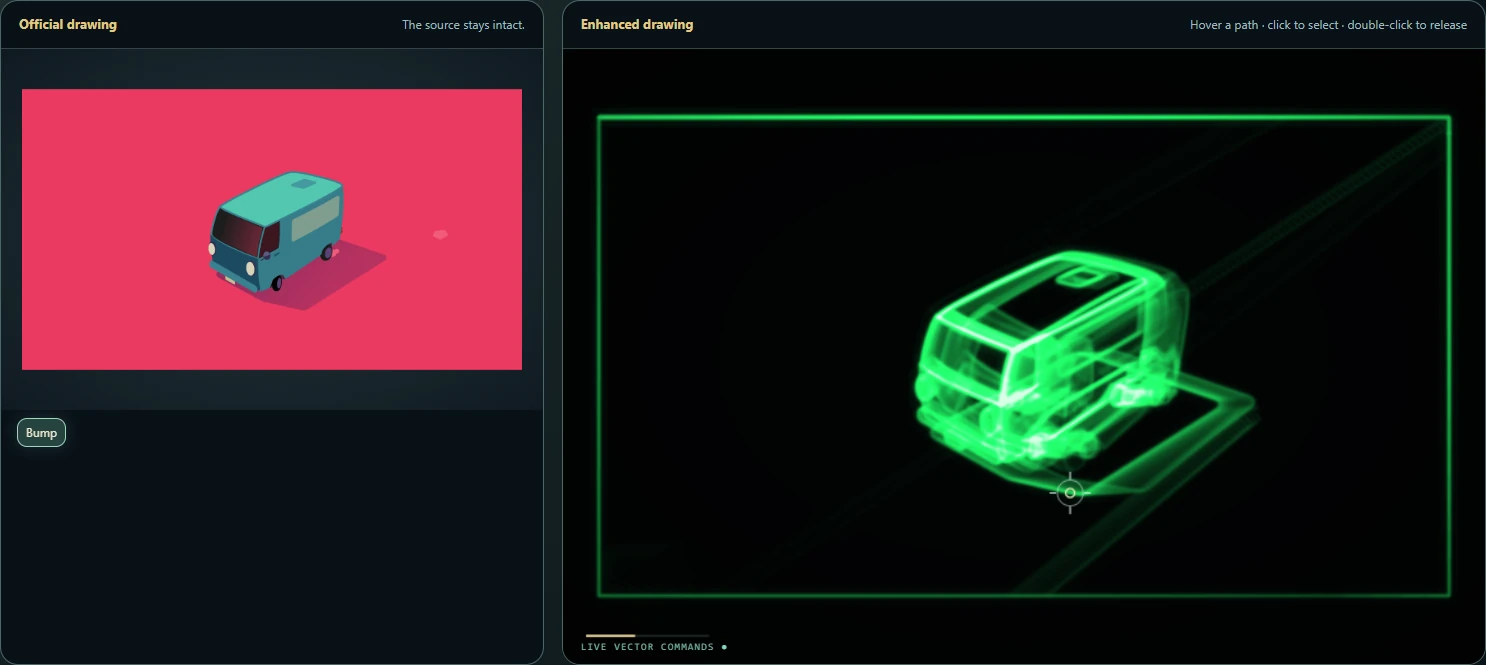
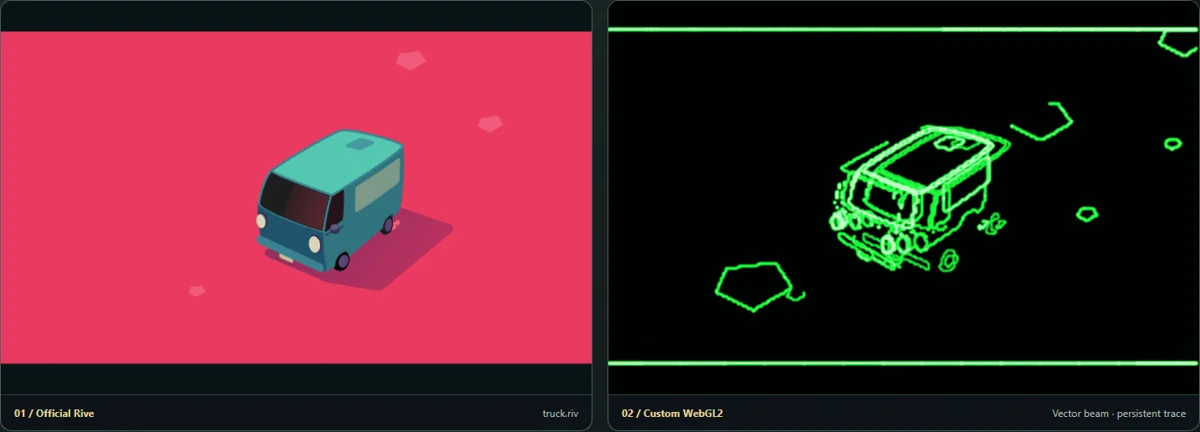
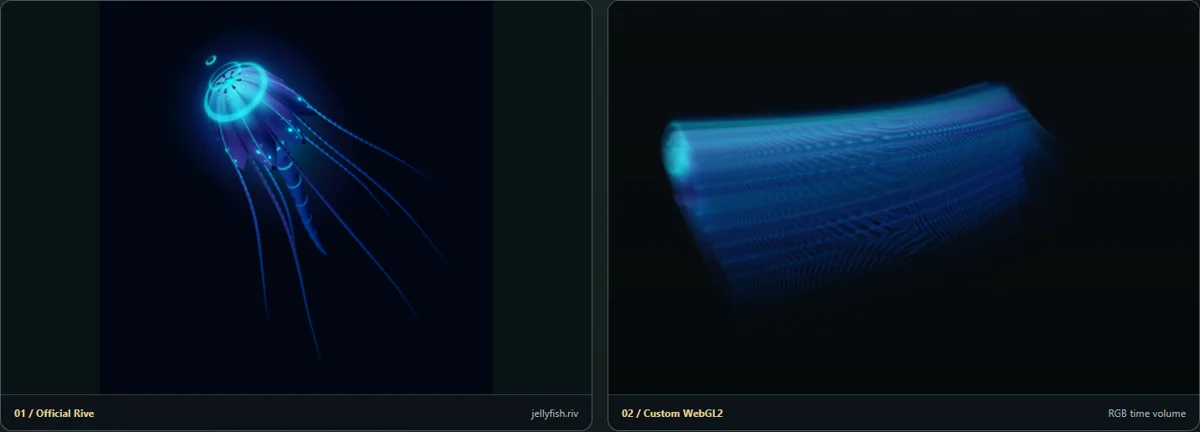
Video A planet, jellyfish, icon set and moving van are inspected while the official and custom backend routing controls are exposed.
Description · at a glance

The export question also made me curious about the drawing engine underneath. I implemented Rive’s renderer and factory interfaces, then compared my drawing route with the reference renderer shipped in the official open-source repository. Both use the official core to load the file and evaluate its animation; the part I replace is how those drawing commands become pixels.

That boundary became a place to experiment. The custom route adds B-spline and Yuksel curves, Gaussian fields and auxiliary scene information. The native recording switches the official and custom backends on the same artwork; the browser companion demonstrates a smaller drawing adapter. The next studies inspect the extra vocabulary and what can be approximated in a portable file.

RouteResponsibilityWhy retain it
Official RiveOfficial import/evaluation and standard drawingCompatibility reference, stock playback and portable .riv verification.
RIVX Draw · enhanced backendOfficial evaluation → instrumented Renderer/Factory adapterChange the path drawing model; expose identity, contours, motion and auxiliary fields to effects.
Scene3D direct / “No-Rive”Retained scene → custom GPU geometry and field renderingTrace and display representations that need no intermediate Rive artboard; provide reference images.
ExplanationThe drawing adapter and the direct Scene3D routeThe custom Rive renderer and the Scene3D No-Rive route are distinct controls.

The official route is the compatibility baseline and the normal choice for standard Rive drawing. RIVX Draw, our working name for the enhanced backend, is a renderer adapter below the same official animation evaluator. It receives actual paths and transforms, then chooses how to rasterize or reinterpret them. That makes it useful for specialized coverage, feathering, shape-aware fields and the vector-beam drawing model—not merely a second preview window.

In native beam mode, the custom renderer collects transformed contours from the evaluated artboard. An ordered moving spot follows that geometry, and an analytic segment integral deposits energy into a persistent phosphor buffer. A final-image filter cannot recover that exact source draw stream from pixels. The browser effect workshop has a useful image-derived contour treatment, but it is a different input contract. Native contour capture exposes the raw drawn contours before general clipping/opacity treatment, so it is not automatically a visible-silhouette extractor.

Scene3D’s “No-Rive” option is a third route: direct GPU rendering of its own retained geometry, fields and splats. It is useful as a reference and for primitives outside the ordinary Rive vocabulary. Internally this scene option also uses the label “Ours”; it should not be confused with the top-level custom Rive renderer.

A standard .riv export does not need the custom backend once its result has become supported Rive shapes, images and keys. A live custom drawing behavior needs either its own playback implementation, an authored GPU Canvas implementation, or a bake. Saving parameters in a native .rivx project preserves the recipe; it does not embed a portable implementation of the renderer.

The browser instrument below now carries one enhanced drawing behavior through the whole pipeline: official Rive evaluates the source animation, a command adapter captures its animated paths, a custom beam renderer draws them, and an ordinary Rive reticle tracks the beam while a bound rectangle marks the selected path. The standalone HTML export carries that browser implementation. This is a focused portable renderer, with its own supported subset, rather than a port of the complete native backend.

The direct “No-Rive” switch describes an intermediate drawing route, not a ban on Rive export. Its results can later become supported paths, images or keyed poses. A pure WebGL export is appropriate when the delivered scene has no Rive layer at all. A custom effect survives in ordinary .riv only when represented by supported content or baked; otherwise its specialized player must travel with it.
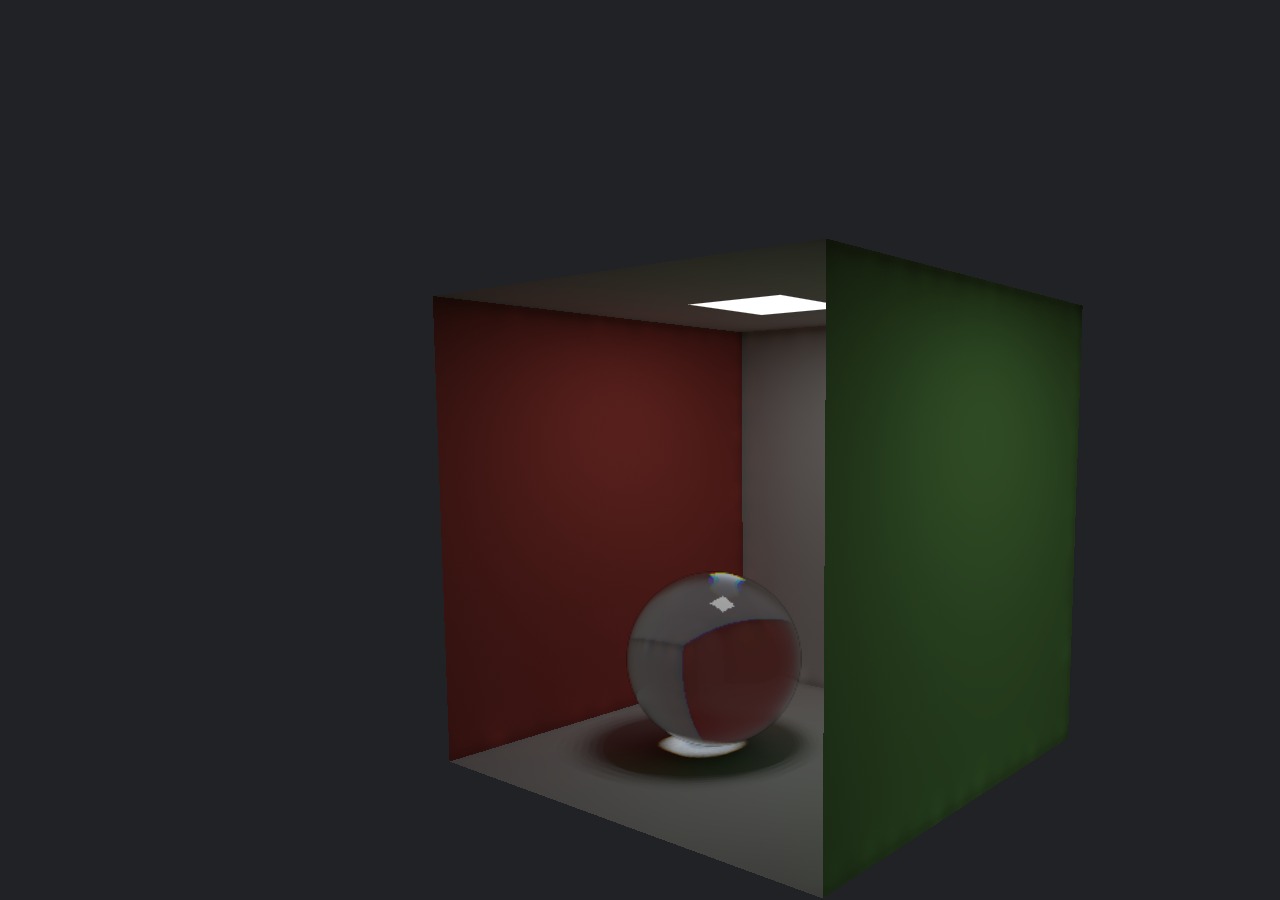
ExplanationOne drawing interface, two execution strategiesImmediate per-shape rendering exposes geometry; deferred rendering amortizes work over a frame.

The custom renderer implements the Rive renderer and factory interfaces so the same scene can be replayed through either backend. Its immediate stencil-and-cover path handles each shape individually: flatten and tessellate, establish clipping and winding coverage, cover the shape, and composite its paint. This exposes the shape at the point where additional information or behavior can be attached.

The official renderer is open source, but the ordinary integration boundary provides a completed render rather than all of those bespoke intermediate buffers. Its execution strategy records draws and organizes a logical flush: gradient data and tessellation are prepared in batches, compatible work is grouped, and coverage is resolved through its rendering pipeline. The custom renderer instead flattens and uploads paths and performs stencil/cover work shape by shape. The comparison is therefore about data access and amortization, not a universal ranking of C++ implementations.

OperationCustom backendOfficial integration
Per-shape geometry inspectionDirect access during renderer callsRequires a separate inspection route
Path executionCPU flattening, streaming uploads, stencil and coverRecorded draws and grouped tessellation/coverage work
TextGlyph outlines enter the path interfaceRuntime text and rendering support
Special Gaussian drawDedicated Gaussian pathMapped into supported vector primitives
CompatibilitySome blend modes fall back; gradient stop count is cappedReference behavior for ordinary exported Rive content
Theory / mathematicsCoverage, clipping and feather are separate operationsA blurred boundary requires more than extending a filled polygon.

The custom fill route flattens the path, establishes clipping, accumulates contour winding in stencil and covers the bounded region with paint. Clipping uses a reserved stencil bit; winding and the selected fill rule determine which covered fragments survive. Repeating this sequence across many small paths introduces draw, upload and clear costs even if the final pixel count is modest.

Feather introduces a coverage field around that boundary. The implementation has several routes, including Gaussian passes, atlas-based coverage and a jump-flood distance route. Coverage can be cached when geometry, feather and clip remain unchanged; paint color and opacity are excluded from that cache identity. A pulsing color can consequently reuse coverage even though the final pixels change.

The error-function expression below is the Gaussian convolution of a locally straight boundary. Applying it to a distance field is a useful approximation for curved outlines, not an exact convolution of every possible shape. This distinction matters when comparing a feathered ellipse with a true anisotropic Gaussian.

C(x)=∫ΩGσ(x−y) dyC(\mathbf{x})=\int_{\Omega} G_{\sigma}(\mathbf{x}-\mathbf{y})\,d\mathbf{y}
C is blurred coverage, Ω is the filled region and Gσ is a normalized two-dimensional Gaussian with standard deviation σ.
C(d)=12[1+erf⁡ ⁣(d2σ)]C(d)=\frac12\left[1+\operatorname{erf}\!\left(\frac{d}{\sqrt{2}\sigma}\right)\right]
For a straight boundary, d is signed distance measured positive inside. A distance-based evaluation uses this local boundary model; curved and narrow regions require additional care.
ExplanationCompare the work behind each frameDraw count, coverage work, object count and feature parity explain more than one frame-rate number.

A dense cloud represented by one custom instanced batch is not the same workload as a cloud expanded into thousands of runtime shape components. Conversely, a frame containing many ordinary vector paths can favor the official renderer’s deferred batching over the custom per-shape route. Both comparisons can be useful when the representation is stated.

The current engine document supersedes earlier broad speed ratios. It tracks the actual rendering mechanisms and identifies missing general path/transform caching in the custom route. Feature parity also needs to be checked: the custom path caps gradients at sixteen stops, falls back to source-over for unsupported advanced blends, and uses approximations for some fixed-function blend combinations. A quicker frame produced by a reduced operation is a different result.

For an exported scene, the ledger includes drawable nodes, total serialized components, image assets, keys and per-frame player work. A smaller drawable tree may still use more total components; fewer draw calls may still process a large overdraw footprint. Those quantities are kept separate in the exporter’s evidence.

ExplanationWhich extensions belong in the engine?Retained geometry, object information and frame history let effects use more than the final color image.

The next reusable layer is a contract for information: which pass owns it, its coordinates and units, how long it lives, and how it changes when a control moves. Native shape-aware fields, special curve/splat types and the browser signal-history sweep already provide concrete starting points.

A heavily interlaced Rive/GPU instrument is also possible in a Suite, but it needs an explicit dependency graph, synchronized state, clipping and resource lifetime. The goal is to make that coordination routine. More canvases or more impressive shaders alone do not establish an exclusive RIVX capability.

A general 4D field API, automatic graph lowering into signed GPU Canvas, and universal native-backend browser parity remain proposed work. The extension brief separates those proposals from the working examples.

RIVX Draw behavior, delivered as a Suite

One animation. A different drawing backend.

One animation. A different drawing backend.

Inspect actual animated Rive paths and choose their beam drawing model. Pin a curve to compare its current cubic geometry with its recorded time sweep side by side. Export the full instrument with its captured history.

Draws with Official Rive Canvas advanced evaluator + custom WebGL beam + ordinary Rive return layer

Artifact RIVX Suite: original .riv, command adapter, browser beam renderer and reticle .riv

Export Export standalone HTML packages this player, its original source and current settings

Purpose A working browser path renderer and bounded history instrument.

Made with Evaluated official Rive path commands, custom beam/history drawing and Suite packaging.

Demonstrates The renderer consumes original Rive path commands; its time-axis companion preserves selected path identity across recorded poses.

Open separately ↗

Wheel over the scene may zoom; move outside it to scroll the page.

Preview of One animation. A different drawing backend.

Official Rive evaluation → transformed path commands → custom analytic beam and persistent phosphor → a bound ordinary-Rive reticle. The source geometry is captured before rasterization; it is not reconstructed from image edges. This browser implementation is a focused enhanced renderer, not official GPU Canvas or a complete port of the native RIVX backend. The time-volume view retains actual evaluated vector coordinates with timestamps; it does not infer motion from screenshots.

Suspended · activate to run; playback pauses after the full panel leaves the vertical viewport.

Recorded examples · 2Native playback and renderer routingLoaded Rive animations establish the input before auxiliary fields or effects are applied.
Image Jellyfish animation in the custom renderer, with selected geometry, the scene hierarchy and backend-routing graph.
Image Unprocessed truck animation with the custom renderer selected and the official renderer available in the same toolbar.
10 · B-spline and Yuksel families · covariance-driven splats

Keep the curve, then choose how to draw it.

Description · at a glance

The editor studies curves and anisotropic splats as native representations. Curve choices include cubic paths, B-spline variants and Yuksel interpolation families. Control points and handles can be edited directly, while the evaluator retains the selected construction. Export asks a different question: can the destination describe that same curve, or must it receive a flattened approximation?

A Gaussian field similarly has more structure than a round soft spot. Its covariance determines orientation and falloff along different axes. The native splat path can retain that anisotropy and use accumulation behavior chosen for the experiment. An official .riv export must approximate the field using available ellipses, paint and feathering, with a fitting cost and a visible fidelity boundary.

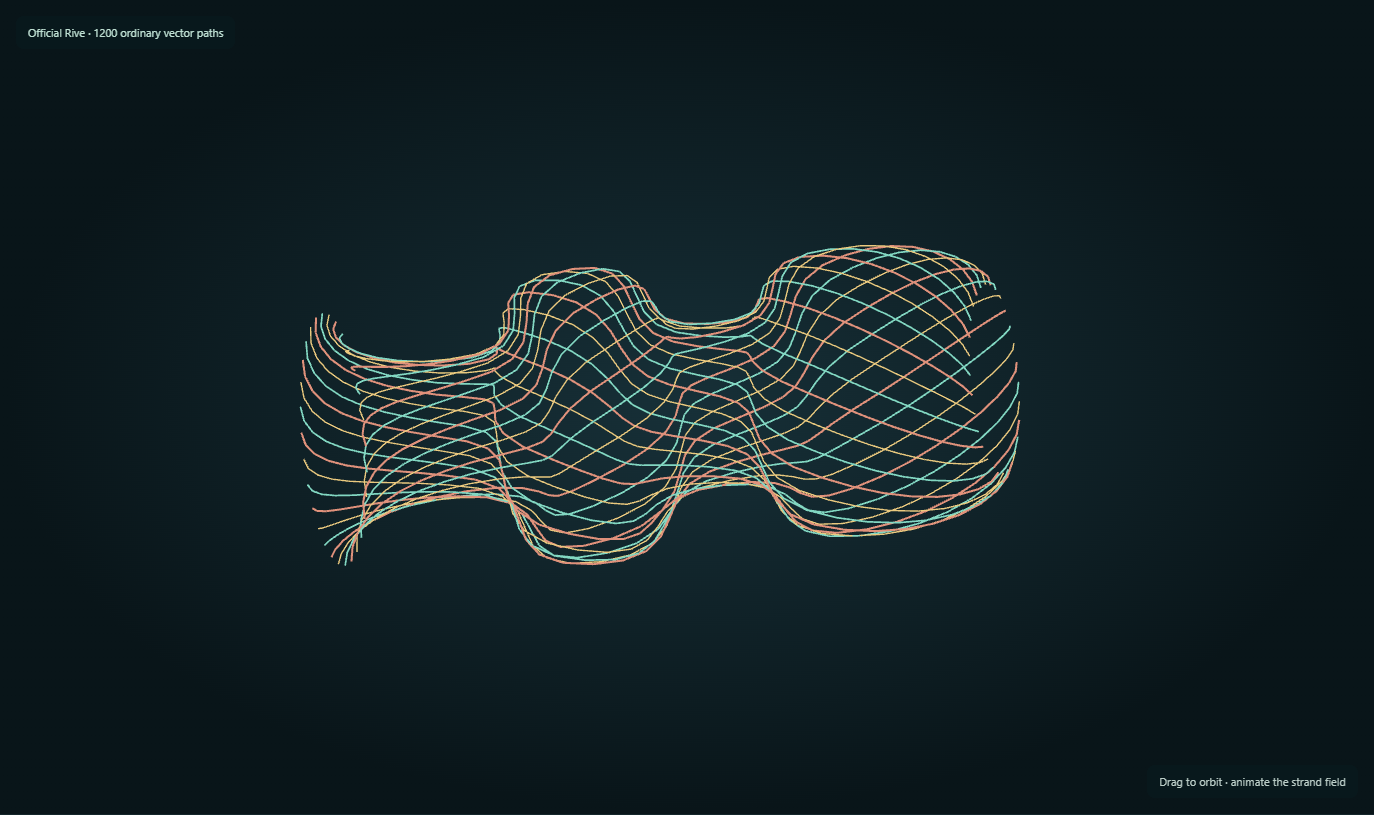
Curve Atelier separates the construction from its display. JavaScript runs a port of the native local Yuksel-family evaluator; official Rive draws the resulting sampled segments. The gold curve is a dense reference, and the coral overlay shows a coarser sampling with a measured residual. The browser snapshot stores ordinary filled paths. The native editor separately retains the curve family and control points in its .rivx document, or samples it into ordinary .riv polylines.

ExplanationRIVX defines the curve; Rive can draw its approximationThe editable model, the numerical evaluator and the portable path are separate layers.

Moving an interpolated control point changes the local construction without arranging Bézier handles. The extension lives in that retained model and evaluator. Both the native renderer and this browser study sample the evaluated curve for display; neither label promises an infinitely exact rasterization.

The native Cubic Pen already uses ordinary cubic Bézier vertices and keeps those vertices in .riv. The native B-spline and Yuksel export instead writes a polyline. Curve Atelier uses narrow filled quadrilaterals for its line segments. A fitted cubic approximation would be another conversion method; it is not the exporter shown here.

RouteWhat remains editableWhat draws it
Native RIVX curve editorCurve kind, control points and supported style/handles in the editor .rivx recordThe custom path pipeline samples the retained construction; the official preview uses flattened Rive paths.
Curve Atelier in the browserJavaScript curve state; its JSON saves points, basis and view choicesUnmodified official Rive draws a reusable pool of ordinary filled paths.
Ordinary .riv snapshotThe resulting Rive geometry, with the original interpolation rule discardedOfficial Rive: filled segment geometry in this study; polylines for native spline exports.
Theory / mathematicsAn anisotropic Gaussian is a field, not a blurred ellipse by definitionThe matrix defines its profile; the player determines how that profile is represented.

A two-dimensional Gaussian is specified by a mean, a positive-definite covariance and a peak amplitude. Its covariance determines both orientation and scale. The dedicated custom channel evaluates this profile directly within a finite drawing footprint. Unit peak and unit integral are different conventions: changing covariance changes integrated mass if the peak remains fixed.

A standard Rive ellipse with an isotropic feather instead starts with a finite filled region and blurs its boundary. Geometry can make that result anisotropic, but the profile is not automatically the same Gaussian. The portable export fits ellipse radii, feather and amplitude to the desired profile. The native exact-field route, the trained 3D splat display and the portable feather fit should therefore be compared as separate implementations.

These examples explain why owning the document and renderer interfaces matters. Native editing, live display and export do not need to share an identical representation. They do need a clear conversion contract and tests that reveal where information is lost.

g(x)=aexp⁡ ⁣[−12(x−μ)TΣ−1(x−μ)]g(\mathbf{x})=a\exp\!\left[-\frac12(\mathbf{x}-\boldsymbol\mu)^{\mathsf T}\Sigma^{-1}(\mathbf{x}-\boldsymbol\mu)\right]
μ is the center, Σ is a positive-definite covariance and a is peak amplitude. The untruncated field integrates to 2πa√detΣ; a finite renderer footprint discards or reshapes its tails.
∫R2g(x) dx=2πadet⁡Σ\int_{\mathbb{R}^2}g(\mathbf{x})\,d\mathbf{x}=2\pi a\sqrt{\det\Sigma}
This distinguishes a unit-peak splat from a normalized density. Display opacity, radiance contribution and transported power require their own stated convention.
Source evidenceWorld-covariance projection and bounded splat displayoffline_projs/RIVX/backend/src/scene3d/scene3d_render_splats.cppDedicated two-dimensional splat rendereroffline_projs/RIVX/backend/src/splat/gl_splat_pipeline.cpp
RIVX construction · official Rive drawing

A point moves. A whole strand follows.

A point moves. A whole strand follows.

Move interpolated control points without Bézier handles, compare dense and coarse sampling, then reuse the same construction for spatial strands. Export the current drawing as an ordinary .riv.

Draws with JavaScript curve evaluator + official Rive WebGL2 drawing

Artifact Ordinary .riv filled-path snapshot / retained curve-study JSON

Export Save ordinary .riv drawing / Save retained construction

Purpose Interactive retained-curve study with ordinary Rive geometry and export.

Made with Browser port of native curve construction, with a dedicated ordinary Rive path writer.

Demonstrates The extra curve family belongs to the authoring model. Its sampled drawing can still play through unmodified official Rive.

Open separately ↗

Wheel over the scene may zoom; move outside it to scroll the page.

Preview of A point moves. A whole strand follows.

RIVX supplies the curve construction; the browser host evaluates it and official Rive draws sampled filled paths. Gold is a dense reference, coral a coarser approximation. The .riv snapshot keeps the drawing; the separate JSON keeps the model for this host.

Suspended · activate to run; playback pauses after the full panel leaves the vertical viewport.

Interactive schematic

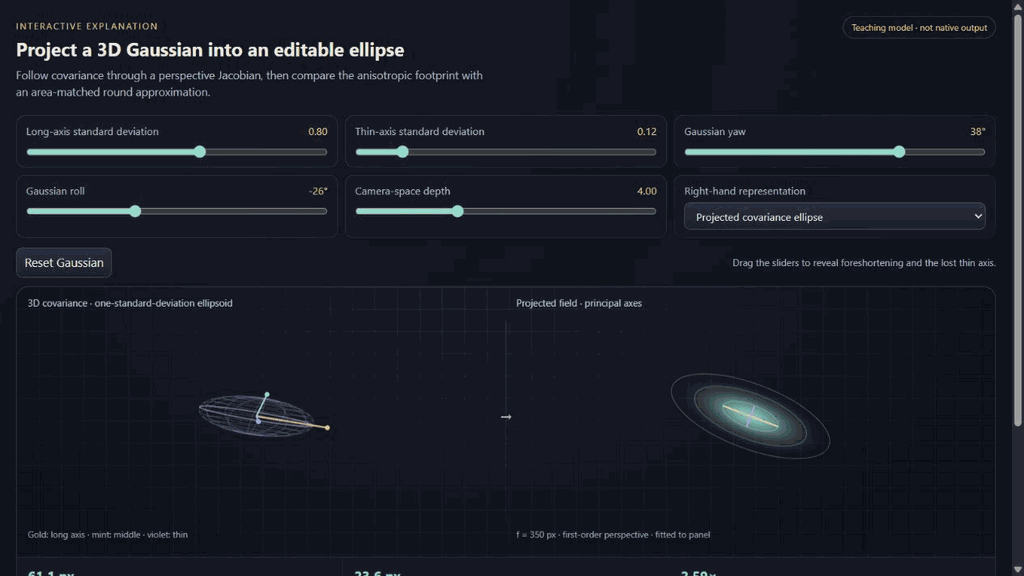
From a 3D covariance to a 2D footprint

From a 3D covariance to a 2D footprint

Rotate a thin Gaussian, follow its projected axes, and reveal what an area-matched circular approximation discards.

Draws with Browser teaching diagram

Artifact Covariance/Jacobian illustration

Export Explanatory companion; not a native renderer export

Purpose Explanatory projection diagram; not a Rive playback artifact.

Made with Authored browser mathematics companion to the native splat pipeline.

Demonstrates Projected covariance determines an elliptical footprint before any choice of drawing backend.

Open separately ↗

Wheel over the scene may zoom; move outside it to scroll the page.

Preview of From a 3D covariance to a 2D footprint

Independent teaching implementation of the documented covariance/Jacobian algebra and bounded display profile. It does not run the native renderer, train a Gaussian cloud or fit/export an official .riv feather.

Suspended · activate to run; playback pauses after the full panel leaves the vertical viewport.

11 · Generalized feathering · another branch of the backend experiment

How soft should a vector primitive be?

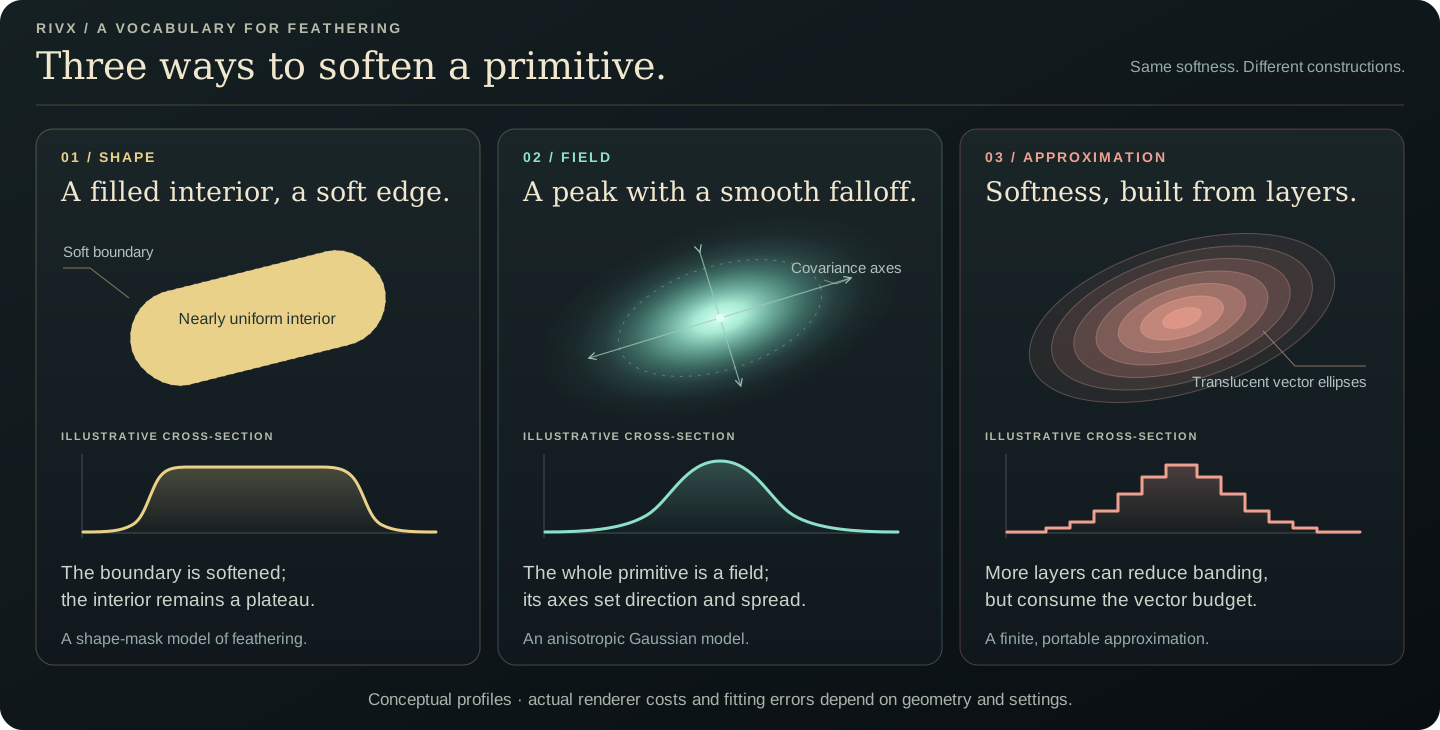
Conceptual profiles: blurred shape coverage, a covariance-shaped Gaussian, and a finite stack of ordinary vector ellipses. The browser fit below is a working representation comparison, not a benchmark of the three native feather algorithms.
Diagram Conceptual profiles: blurred shape coverage, a covariance-shaped Gaussian, and a finite stack of ordinary vector ellipses. The browser fit below is a working representation comparison, not a benchmark of the three native feather algorithms.
Description · at a glance

A soft edge suggested a broader question: could several painted soft shapes approximate a richer field? I explored Gaussian splats, anisotropic profiles and different feathering routes. A filled shape with a blurred edge and a Gaussian with a bright centre can look similar, but they are different functions.

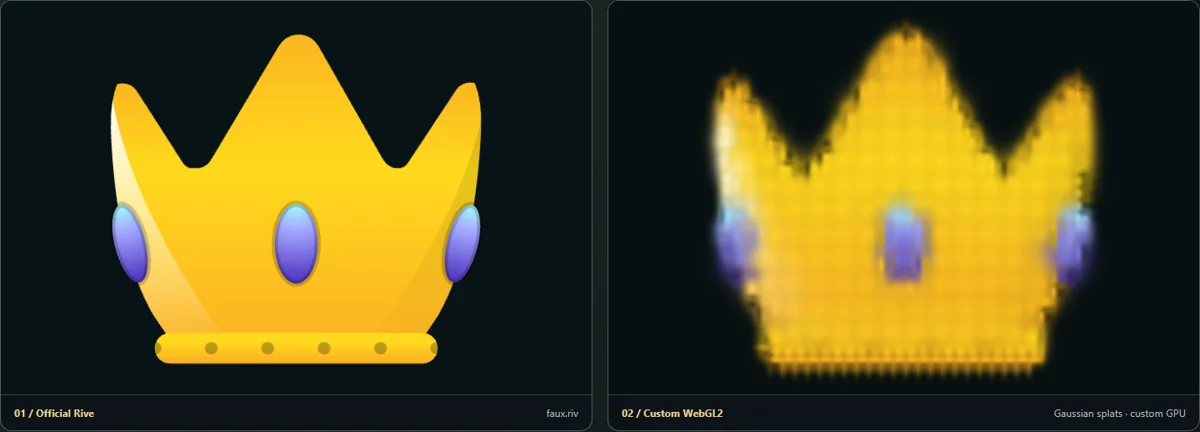
The native backend offers Gaussian, atlas and distance-based feathering. These keep geometric inputs while using different coverage computations, including raster intermediates. Below, a related browser comparison fits custom Gaussian marks and approximates them with layered translucent ellipses drawn by official Rive. It makes the portability tradeoff visible without claiming the two representations are identical.

ExplanationThree native routes for feathered coverageGaussian / Atlas / Analytic are renderer choices, with different approximations and intermediate data.

The native selector exposes Gaussian, Atlas and Analytic modes. Gaussian passes blur coverage; atlas coverage is a separate approximation route; the distance-based route evaluates a profile around the boundary. The analytic erf expression is exact for a straight boundary under Gaussian blur, not for every curved shape.

A native Gaussian primitive instead retains its covariance and evaluates that field. The portable exporter can fit supported feathered ellipses; the live browser comparison below uses layered ellipses. These are separate constructions with separate fidelity and cost limits.

Theory / mathematicsFit the soft profile, then check it in the playerSamples along the principal axes fit the feathered ellipse; the fit still differs from a general covariance-defined Gaussian.

The portable fit models how a finite ellipse behaves under isotropic blur. It compares principal-axis profiles while adjusting ellipse radii and feather in a positive parameterization. For a fixed candidate shape, the amplitude has a least-squares solution, leaving geometry and blur to the search. This is a representation fit, distinct from the scene-level Gaussian training process.

Principal-axis agreement is informative but does not prove equality everywhere in the image. The fit still encounters finite support, alpha compositing and the official feather implementation. The exporter’s useful check is a render after official import, with the same pose and background, rather than only an agreement between two copies of its own fitting formula. The live official mapping and the portable writer can also use different constructions, so their labels should not be collapsed into one supposedly exact path.

a∗=∑iCiTi∑iCi2a^*=\frac{\sum_i C_iT_i}{\sum_i C_i^2}
For fixed candidate profile samples Ci and target samples Ti, this is the unconstrained least-squares amplitude. The implementation applies its valid parameter bounds; the remaining fit adjusts the representable geometry and feather.
Source evidenceGaussian-to-Rive profile fitting and binary writeroffline_projs/RIVX/backend/src/io/riv_binary_writer.cpp
Theory / mathematicsThe 2D fitter separates adding primitives from refining themResidual seeding, candidate search and gradient updates are distinct modes.

The residual-greedy route finds a high-error image location, seeds a new primitive there and optionally refines its bounded parameters. SeedOnly uses a small GPU error map to avoid reading the entire rendered image back on every addition. The CPU search routes refine candidates against a local image window; the GPU candidate optimizer evaluates proposals in batches. These operations are search, even though one version executes much of its work on the GPU.

The continuous Gradient modes instead update existing parameters with Adam and can continue after the primitive-count cap is reached. The project-owned gradient core differentiates color and alpha analytically and uses finite differences of the coverage model for geometry. Its whole-field route accounts for paint order; the earlier per-primitive approximation ignores occlusion. The GPU gradient route evaluates per-pixel terms in an atlas, reduces them and reads back compact per-primitive gradients.

This gives the image, residual, current primitive distribution and optimizer mode distinct explanatory roles. More primitives improve representational capacity; more refinement steps improve a particular parameter fit. Neither guarantees that a local search or a fixed representation will resolve every residual.

∂Cfinal∂αj=T>j(cj−C<j)\frac{\partial\mathbf{C}_{\mathrm{final}}}{\partial\alpha_j}=T_{>j}\left(\mathbf{c}_j-\mathbf{C}_{<j}\right)
For source-over composition, cj is the straight color of layer j, C<j is the color already composed below it and T>j is the transmittance through layers above it. This term explains why a paint-over gradient differs from an occlusion-ignored additive approximation.
Source evidenceResidual seeding and bounded candidate refinementoffline_projs/RIVX/backend/src/splat/splat_fitter.cppExecuted fitting modes and target-content cacheoffline_projs/RIVX/backend/src/splat/splat_training.cppContinuous gradients, finite-difference geometry and Adamoffline_projs/RIVX/backend/src/splat/splat_grad.hppGPU gradient atlas and reductionoffline_projs/RIVX/backend/src/splat/gl_splat_grad.hpp
Theory / mathematicsA soft lobe is a representation, not just a blur settingMultiple painted lobes, a transformed feather and a covariance-evaluating shader offer different ways to approximate or directly express a profile.

A desired 2D field can be approximated by overlapping colored primitives. Each primitive has uniform paint, a footprint and a soft boundary; together they approximate a richer spatial distribution. Their compositing rule matters: an additive sum and a source-over stack are different functions. Extra lobes improve the available vocabulary while increasing draw and storage costs.

The current implementation distinguishes true anisotropic Gaussian fields from feathered-ellipse fields. A native Gaussian evaluates a rotated covariance profile. A portable feathered ellipse instead convolves shape coverage with the player’s supported blur. The live official-backend GSANISO path carries a shared unit circle in an anisotropic transform, so path-space feather follows the two axes. The standalone Gaussian-to-.riv fitting route and this live transformed path should not be conflated.

g(x)=aexp⁡ ⁣[−12(x−μ)TΣ−1(x−μ)]g(\mathbf{x})=a\exp\!\left[-\tfrac12(\mathbf{x}-\boldsymbol\mu)^T\Sigma^{-1}(\mathbf{x}-\boldsymbol\mu)\right]
For a Gaussian, a controls peak amplitude, μ is the center, and the positive-definite covariance Σ sets the orientation and spread. This defines a unit-peak profile before a is applied; it is not automatically a unit-integral energy kernel.
Source evidenceGaussian versus feathered-ellipse fields and coverage modelsoffline_projs/RIVX/backend/src/splat/splat_field.hppShared-circle transformed feather pathoffline_projs/RIVX/backend/src/scene3d/scene3d_render_rive.cpp
Live representation comparison

One animation, three ways to paint it

Keep the same live source: compare a neighborhood shader, directly evaluated Gaussian marks, and ordinary layered ellipses rendered by official Rive.

Reconstruct the source using soft fields

Adjust the footprint and mark density while the source keeps moving. Each mark evaluates a Gaussian profile.

Draws with Official Rive input + custom GPU effects

Artifact Self-contained hybrid HTML; optional .riv snapshot

Export Export hybrid HTML; layered-Rive mode also exports a static .riv

Purpose Optimized 2D Gaussian reconstruction of a real Rive input.

Made with Browser fitting with analytic parameter gradients and WebGL kernel rendering.

Demonstrates Centres, axes, angles and colours are optimized against the source; initialization is not the whole fit.

Open separately ↗

Wheel over the scene may zoom; move outside it to scroll the page.

Preview of Reconstruct the source using soft fields

Custom GPU reconstruction. This live field differs from the finite layered-ellipse approximation and from trained 3D scene splats.

Suspended · activate to run; playback pauses after the full panel leaves the vertical viewport.

12 · Where the exact drawing still needs a custom route

Gaussian scenes: keep the extended player.

Image Preserved 400×400 target: the first held-out camera of the planar capture. This is the rendered training experiment’s test image, not a native UI screenshot.
Image The corresponding evaluated Gaussian render from the saved 30,000-step run. Same test camera as the target; no retouching or replacement rendering.
Description · at a glance

The full learned Gaussian field currently uses the custom RIVX browser viewer: projected covariance, depth sorting and view-dependent colour are evaluated live. The ordinary .riv export is a bounded, fixed-view ellipse approximation. This is a boundary of the implementation supplied here; it does not establish that an equivalent Gaussian renderer is impossible in GPU Canvas.

Three different uses of “splat” coexist here. Photon deposits can be drawn as splats; a 2D Gaussian field can be represented directly; and GsplatTrainer can photograph a Scene3D result and fit a learned 3D Gaussian cloud. Only the last is image-based 3DGS training. The application captures views, launches the CUDA trainer as a watched subprocess, imports its PLY and displays RealGsplat with covariance-aware projection.

The important controls are upstream of optimizer steps. The ordinary “train from any chain” recipe uses a 24-view ring; the DENSE recipe moves 256 cameras onto an inside sphere. LIT capture changes the source from flat-per-face Poly fill to per-view PathTrace, exposing shading and view-dependent response. These presets isolate capture coverage and source richness instead of hiding both inside a generic quality switch.

Dense 3D Gaussian playback through vector shapes proved an impractical main route for this project: even after the shared-ellipse and sorting fixes, a large population still carries shape, overlap and color-precision costs. Earlier slow-path results are historical rather than a current universal frame rate. Low-color-depth accumulation can also lose weak contributions or produce visible stepping; the custom HDR accumulation path addresses a different display contract from standard .riv paint and playback.

The browser now also exposes editing. Glass and room regions can be selected, isolated, moved, scaled, recoloured and cut away. Light paint evaluates a movable 3D accent from Gaussian positions, but it does not undo the illumination already baked into their spherical-harmonic coefficients. Moving the glass leaves its baked floor shadow behind. Physically consistent relighting would require additional material, normal, visibility and illumination information.

The same trained field now has an actual ordinary-Rive comparison. Choose layered ellipses or flat ellipses: a bounded 512–2,048-Gaussian subset is projected from the trained positions and covariances, and official Rive draws the scene itself. Six nested opacity layers approximate a Gaussian profile. This exposes the density, profile and draw-cost tradeoff rather than claiming the result equals the full custom field. Export this view preserves a fixed 2D .riv drawing; orbit and scene edits still require the host and retained data.

Capture recipeBest interpretationBoundary to show
* Gsplat: LIT capture (PathTrace source)Compare with “train from any chain” using the same ring rig; inspect the shading-richness readout before training.A flat capture cannot acquire missing shading merely by training longer.
* Gsplat: BEST inside (sphere rig)128 inside views at 400×400, PathTrace source, geometry seed, quality profile.An interior capture is judged from the interior; outside walls may look translucent because those views were absent.
* Gsplat: optimal_new (planar rig, outside)An 11×11 camera plane outside the opening, radius 3.2 and half-extent .6; PathTrace, geometry seed and quality profile.Near-front results are the intended operating region. A wide orbit is a diagnostic of limited coverage, not a promised free-view reconstruction.
ExplanationCapture coverage is part of the optimization problemAn unseen surface supplies no image evidence, however long the optimizer runs.

The training route captures the selected renderer through an explicit camera rig, writes its dataset, invokes the Gaussian trainer and imports the resulting artifact. Scene geometry can seed the initial distribution rather than forcing a generic enclosing shell to discover every surface. The chosen image source also matters: a flatly lit capture does not contain the same shading evidence as a richer path-traced target.

The recorded planar example above is one concrete run, with its own train/test views and saved evaluation. Its success applies to that captured domain. A low image error on an outside planar rig does not establish equally good reconstruction for an unobserved ceiling or a different orbit. The diagnostic distinction is coverage versus fit: an omitted surface requires additional observations, while an observed but poorly fitted surface may need a better distribution or optimization.

The import path also has a data-lifecycle responsibility. A trainer can rewrite the same output filename, so the application checks file state rather than assuming an unchanged path means unchanged content. Advanced fitted output should remain associated with the capture and settings that produced it, instead of being silently replaced by a quick-preview profile.

Source evidenceTraining capture, dataset publication and provenanceoffline_projs/RIVX/backend/src/scene3d/scene3d_trainer_bake.cppTrained Gaussian importoffline_projs/RIVX/backend/src/scene3d/scene3d_gsplat_ply.cppConcrete graph presets and parameter valuesoffline_projs/RIVX/backend/src/scene3d/scene3d_presets.cpp
Theory / mathematicsProject the three-dimensional covariance, not just a radiusA plate and a needle can have the same longest axis while projecting very differently.

The trained cloud retains a full world covariance. The renderer transforms it to the camera frame and projects it with the local perspective Jacobian. The resulting two-dimensional covariance defines the screen ellipse. This captures the orientation of thin surface-aligned plates, rather than replacing every learned primitive with a view-independent circular dot.

Projection is locally linear around the Gaussian center, so it is an approximation for primitives with large depth extent or near the camera. A pixel-scale stabilizer and eigenvalue floor keep the screen footprint numerically usable. The current trained-splat display also bounds its profile and removes the exp(−4) pedestal at the rim so alpha reaches zero. Its central covariance shape should not be confused with an infinite Gaussian everywhere.

Opacity compositing then depends on depth order and overlap. Float accumulation, footprint size and sorting are rendering choices distinct from how the covariance was trained. The visible ellipse, covariance axes, target view and reproduced view together show where an error originates.

Σw=Rdiag⁡(sx2,sy2,sz2)RT\Sigma_w=R\operatorname{diag}(s_x^2,s_y^2,s_z^2)R^{\mathsf T}
R is the primitive orientation and sx, sy, sz are its principal standard deviations; Σw is world covariance.
Σs≈JVΣwVTJT+ϵI\Sigma_s\approx J V\Sigma_w V^{\mathsf T}J^{\mathsf T}+\epsilon I
V is the camera rotation, J is the 2×3 perspective projection Jacobian at the center, and εI is a screen-space stabilizer. The eigensystem of Σs gives the projected ellipse.
Source evidenceWorld-covariance projection and bounded splat displayoffline_projs/RIVX/backend/src/scene3d/scene3d_render_splats.cppSplat rendering interfaceoffline_projs/RIVX/backend/src/scene3d/scene3d_render_splats.hpp
ExplanationWhat the Gaussian branch establishedUseful 2D soft fields and native cloud rendering do not remove the cost of expressing a large cloud as vector objects.

Precision is a pipeline-specific constraint. The official bridge quantizes colors and alpha through ColorInt, and the inspected official render target uses RGBA8. The custom Scene3D accumulation can use RGBA16F and apply one display transform at the end; this improvement does not change the standard .riv color representation. Dense low-opacity layers therefore need different treatment from a few ordinary opaque vector shapes.

BranchWhat worksWhat limits the route
2D fitted fieldsFit an image with a bounded set of soft primitives; inspect and export the approximation.Profile mismatch, compositing choice and lobe count.
Native Gaussian populationEvaluate covariance profiles in an instanced pass and retain custom records.Sorting, visibility, overdraw and the cost of a dense cloud.
Official live transformed ellipsesShared unit-circle paths carry anisotropic footprints and feather.Each projected primitive still participates in the player’s drawing and paint model.
Standard .riv Gaussian approximationWrite supported ellipses, colors and feather values into the stock format.Fit cost, object count, 8-bit paint and the fidelity of the supported profile.
Prebaked surface or view layersTransfer the useful image result into a smaller number of textures and meshes.Relighting or new view-dependent appearance may require a new bake.
Source evidenceOfficial paint conversion and shared primitive pathoffline_projs/RIVX/backend/src/scene3d/scene3d_render_rive.cpp
Live export

One trained field, two ways to draw it

One trained field, two ways to draw it

Edit the trained cloud, then switch between custom covariance Gaussians and actual official-Rive layered or flat ellipses. Adjust the vector budget and export the current ordinary .riv view.

Draws with Custom WebGL2 Gaussians / official Rive vector scene

Artifact Trained PLY, editable look JSON and ordinary .riv view

Export Export edited PLY / Save look; Rive mode → Export this view

Purpose Edit a trained field and compare actual Gaussian and Rive ellipse renderers.

Made with Existing trained PLY, browser projection/editing, ordinary Rive writer.

Demonstrates The learned view field and its bounded vector approximation have different profile and draw costs.

Open separately ↗

Wheel over the scene may zoom; move outside it to scroll the page.

Preview of One trained field, two ways to draw it

The default custom renderer evaluates the trained field. The Rive modes draw a bounded subset with native ellipse geometry; finite radial layers, color clamping and painter order remain visible approximations.

Suspended · activate to run; playback pauses after the full panel leaves the vertical viewport.

Recorded examples · 1Holographic material experimentA deliberately low sample count exposes the interaction between learned/displayed material structure and reconstruction noise.
Image A low-sample holographic material test makes reconstruction structure and sampling artifacts visible together.
13 · Lightweight editing

Make a small edit. Keep the scene moving.

Description · at a glance

Once I could inspect and redraw the artwork, a small editor made the experiments easier to use. Select elements in an imported scene, inspect their bounds, adjust supported properties, or construct and edit a curve. The recordings show that modest authoring workflow directly.

Cubic, B-spline and Yuksel curves retain their own controls in the editor. A .rivx project keeps the editable construction and effects; ordinary .riv export keeps supported cubic paths and approximates other curve families with portable geometry. Imported Rive content is editable where its structure fits the editor’s supported subset.

ExplanationWhere each authoring workflow leadsImported artwork, native curves, Scene3D and the focused browser tools have different editable subsets.

Start from existing Rive artwork or a supported 3D scene. Add an appearance, change its controls, then choose whether delivery should carry the finished drawing, a live shader instrument or retained scene data and its viewer. These are three presentation strategies; the native .rivx project is the editable source record.

The desktop studio is the authoring workbench. These browser laboratories make selected operations directly testable: fit splats, apply image and time effects, move an optical lens, edit the relay’s glass and lighting, and reopen the resulting exports.

Many of these demonstrations adapt work already explored elsewhere in the portfolio. RadianceLab supplies the photon and transient-rendering research; the native RIVX labs supply scene and drawing experiments; LTC, Aperture and Modal2D inform the material, optics and modal instruments. The contribution here is connecting those methods to Rive interaction, vector explanations and a deliverable that preserves the intended behavior.

Start hereWhat you can changeWhat you deliver
Load a .riv → Effect workshopChoose a timeline or state machine; add oil shading, contour beams, time volumes, fitted splats, or a draggable glass/mirror pass. The capability readout names the required data.Export hybrid HTML carries the original artwork, runtime, effects and settings. Layered Rive splats also export a static ordinary .riv drawing.
Native curve editorCreate and move control points; choose cubic, B-spline or Yuksel curves, styling and additive effects. Imported artwork stays view-only when its structure is outside the editable subset..rivx retains the curve construction and effects. Ordinary .riv keeps supported cubic paths; other curve families are sampled into portable polylines.
Native Scene3DPrepare a preset or supported setup; move objects, edit material/roughness/metallic/albedo, choose drawing nodes, lights and camera takes. Rebake illumination when an edit invalidates it.Export .riv for a static projection; Orbit / Clock / camera-take .riv for authored keyed or baked motion. Export scene .rivx to retain the supported scene and settings.
Browser scattering studioMove or resize a selected lens, switch glass/mirror/diffuse, change IOR, lamp position/spread/power and medium coefficients. Retrace after edits; accumulate while the setup is fixed.Export standalone HTML retains this editable browser scene, sampling settings, data and both runtimes. Export Rive ink saves its current projected vector layer.
Native Browser delivery panelChoose the retained setup, Rive underlay/overlay and layer recipe. Use Prepare + generate suite.A browser suite: retained data, custom WebGL renderer, official Rive layers and launch page. The extra code/data belongs to the deliverable.
Official GPU Canvas authoringCreate a native Rive interface with bound curves, interaction and embedded shader logic. The four signed studies show this complete route.A signed .riv for compatible official runtimes. These studies use the official CLI; automatic native Scene3D/effect-stack conversion is a separate integration task.
ExplanationEstablished methods, adapted to a Rive workflowThe rendering ideas have a history elsewhere in this portfolio. RIVX investigates how to author, interact with and deliver them through Rive.
Related workWhat comes into this projectWhat the adaptation demonstrates
RadianceLabPhoton families, optical clocks and finite hourglass-sheet constructionsBounded interactive displays, Rive curve layers and browser export; the full research estimators remain in RadianceLab
Native RIVX laboratoriesRelayLab geometry, photon records and alternative drawing backendsRetained scene inspection and selected portable rendering behaviors
LTC and ApertureCompound-material lighting and optical appearance studiesRive-controlled material and refraction instruments, rather than a port of the complete source renderers
Modal2DModal superposition, excitation, decay and nodal patternsA shared strike drives the surface, Rive diagram and optional browser audio
ShaderWeave and WebGPU AtelierGPU composition and shader experimentationLive GPU work packaged for GPU Canvas or a matching host player
Source evidenceRadianceLab · transport and estimator researchprojects/radiance-lab/index.htmlLTC · analytical surface lightingprojects/analytical-render/index.htmlAperture · optical studiesprojects/aperture/index.htmlModal2D · modes, excitation and soundprojects/modal2d/index.htmlShaderWeave · shader compositionprojects/shaderweave/index.htmlWebGPU Atelier · GPU experimentsprojects/pipeline/index.html
ExplanationTwo jobs, two working namesRIVX Draw changes how paths are drawn. RIVX Suite packages a browser experience.

RIVX is the project; Studio is the authoring workbench. We are using Draw and Suite as provisional labels to separate an enhanced renderer from a deliverable. They do not rename existing file extensions or imply one universal .rivx loader.

A Suite can contain official Rive plus an external shader, a focused port of Draw’s beam behavior, or a retained custom-WebGL scene. It carries the player required by that example. An ordinary .riv produced in Studio can play in official Rive without Draw.

Working nameJobConcrete example
RIVX StudioAuthor scenes, drawings, effects and exportsNative scene graph and curve editor
RIVX DrawExperimental enhanced drawing backendAnimated path capture → analytic beam → persistent phosphor
RIVX SuiteHybrid browser export with a named playerRive layers + retained scene or custom effects + standalone HTML
ExplanationWhat “content-aware” means for imported artworkUse the data a route really supplies: pixels, time history, vector structure or scene geometry.

An optical pass can be added to any source that the selected Rive runtime renders. In the browser workshop, its input is the rendered image; edge response uses image gradients. This gives useful distortion, reflection and dispersion without editing the original document’s objects. It does not infer hidden surfaces or identify physical glass from pixels.

The native custom renderer can expose shape identity, paint order, motion and geometric auxiliary fields. Effects consuming those fields can be more selective. The official framebuffer alone supplies none of that identity, and a 2D paint-order depth buffer is not a reconstructed 3D scene. The interface should make that distinction visible before export.

GPU Canvas makes richer live evaluation inside a Rive document practical, but the scene representation and effect logic must still be authored for it. The working signed showpieces demonstrate that destination today; the native Browser delivery button currently packages the external renderer route.

14 · Stackable, content-aware effects

Add effects that know the artwork.

Video The six icons combine distortion with contour-like lines. Switching treatments off reveals the original animation again.
Description · at a glance

The same access to the scene supports a stack of effects on an existing .riv file. Some are image filters; others use object identity, contours, depth or motion from the evaluated artwork. Stacking them can change how an animation is drawn while keeping its underlying content available.

Supported vector-producing treatments can become a new ordinary .riv. An effect that depends on extra fields or live shader behavior needs a bake or a compatible RIVX host; the full native chain can also be saved in a .rivx project. The recordings show both kinds, so the export choice follows the effect rather than assuming every treatment becomes portable vector content.

ExplanationWhat feeds an effect, and what the browser adaptation preservesImage inputs, native geometry and retained history give different kinds of context.

An effect is a small render program: named input textures, scalar parameters, one or more passes and an output target. Inputs can be the original image, the previous effect, an auxiliary field, a persistent simulation state or a previous frame. This makes intermediate state part of the composition rather than an invisible implementation detail.

The strongest comparisons expose the field that changes the result. Edge-tangent flow aligns marks with image structure; motion vectors transport a previous stylized frame; contour samples can drive an ordered pen path. A shader that derives gradients from color is image-aware, whereas an effect reading geometry-produced IDs or contours has additional information that color alone cannot recover.

The browser workshop now runs the heavier processes too: an orbitable x/y/time texture volume, motion density, iso-sheets, STM luminance relief, ordered contour traversal and a persistent phosphor buffer. It can feed the beam output into the time volume. The official runtime continues to drive the source artboard and its timelines or state machine. Browser contours come from image extraction; the native engine can instead use original path geometry and auxiliary scene buffers.

The included glass source is the 600-angle recording authored at 60 fps. The shader path follows display refresh, with a measured frame-rate readout and an adaptive volume-quality option. The layered Rive splat view updates a reusable pool of ordinary ellipse shapes instead of rebuilding a document for each animation frame. A self-contained HTML export preserves the original .riv, custom stages and retained history; a separate .riv snapshot export preserves a static layered vector drawing.

ExplanationA few effect recipes and their inputsPreset names connect the recorded results to the fields and mechanisms they use.
Actual preset / effectMechanism and starting configurationWhat the comparison reveals
Stabilised oilBuilt-in chain: kuwahara → temporal_mv. Compare the same Kuwahara result with the temporal stage enabled and disabled.The motion-vector stage reprojects temporal history. Inspect moving boundaries for stability and history artifacts; this is not a new vector export.
Line art FDoG (aux etf)Effect id fdog: sigmaC 1.1, sigmaM 4, sharp .7, tau .5, ink 1. Two passes: across-flow filtering, then along-flow integration.Show the ETF field beside the ink. Long coherent strokes come from orientation-guided filtering, not simply a global edge threshold.
Coral growthBuilt-in flowrd effect: persistent reaction-diffusion state, six update passes, edge-tangent and curvature inputs.The evolving state is transported along a structure-derived field. Reset the state before a comparison; a still is insufficient evidence of this behavior.
Calligraphic ribbonsBuilt-in spacecurves effect: spacing 28, ribbon width .55, tone warp 1, flow influence .7, contrast 2.5.A stronger image-conditioned drawing example than a tint or outline. This shader derives its structure from the image; it does not consume the auxiliary ETF texture.
ExplanationA chain is a small render graph with explicit memoryPrevious effect, previous frame and persistent simulation state are different inputs.

Each registered effect names its parameters and passes. A pass declares the shader, input textures, constant uniforms, output destination and primitive. This makes multi-pass effects reproducible: the code specifies whether a shader sees the untouched artwork, the previous effect’s output, an earlier pass of the same effect or a derived auxiliary field.

History refers to the preceding final image. State is an effect-owned ping-pong buffer, used for an evolving field such as reaction–diffusion. Several State passes may run in one displayed frame before a colorization pass produces the result. Replacing History with State would change the recurrence, even if both happen to be textures.

The saved RIVX pipeline records effect configuration, ordering and parameters. It does not serialize live OpenGL objects or promise to resume every feedback simulation at the exact same internal phase. On reload, the configured computation is rebuilt.

Input nameMeaning
OriginalUnmodified scene render
PrevOutput of the preceding effect
SelfA named earlier pass within this effect
AuxA requested geometry or derived field
HistoryPrevious displayed final result
StatePersistent effect-owned evolving state
NoiseDeclared procedural/noise input
Source evidenceExecutable effect registry and texture bindingsoffline_projs/RIVX/backend/src/npr/npr_effects.cppPass source/destination typesoffline_projs/RIVX/backend/src/npr/npr_pipeline.hpp
Theory / mathematicsWhy edge-tangent filtering preserves a drawing’s structureA structure tensor supplies orientation and confidence; the filter uses both.

A local image gradient points across an edge. Smoothing its outer product produces a structure tensor whose smaller-eigenvalue direction follows the edge. The eigenvalue contrast expresses how strongly the neighborhood supports that orientation. A flat patch has little directional evidence, so arbitrary orientation should not be amplified into an apparent feature.

Flow-based Difference of Gaussians first compares differently blurred samples across the flow, then integrates the response along the tangent field. Adjacent tangents must be sign-aligned because an edge has no preferred forward direction. This encourages coherent lines instead of a collection of disconnected local edge responses. The controls change sampling scale and contrast; they do not identify semantic objects.

Related effects consume the same orientation for hatching, anisotropic smoothing, fur-like marks and advected patterns. Their shared field explains why inspecting ETF and coherence is useful when several different styles fail in the same region.

J=Gρ∗(∇I ∇IT),c=λ1−λ2λ1+λ2+εJ=G_{\rho}*(\nabla I\,\nabla I^{\mathsf T}),\qquad c=\frac{\lambda_1-\lambda_2}{\lambda_1+\lambda_2+\varepsilon}
I is the image-derived scalar signal, Gρ is the tensor smoothing kernel, λ1≥λ2 are the eigenvalues and c is a stabilized coherence measure. The tangent is the smaller-eigenvalue direction.
D(x)=∫[Gσc(s)−ηGσs(s)]I(x+sn) dsD(\mathbf{x})=\int \left[G_{\sigma_c}(s)-\eta G_{\sigma_s}(s)\right] I(\mathbf{x}+s\mathbf{n})\,ds
This cross-edge DoG response uses normal n, narrow and broad scales σc and σs, and surround weight η. A subsequent integration along the tangent field supplies the flow coherence; finite shader sampling approximates these integrals.
Source evidenceExecutable effect registry and texture bindingsoffline_projs/RIVX/backend/src/npr/npr_effects.cppEffect shader implementationsoffline_projs/RIVX/backend/src/npr/npr_shaders.inlGeometry-derived auxiliary buffersoffline_projs/RIVX/backend/src/npr/ours_aux_producer.cpp
ExplanationFeedback can be structural without becoming a physical transport solverImage-guided fields produce evolving styles with inspectable state.

The registry includes evolving fields whose parameters are modulated by the scene and its auxiliary buffers. For example, the flow-advected reaction–diffusion chain binds the original scene, the previous State, noise, ETF and curvature, performs several update passes and then colorizes the field. The result follows the drawing because its inputs contain that drawing’s structure.

These are explicit discretized recurrences with a chosen step size, iteration count and display mapping. Changing passes per frame changes the field evolution per displayed second unless time is compensated. A chemical-looking pattern, a smoke-like advection or a particle trail in this postprocess region should consequently be interpreted through that effect’s implementation, separately from the Scene3D photon estimator. The common pipeline makes those choices inspectable rather than hiding them behind a style name.

Source evidenceExecutable effect registry and texture bindingsoffline_projs/RIVX/backend/src/npr/npr_effects.cppEffect shader implementationsoffline_projs/RIVX/backend/src/npr/npr_shaders.inl
Interactive experiment

Load a .riv. Draw with light. Export the result.

Load a .riv. Draw with light. Export the result.

Load Truck, Faux, Jellyfish, Planets or your own supported .riv. Add phosphor beams, a time volume, oil shading, fitted splats or an interactive glass/mirror lens. The capability readout names each effect’s input and export.

Draws with Official Rive input + custom GPU effects

Artifact Self-contained hybrid HTML; optional .riv snapshot

Export Export hybrid HTML; layered-Rive mode also exports a static .riv

Purpose Image-derived beam effect on a real .riv animation.

Made with Credited .riv input, extracted image contours and a browser phosphor renderer.

Demonstrates This route follows raster contours; the direct vector study instead receives original Rive paths.

Open separately ↗

Wheel over the scene may zoom; move outside it to scroll the page.

Preview of Load a .riv. Draw with light. Export the result.

The official runtime draws the source. Custom GPU stages retain a time history or extract contours; the layered-splat preset finishes with ordinary official Rive shapes. The HTML export embeds the source, runtime, settings and captured history. It is not a GPU Canvas .riv exporter.

Suspended · activate to run; playback pauses after the full panel leaves the vertical viewport.

Live experiment

Add an optical layer to an existing Rive animation

Add an optical layer to an existing Rive animation

Drag the lens over the original animation. Switch glass to mirror, adjust refraction and dispersion, or let image gradients change its response. The source remains an official Rive document; the optical pass and its controls travel in the hybrid HTML.

Draws with Official Rive + external optical shader

Artifact Original .riv + runtime + settings + shader in one HTML

Export Export hybrid HTML; the lens is not inserted into the source .riv

Purpose Add an interactive optical layer to a real .riv input.

Made with Official Rive image plus authored screen-space WebGL processing and Suite export.

Demonstrates An arbitrary displayed image can be warped; this does not recover hidden geometry or scene materials.

Open separately ↗

Wheel over the scene may zoom; move outside it to scroll the page.

Preview of Add an optical layer to an existing Rive animation

Drag the lens over the original animation. Switch glass to mirror, adjust refraction and dispersion, or let image gradients change its response. The source remains an official Rive document; the optical pass and its controls travel in the hybrid HTML.

Suspended · activate to run; playback pauses after the full panel leaves the vertical viewport.

Recorded examples · 4One planet, several drawing languagesThe same animation moves from its original shading into ballpoint, pixel and flowing-pigment treatments.
Image Planet animation before the drawing effects are applied.
Image Ballpoint treatment on the planet animation, with stroke density and paper-strength controls exposed.
Image Pixel treatment on the planet animation while the effect stack remains inspectable.
Image A flowing, pigment-like treatment breaks up the planet silhouette and its ring.
Recorded examples · 5Motion-aware effects on one animationSurface shading, burning edges, curl flow, light shafts and temporal processing share the truck input.
Image Truck surface treatment with the depth-of-field and auxiliary-field effect controls visible.
Image The Inferno burning-edge treatment follows the truck silhouette with a bright rim.
Image Curl-noise flow distorts and carries the truck image through a persistent temporal effect stack.
Image Image-space light rays and floating flecks are composited over the moving truck.
Image A temporal effect using motion-vector input carries a soft image trail along the truck animation.
15 · Paths, pixels and baked poses

One time axis, different kinds of history

Video A moving van becomes a glowing vector trace. The controls vary persistence, line appearance and color from phosphor green to warm gold.
Description · at a glance

Sweeping an animation through time is one idea with several useful storage choices. “Give the drawing a time axis” belongs to the direct vector instrument: it records evaluated Rive contours, so a selected draw call can be followed through successive poses. The image-time workshop below records rendered frames instead, keeping colour and effects while giving up path identity. These are two views of different retained signals, not two versions of the same buffer.

The vector history is useful for inspecting a moving shape or trajectory. The image history is useful for slicing, ray marching, motion density and effects that sample neighbouring pixels in time. The glass-history study adds a third case: an atlas of already baked Rive poses that can be inspected without rerendering the glass. Its pose coordinate is separate from an optional light-travel-time overlay.

The same distinction applies to the beam examples. The native backend and direct browser instrument receive evaluated path geometry. The workshop’s phosphor mode reconstructs contours from rendered pixels. Both can produce a moving-spot drawing, but their input structure and subsequent editing possibilities differ.

A browser Suite carries the particular history, evaluator and viewer it needs. Ordinary .riv carries supported geometry, keys or baked images. GPU Canvas can implement compatible history-based effects too; these studies explain the data and queries that an implementation must preserve.

Stored historyUseful operationWorking study
Evaluated vector coordinates + timestampsFollow one draw call through time; inspect a pose or sweep its contoursDirect vector instrument · Give the drawing a time axis
Rendered colour + motion-density samplesOrbit, slice or ray march an image-time volume; retain post-process appearanceEffect workshop · Jellyfish / time volume
Baked glass-pose imagesInspect and layer an authored appearance history without recomputing refraction3D motion becomes 2D keys · Compute the glass. Or store its history.
Theory / mathematicsIntegrate a moving spot over a segmentThe error-function beam is an analytic motion-blur primitive.

The vector-beam renderer treats each straight segment as the path of a Gaussian spot. Instead of sampling many intermediate positions, it evaluates the Gaussian’s line integral: an error-function difference along the segment and a Gaussian across it. The implementation normalizes by segment length for its fixed traversal-energy convention, so long, fast jumps become dimmer.

This is analytic for a constant-width Gaussian moving uniformly along a straight segment. Curved motion is approximated by the chosen segment chain, and changing speed or width within a segment would require a different integral or subdivision. The glow and tone mapping applied afterward are display operations.

This beam belongs to the contour/phosphor laboratory. A photon beam in the transport laboratory carries a sampled light path and an estimator measure. They share a useful line geometry but do not share a physical interpretation merely because both are called beams.

The native Scene3D_new scope exporter also bakes the currently captured contour geometry into a stock-Rive animation. It animates a gradient-stop sweep at 60 fps over static feathered stroke legs. This preserves a chosen trace and its authored timing; it does not export an arbitrary imported artboard’s changing contours or the live phosphor buffer.

B(x,y)=AL[erf⁡ ⁣(x2σ)−erf⁡ ⁣(x−L2σ)]exp⁡ ⁣(−y22σ2)B(x,y)=\frac{A}{L}\left[\operatorname{erf}\!\left(\frac{x}{\sqrt2\sigma}\right)-\operatorname{erf}\!\left(\frac{x-L}{\sqrt2\sigma}\right)\right]\exp\!\left(-\frac{y^2}{2\sigma^2}\right)
L is segment length, x is distance along it, y is perpendicular distance, σ is spot width and A contains the chosen energy and Gaussian normalization factors. The finite difference supplies the two endpoints.
Source evidenceAnalytic segment shader and accumulationoffline_projs/RIVX/backend/src/beam/vector_beam.cpp
ExplanationFading light and queryable history serve different purposesA phosphor buffer combines past contributions; a history keeps time available for a later query.

Phosphor persistence compresses previous illumination into one decaying image. It can show a beautiful trail, but it cannot generally recover the shape at an arbitrary earlier instant. A sequence of vector snapshots or image slices keeps that instant separately addressable.

The direct instrument retains bounded geometric samples and their timestamps. The image workshop stores a circular texture history; its volume is 2D appearance plus time, not recovered physical scene depth. The glass atlas stores authored pose images. Each query should therefore name both its signal and its clock: animation time, sampled pose, or optical travel time.

Source evidenceBeam persistence and moving arc-length windowoffline_projs/RIVX/backend/src/beam/vector_beam.cpp
Exported Rive-input effects

Familiar Rive animations, a different drawing instrument

The original .riv stays the animation source. Compare its appearance with the exported treatment; source credits travel with the HTML.

Turn animated history into a volume

Orbit the sampled animation history. The saved HTML carries its captured history as well as the original animated source.

Draws with Official Rive input + custom GPU effects

Artifact Self-contained hybrid HTML; optional .riv snapshot

Export Export hybrid HTML; layered-Rive mode also exports a static .riv

Purpose A real Rive animation captured into an image-time volume.

Made with Official Rive frames, bounded GPU texture history and an authored browser ray marcher.

Demonstrates Time becomes a sampleable coordinate; retained image history is not a new 3D scene.

Open separately ↗

Wheel over the scene may zoom; move outside it to scroll the page.

Preview of Turn animated history into a volume

Official Rive source playback + custom GPU processing. Export hybrid HTML preserves the effect; it does not modify the input into a GPU Canvas .riv.

Suspended · activate to run; playback pauses after the full panel leaves the vertical viewport.

Recorded examples · 4Contours and frame history become geometryAn oscilloscope-like contour trace and three history views expose different ways to read motion.
Image Truck frame history viewed as an orbitable luminous volume, with density and time-depth controls.
Image Ordered truck contours become a green vector-beam trace with persistence, beam size and trace-speed controls.
Image The recent front of an icon-animation history shows the coin, crown, gem, skull and star.
Image Orbiting the same icon history reveals elongated structures along its time axis.
16 · Inspection and auxiliary data

Keep the information that the color image discards

Description · at a glance

A final color image no longer identifies which shape produced a pixel or which contour it belongs to. The custom adapter can replay the scene into different consumers: paint, hashed object identity, a normalized draw-order view, velocity, bounds and flattened contours. Some consumers draw textures; others collect geometry without issuing the normal paint commands.

This is a practical basis for picking, editing, contour-following effects, motion-aware processing and the vector-beam tracer. Derived buffers include edge and distance information, local orientation, smoothed height or structure cues, and ordered curve samples. The experiment can distinguish a geometric input from a quantity inferred later from luminance.

Image The native scene inspector exposes the evaluated artwork. The effect recordings above show the stack in use; this still supplies the structural context.
ExplanationIdentity, depth and motion have explicit meaningsThe same buffer label can represent different quantities in a 2D document and a 3D scene.

The custom renderer can identify shapes directly instead of trying to recover object boundaries from their displayed colors. The auxiliary producer uses geometry and rendered identity to provide inputs such as boundaries, distance, curvature, orientation and motion. Derived fields retain their construction scale: a pixel-grid distance or curvature estimate is not an analytic property of the original Bézier curve.

The meaning of depth depends on the source. Both the 2D replay's depth-like channel and Scene3D's NPR auxiliary depth encode painter order. The separate Scene3D ZBuffer renderer uses geometric camera depth. Those are different outputs: the presence of spatial geometry does not make every auxiliary channel a metric measurement.

FieldWhat it retainsInterpretation boundary
Shape identityWhich drawing operation covers a sampleAn ID boundary may exist even when neighboring colors match
2D depth/orderRelative painter orderLayer ordering, not metric distance
Scene3D NPR depth/orderNormalized painter orderSeparate from geometric camera depth in the Scene3D ZBuffer renderer
VelocityScreen displacement between poses; Scene3D uses per-drawable centroid reprojectionA coarse motion field, not a full per-pixel geometric velocity buffer; invalid correspondences require handling
Distance / curvatureA field derived from sampled boundariesResolution, smoothing and jump-flood approximation matter
ETFLocal tangent direction and coherenceAn unoriented line field, not a measured fluid velocity
Source evidenceGeometry-derived auxiliary buffersoffline_projs/RIVX/backend/src/npr/ours_aux_producer.cppExecutable effect registry and texture bindingsoffline_projs/RIVX/backend/src/npr/npr_effects.cppScene3D auxiliary rendering and reprojectionoffline_projs/RIVX/backend/src/scene3d/scene3d_aux.cpp
ExplanationFrom a silhouette to an inspectable curveTracing, simplification and resampling solve different parts of the conversion.

The contour route follows the occupied boundary, simplifies it with Douglas–Peucker and then resamples by arc length. Tracing produces an ordered boundary; simplification removes points within a geometric tolerance; resampling supplies a more uniform sequence for curve effects and beam motion. Uniform vertex indices alone would make a beam accelerate through sparsely sampled sections and linger in densely sampled ones.

This path is primarily a dominant-silhouette extraction route. It should not be read as a reconstruction of every internal stroke, nested contour or hidden semantic object. The original contour view, the simplified polyline and the downstream resampling are distinct intermediate results. Keeping them visible makes a broken silhouette or a lost narrow feature attributable to a particular stage.

Source evidenceGeometry-derived auxiliary buffersoffline_projs/RIVX/backend/src/npr/ours_aux_producer.cpp
Capability family

Then give the scene light and time.

Photon mapping makes the export choice tangible: retain volume samples, inspect surface deposits, or bake illumination into textures.

17 · Photon mapping, time of flight and Rive delivery

Render light. Animate it. Choose what travels.

Video The recording tours the 3D room, its render graph and the baking controls, comparing flat geometry with the lit and refractive result. Export compatibility depends on the selected route.
Description · at a glance

With drawing, editing and export in place, I built a rendering system around photon mapping, time of flight and lightmap baking. This made the original 3D-to-Rive question more interesting: the output could preserve light paths, accumulate illumination on surfaces, or capture a moving front of light.

The representation depends on what is being displayed. Medium samples can remain splats or other photon primitives. Surface photons can also be stored individually, but that route became too expensive at useful densities; baking their contribution into surface textures was the more practical choice for these scenes. The following live exports let you inspect that difference.

RepresentationWhat the example carriesWhere to inspect it next
Medium photons as splatsRetained volumetric samples, positions and optical-time records; a compatible host draws them.Retained export: choose the medium-only layer.
Surface photons as splatsIndividual surface deposits; useful to inspect, expensive to retain and draw densely.Retained export: switch to the surface-only layer.
Surface lightmapsAccumulate surface deposits into face textures, then draw textured meshes.Surface-bake study and the ordinary Rive turntable.
Keys, contour paths and sampled timeAuthored motion or appearance, with a finite camera/time domain.The opening glass and isocurve exports; time-sliced playback below.
Dataflow schematic: one transport cache can feed a surface bake or live photon primitives. The clock selects represented time; projection and display follow afterward.
Diagram Dataflow schematic: one transport cache can feed a surface bake or live photon primitives. The clock selects represented time; projection and display follow afterward.
Image Native RelayLab photon-lightmap graph: three glass bodies, planar relays and a surface receiver. The live mixed browser study below reuses this scene’s geometry in its bounded trace, with its own explicitly identified output.
ExplanationSeparate tracing, retained data and displayA cached photon population can support several drawings; edits that change transport require a new bake.

Lab3D is the earlier direct experiment, including beam and analytical export routes. Scene3D, labeled 3D_new in the application, organizes scene authoring, retained photon paths, bakes and keyed exports as a graph. Their overlapping controls do not imply identical timing models or export coverage.

The Scene3D graph separates the expensive transport calculation from its representation. TracedPaths retains a reusable world-space photon cache. PhotonLightmap gathers deposits onto scene faces; points, beams and swept primitives expose the same transport through different geometries. Camera projection and display are downstream choices.

A wall bake spends work once to produce textures. A live primitive layer instead projects and draws retained path information each frame. A Clock can drive both, but it does not retrace the whole scene on every scrub. Geometry or transport edits may invalidate a bake, which is why stale-state indicators and explicit rebaking are part of the workflow.

The practical branch minimizes the amount of live drawing needed to preserve the image. Path tracing and photon gathers can bake surface illumination; Gaussian captures provide another fitted appearance route. Reflection and refraction can be stored as view-dependent image layers. A smaller live photon layer retains spatial or time-of-flight structure where that structure is the point of the demonstration.

ExplanationThe native depth renderer and a painted document solve visibility differentlyActual sphere depth matters at intersections; a projected disc is insufficient.

The custom Scene3D ZBuffer route is a dedicated rendering path rather than an accidental property of the 2D shape renderer. Planar polygons carry projected depth, while sphere fragments unproject a camera ray, intersect the analytic sphere and write the curved surface depth. Textured sphere displays use that same curved-depth logic. This prevents a sphere-shaped image from behaving like a flat billboard where it intersects another surface.

An ordinary Rive drawing has no equivalent arbitrary per-fragment world-depth computation. Export uses ordered objects and available clipping or decomposition instead. A snapshot can therefore preserve a particular visibility configuration while an unrestricted camera move would require new geometry or another retained-scene renderer.

Opaque surfaces, blended lighting overlays and clipping fallbacks also have distinct visibility rules in the native path. A comparison should identify which route generated the image, especially around transparency, overlapping soft primitives and surfaces that exchange order during animation.

Source evidenceDedicated plane, analytic-sphere and textured depth pathsoffline_projs/RIVX/backend/src/scene3d/scene3d_render_ours.cpp
Theory / mathematicsA photon stamp conserves its discrete deposited quantityKernel radius redistributes a deposit instead of silently changing its total.

The lightmap route maps a photon deposit to a face chart and evaluates a Gaussian-like kernel at nearby texels. Its normalization uses the weights of the texels actually retained on that face. A kernel clipped by a wall edge is renormalized over those kept samples, so its discrete integral remains the deposited quantity divided by the launched-path population.

The equation is a bookkeeping invariant, not a proof that every smoothed estimate is unbiased. Kernel bandwidth, finite photons, face boundaries and the selected estimator still determine the spatial error. Normalizing a truncated stamp preserves its mass while changing its shape.

The current baker requires a supported unrotated room box. Chart conversion helpers can describe rotated coordinates, but the deposit route explicitly rejects a rotated room rather than silently stamping with an incompatible inverse. Linear accumulation also precedes exposure, tone mapping and display dither. A tone-mapped image is not the array on which conservation should be tested.

ΔEi=Φ wiN ΔA∑j∈Kwj,∑i∈KΔEiΔA=ΦN\Delta E_i=\frac{\Phi\,w_i}{N\,\Delta A\sum_{j\in K}w_j},\qquad \sum_{i\in K}\Delta E_i\Delta A=\frac{\Phi}{N}
Φ is the deposited payload after the relevant transport/material factors, N is the full launched-path count, ΔA is texel area and K is the kept support. Ei denotes the deposited density; its final radiometric interpretation follows the producing stage.
σ=r22\sigma=\frac{r}{2\sqrt2}
The implemented kernel uses this relation between its world-space radius parameter r and Gaussian width σ, matching the exp(−4ρ²/r²) radial profile before discrete normalization.
Source evidencePhoton deposits, face charts and conservative discrete kernelsoffline_projs/RIVX/backend/src/scene3d/scene3d_lightmap.hppLight through vectors: graph, baking, refraction and projection derivations ↗
Theory / mathematicsRefraction becomes a cached view-dependent imageA compact appearance bake preserves a chosen optical model, not unrestricted ray tracing in Rive.

The native ball-appearance path traces through analytic sphere geometry into the room environment and caches the resulting texture. The cache identity includes the view and relevant scene/material settings. A changed camera can therefore require a new ball image even when the diffuse wall bake remains valid. Roughness and finite reflected/transmitted terms belong to that appearance model; they are not supplied by the eventual vector player.

A useful special case is a ray entering a homogeneous sphere from outside. Snell’s law and the sphere chord imply that the corresponding first exit does not undergo total internal reflection. This is a geometric statement about that entry/exit pair, not a claim that arbitrary glass paths cannot exhibit total internal reflection.

The implementation remains a bounded appearance model: a finite reflection tail, sampled texture resolution and a particular environment-intersection route. Export can store its per-view images, trading file size and keyed assets for convincing playback within the sampled camera domain.

ct=1−η2(1−ci2),ℓ=2Rctc_t=\sqrt{1-\eta^2(1-c_i^2)},\qquad \ell=2Rc_t
For outside index 1 and inside index n, η=1/n, ci is the cosine at entry, ct is the refracted cosine and R is sphere radius. ℓ is the internal chord length.
1−n2(1−ct2)=ci2≥01-n^2(1-c_t^2)=c_i^2\geq0
The first exit discriminant is nonnegative for this homogeneous sphere entered from outside. Internal starting rays and general glass geometry do not share that guarantee.
ExplanationSpend the transport budget before playbackCache light in the coordinates that remain valid, then update only the part affected by a camera or clock change.

The glass layer is more specific than an arbitrary image warp. The renderer computes the sphere’s reflection/refraction mapping against the scene and bakes that result into a textured disc. During camera interaction it can use a draft image and rebuild the finer image when motion settles. The diffuse wall images remain reusable because their illumination does not depend on the eye. Rough response and recursion limits remain properties of this reduced representation.

Screen-space blur is a reconstruction/display choice with a footprint budget. It makes a sparse projected primitive population readable, but does not manufacture untraced paths or correct an estimator’s sampling distribution. The point, beam and swept views below are therefore useful both as images and as inspections of which geometric information each branch retains.

  • Diffuse walls: gather photon deposits or path-trace texels into surface coordinates; reproject the resulting image meshes as the camera moves.
  • Specular and dielectric objects: compute a camera-dependent environment lookup and display it as a small textured layer. For a sphere in the box scene, reflection or the analytic refracted exit ray identifies the wall texel to sample.
  • Transient lighting: collect independent path batches and bin arrivals into a finite set of time windows. The playback clock selects stored contributions instead of retracing the scene on every scrub.
  • Visible photon primitives: retain selected paths, project points, beams or swept geometry, and apply the chosen screen-space reconstruction. Keep the live primitive budget separate from the larger bake budget.
  • Export: use images and a compact path set where possible; compare stop-motion copies with keyed reuse before choosing the final .riv or custom .rivx representation.
Source evidenceBaked walls, sphere refraction and time-window lighting ↗Concrete path-traced, photon-baked, mirror and transient presetsoffline_projs/RIVX/backend/src/scene3d/scene3d_presets.cppPhoton primitive rendering and screen-space blur passesoffline_projs/RIVX/backend/src/lab3d/lab3d_photon.cpp
ExplanationNative scene recipes used for transport and bakingExact budgets and settings for reproducing selected native presets.
Exact preset nameSource-backed setupWhat the result demonstrates
* Bake quality: max photons, tight kernel (still)Cornell Relay Lab; photon cap, 6 bounces; 1024×1024 face bake; radius .03; direct and caustic terms on.An integrated surface bake. Smaller gather radii require both adequate photons and adequate texel resolution.
* Bake quality: same photons, 32 time windowsSame scene / photon cap; 512×512 face bake; radius .045; 32 slices, tent routing and adjacent-slice blending; integrated direct term off.The budget is redistributed across time. It is a spatial/temporal tradeoff, not a claim that more slices automatically improve every aspect.
* Showcase: continuous sweep + glass + beams [rivx]131,072 paths, 6 bounces; a shared Clock; beams capped at 24,576 paths; beam window .04, wall kernel .5; mean-arrival mode and confidence-guided denoising.A compact continuous wall pulse, glass context and visible flight segments. Mean-arrival timing is a custom-renderer approximation and is not exported as an arbitrary stock-Rive shader.
Recorded examples · 2The graph-driven 3D laboratoryThe newer interface separates the scene, retained paths, a photon lightmap and schematic wavefront geometry.
Image A gold WaveFront schematic crosses the Cornell scene; its Clock and traced-path graph are visible beside the viewport.
Image Cornell Relay Lab with a retained TracedPaths node and PhotonLightmap, separating the path cache from the displayed room.
Recorded examples · 6Change the source, inspect the path distributionPoint, area, laser, sphere and spot emitters illuminate the same Relay Lab geometry.
Image Relay Lab with a spot emitter and the point-density estimator selected.
Image A point source fills a wider range of directions in the Relay Lab.
Image An area source spreads illumination through the same relay geometry; emitter half-width and half-height are exposed.
Image A laser-like narrow source makes the reflected and transmitted path chain particularly clear.
Image A spherical emitter produces a broader distribution through the room.
Image A finite spot cone produces a widening beam and localized wall illumination.
Recorded examples · 2Projection and display densityAn oblique room view and a dense volumetric display expose the importance of projection, footprint and overlap.
Image An oblique Relay Lab view shows the room, glass spheres and reflected beam chain together.
Image A dense volumetric display exposes repeated footprints and overlap; photon count, cloud size and brightness remain editable.
Recorded examples · 4Baking and transient surfacesTransport, auxiliary buffers, bake targets and final vector-oriented output remain visible as one workflow.
Image A full RIVX3D workspace combines baked transient surfaces, a lit 3D scene, vector output and the processing graph.
Image Photon-mapped lightmap baking exposes caustic, dispersion and material controls beside the resulting scene.
Image A schematic view separates the path cache, lightmap bake, display stage and graph that connects them.
Image A dark bake diagnostic records the low-signal case used to tune exposure and retained transport layers.
18 · Export from the desktop renderer · volume and surface samples

Keep the photons. Choose the player.

Description · at a glance

This live viewer reads a retained native RIVX3D export: the full record contains 12,000 medium splats and 21,841 surface splats. Switch between the two layers to see what was retained, then orbit the scene or move the time gate. They are separate representations of scattering in the volume and energy arriving on surfaces.

The host draws these records with WebGL2; official Rive draws the scene guides and foreground instrument. This is an exported RIVX bundle with a matching player. It preserves different capabilities from the ordinary .riv orbit shown at the start, which carries a bounded, already-projected animation.

DecisionOptions hereWhat that decision controls
EvaluateOfficial Rive animation; native Scene3D graph; a particular browser scene or hostWhich state, geometry and interaction can change.
DrawOfficial Rive renderer; RIVX custom path renderer; direct GPU scene renderingWhich primitive vocabulary, coverage rules and intermediate fields are available.
DeliverOrdinary .riv; signed GPU Canvas .riv; a specialized browser hybridWhich computation and resources accompany the presentation.
ExplanationSeparate the authoring tool, drawing backend and exported bundleWhich component evaluates, draws and travels with the result?

RIVX names the complete experimental authoring platform. Its native studio, rendering framework and export pipelines address different stages of a scene’s life. Three decisions stay independent: what evaluates the animation or scene, what turns drawing commands into pixels, and what must travel with the exported result. A custom renderer used during authoring does not have to be present in every export.

For imported .riv artwork, the native official and custom drawing routes both use the official Rive core to import and evaluate animation. The custom adapter replaces the drawing boundary and can retain paths, shape identity and auxiliary fields. Scene3D also has a direct rendering route that bypasses the Rive drawing layer for its own geometry and primitives.

Studio is the native authoring application; Draw is the provisional name for its enhanced drawing backend; Suite is the provisional name for a delivered browser combination of Rive, runtime and data. Native .rivx projects remain versioned editable records. These names separate the workspace, rendering machinery and deliverable without renaming the files.

ExplanationWhich player opens each export?Each viewer expects a specific data format. Files with the same extension may still need different players.

The older RIVX3D viewer draws retained records with custom WebGL2. RIVX3S is a native scene/graph project. RIVXP1 is a photon-path cache. The official-Rive world-path experiment projects retained paths in its host, then updates a bounded pool of ordinary Rive shapes. These routes preserve different information.

Every live card names the drawing runtime, artifact and export action. Browser laboratories with their own export buttons are usable standalone implementations; they are not automatically native desktop menu options.

ArtifactWhat draws itWhat remains live
Standard .riv · authored frames or keysOfficial Rive Canvas runtime (canvas-single 2.42.0).Exported animation and supported controls; view-dependent scene data is baked.
Signed GPU Canvas .rivCompatible official Rive runtime; WebGL2 2.42.2 in the gallery.Packaged scripts/shaders, native controls, bindings and authored vector diagrams.
RIVX-PATHS-1 · retained world-path replayOfficial Rive WebGL2 runtime (webgl2-advanced 2.37.8); custom host projection/time clipping.Live camera and box gate over a fixed path cache; 384 reusable shapes.
RIVX3D · retained primitive viewerCustom WebGL2, independent of the official Rive runtime.Orbit and time gating over retained samples; no general scene re-evaluation.
RIVX3S · native scene/graph projectNative RIVX scene engine; no general browser evaluator.Editable native graph, camera, rendering and supported cached transport.
RIVXP1 · native photon cache in the browserCustom GPU beams/points; official Rive scene guides and relief strokes.Arrival interval, camera, representation and display controls; the paths stay fixed.
Trained PLY Gaussian assetCustom WebGL2 covariance projection, SH colour and depth sorting.Camera and display; a learned field of captured appearance, not new transport.
Effect-workshop hybrid HTMLEmbedded official Rive runtime followed by custom browser effects.Source timeline and effect controls; no authoring app or network required after export.
ExplanationGPU Canvas makes the document the composition boundaryRive can feed a GPU pass and draw its result again. The difference is who owns the integration.

GPU Canvas is more than a shader behind a Rive interface. Its image participates in the normal Rive draw stream; its color view can feed subsequent GPU passes. The Canvas API can render Rive content into a texture, and nested passes have an execution order defined by the runtime. A Rive → texture → shader → Rive composition is therefore a supported architectural pattern.

This matters as the instrument becomes more interlaced: several GPU canvases, vector masks, transformed children, shared controls and dependent passes should agree on state, ordering and lifecycle. In an official document, that composition is authored inside Rive. An external hybrid can implement selected equivalent behavior, but its host must own texture handoff, parameter and clock synchronization, coordinate conversion, input routing and resource lifetime.

The paired instruments on this page demonstrate matching selected controls and visual models. They do not establish universal GPU Canvas parity. The native Browser delivery recipe currently layers official Rive underlay/overlay around a retained renderer; that recipe alone is not an arbitrary texture-feedback graph.

The return-to-vector route remains valuable: isocurves, hatching, projected beams and fitted marks are an aesthetic and representation choice. Ordinary .riv playback can carry that drawing without an embedded shader. GPU Canvas expands the available implementations while leaving the cost and meaning of the chosen representation visible.

DeliveryWhat the audience seesWhat runs after exportStatus here
Ordinary .riv, no GPU CanvasCurves, feather/layer approximations, textures and authored motionOfficial Rive shapes, images and animationWorking files: 600-angle orbit, keyed scene, layered-splat snapshot
.riv with official GPU CanvasShader image composited with Rive vectorsSupported official runtime + packaged shader/script/geometry assetsWorking signed CLI-authored instruments: Material Nocturne, Spectral Observatory, Resonant Membrane and Liquid optics; Prismatic Garden currently uses the external host. Separate from native RIVX export
Hybrid browser HTMLLive shader processing, photon views and Rive marks togetherEmbedded official runtime + custom WebGL + host logicWorking export buttons in effects, photon and hourglass studies
Retained RIVX / custom WebGLFree projection of retained scenes, splats or path dataA reader and renderer for that particular containerWorking native exports and specialized browser viewers; no universal .rivx loader
ExplanationFind the graph and choose an export routeThe scene graph, backend System graph and export players have distinct entry points.

For a loaded RIVX3S scene, open 3D_new → Tools → Scene node editor. Panels → 3D scene node editor and Export → Open scene nodes reach the same graph. System graph is the backend-routing diagram; it is a separate view. Re-entering 3D_new preserves the loaded scene.

For the unified retained-cloud browser suite: open RIVX Studio → Delivery → Browser delivery. Choose Caustic splat room, Transient fog beams or Relay rings, then press Prepare + generate suite. The action opens Photon Lab, produces a deterministic source population and writes every browser artifact together. If Photon Lab already contains a useful trace, Generate browser-viewable suite now exports that source directly.

For official Rive path replay: open 3D_new → Tools → Export / browser delivery → Browser: live paths through official Rive. Choose an evaluated TracedPaths node, output folder and path budget. The Web replay toolbar popup reaches the same controls. Serve the generated folder over HTTP, then open index.html; it includes its official Rive runtime locally.

For the editable native workspace: Export → Save scene + node graph (.rivx) saves RIVX3S. This retains the scene, graph, camera and supported parameters for the native engine; it does not generate a general scene-graph HTML player. Referenced external assets still need to accompany the document.

ExplanationOne prepared source, six explicit deliverablesThe Browser delivery panel keeps the action visible and states which renderer owns each layer.

Export-New now has an actual generation path rather than a collection of recipe controls. Prepare + generate suite loads a reproducible Photon Lab fixture, waits for its first traced population, and exports automatically. The ordinary Generate browser-viewable suite now button remains visible while the source is unavailable, with a readiness message explaining what is missing.

The suite is intentionally redundant: the offline HTML is a direct retained-data viewer, the hybrid HTML composes retained WebGL with official Rive layers, the two .riv files can be inspected independently, and the receipt records the renderer and stacking order. This makes the result easier to test and prevents a custom viewer from being described as official .riv playback.

Generated artifactRendererBehavior retained
lab3d_gsplat3d.rivxRIVX3D data read by the custom playerWorld splats or manifolds, color, opacity and arrival time
lab3d_gsplat3d.htmlEmbedded custom WebGL2 viewerOffline orbit, time gate and retained primitive display
lab3d_gsplat3d.hybrid.htmlCustom WebGL2 between official Rive layersRetained 3D plus an authored vector schematic and HUD
.underlay.riv and .overlay.rivOfficial Rive runtimePortable authored vector layers
.bundle.jsonMachine-readable receiptRuntime ownership, z-order and caveats
Theory / mathematicsThree ways to deliver a soft Gaussian splatVanilla Rive supports Feather; the harder problem is preserving 3D meaning without spending too many shapes.

A retained RIVX3D splat stores its world-space center, projected scale or covariance, color, opacity and optional arrival time. The custom viewer can reproject and batch that data when the camera or temporal gate changes. This preserves the splat as a spatial primitive.

A standard .riv export projects the Gaussian once and approximates it with an ellipse plus Rive Feather. It is portable and drawn by the official runtime, but it has become an authored 2D appearance: a new camera cannot recover hidden geometry or the original 3D covariance. Thousands of independently feathered moving shapes can also be expensive.

A layered fallback uses several concentric hard ellipses with scheduled opacity. It avoids depending on one arbitrary soft kernel, but multiplies the primitive count for every source splat. The useful trade is therefore retained 3D data versus a compact feathered approximation versus a broadly portable but heavier layered approximation.

RouteStrengthMain cost or loss
Retained RIVX3D GaussianLive projection, orbit and temporal slicingNeeds the custom viewer
Standard .riv feathered ellipseCompact official-runtime deliveryBaked viewpoint and per-shape feather cost
Concentric hard ellipsesSimple portable falloff approximationSeveral vector shapes per splat
Live export

Keep the transport available to a custom player

After ordinary Rive export, these alternatives retain paths or swept optical geometry so the browser can compute a new view and time gate.

Keep medium splats; inspect surface deposits

Switch medium and surface layers, orbit the retained record and scrub optical time. Compare the full export with its compact version.

Draws with Custom WebGL2 + official Rive guides

Artifact Native RIVX3D records + hybrid viewer

Export Native retained bundle; choose its exported record in the viewer

Purpose Inspect retained native records and a separate directional-support specimen.

Made with Native RIVX3D/primitive records with an authored browser player.

Demonstrates Keeping geometry and optical clocks permits new views; missing BSDF records cannot be recovered.

Open separately ↗

Wheel over the scene may zoom; move outside it to scroll the page.

Preview of Keep medium splats; inspect surface deposits

Actual native RIVX3D record: 12,000 medium splats and 21,841 surface splats in the full sample. A WebGL2 host draws them, with official Rive guides and time marker. This is a retained bundle, not a stock .riv containing the full renderer.

Suspended · activate to run; playback pauses after the full panel leaves the vertical viewport.

19 · Bake the surfaces · preserve selected time and camera samples

Baking: what else is possible?

Description · at a glance

Here is the complementary route: gather many surface photons into textures, then carry the resulting illumination on surface meshes. Compare the receiver splats with their baked reconstruction below. The ordinary Rive turntable and time-by-angle samples show actual bounded .riv exports; the interactive transport comparison is their explanatory companion.

A bake can sample more than animation time. The older native studies expose one camera axis and a camera × optical-time grid, deliberately coarsely sampled for inspection. The new two-axis camera lattice stores 45 actual views in an ordinary .riv. Adding time multiplies the budget: an eight-by-eight camera grid sampled over twelve times needs 768 view/time combinations before choosing image resolution.

Surface illumination can often be stored once in receiver coordinates and shared across camera poses. Time-sliced lightmaps reuse that organization across an optical clock. View-dependent glass needs additional view samples. The goal is to bake the dependencies separately instead of saving an undifferentiated full-screen image at every combination.

One pulse, two representations makes that separation visible: retained hourglass sheets and 16 or 64 baked receiver layers respond to the same optical-time window. The volume carries a travel-length field; the shader reveals the part selected by the current window. On the receiver, either evaluate the gate at each retained hit or combine the stored arrival layers. Camera projection and the clock remain live; the scene and materials stay fixed.

These are different time domains. The glass-history instrument combines a computed optical pulse with an authored orbit image sequence; that sequence is not a TOF texture volume. The synchronized study below really stores optical-time receiver slices. The compact native file then demonstrates a different tradeoff: twelve optical-time slices × eight discrete camera angles in an ordinary .riv.

ExplanationOne clock can query different representations.Keep the hourglass and filter it in time; optionally preintegrate the receiver into an atlas.

The hourglass is retained geometry, not a sequence of rendered volume frames. Each vertex carries source optical travel length, including refractive index × distance through glass. The GPU interpolates this clock across the finite sheets and evaluates a soft Gaussian time window. Moving the window changes the illuminated portion without retracing or rebaking.

The receiver does not require a bake either. Direct splats evaluate the same gate at every hit. The atlas instead accumulates their spatial kernels into a surface chart and adjacent time layers, then samples the gate at the layers’ stored times. This exchanges per-hit work for texture lookup and introduces spatial and temporal discretization.

The two receiver modes should usually agree. Fine sampling and the common beauty reconstruction can make a switch almost invisible. The receiver-only comparison places both results in the same chart before blur and tone mapping, so the approximation can be inspected without inventing a stylistic difference. Narrower windows expose temporal sampling more strongly.

This is a finite fixed-scene experiment. Continuous clock evaluation does not make the retained angular mesh exact, nor does a larger atlas prove convergence or a speedup. The schematic uses ray legs recovered from the retained sheets and glass guide segments; its nominal Rive ray interval and the soft Gaussian shading window are explicitly distinguished.

ExplanationSpend samples on dependencies, not whole framesA schematic cost model explains why surfaces and volume should use different representations.

The asymptotic counts are a design comparison, not a measured speedup. Visibility, texture resolution, compression and overdraw determine actual cost. A receiving surface is lower-dimensional than the scattering volume, which is why treating both as the same splat cloud is often wasteful.

RepresentationStored workTradeoff
2D camera grid × timeNx × Ny × T view-dependent statesFree-look becomes interpolation inside a sampled domain; storage grows multiplicatively.
TOF receiver texturesT × covered receiver texels, shared by viewsAggregates many surface deposits; finite texture resolution and time bins.
Surface splat recordsN positions, colors, covariance and clocksRetains individual contributions but spends geometry/overdraw on each visible mark.
Hybrid volume + surfaceRetained volume records + receiver slices + one clockEach field uses a suitable representation; clock and energy conventions must agree.
Live RIVX Suite

One pulse. Two representations.

One pulse. Two representations.

Sweep one clock through retained hourglass geometry and a baked receiver. Compare actual splats with the atlas before beauty filtering, then use the linked schematic to see why the medium needs no separate frame for each moment.

Draws with Official Rive contours + WebGL volume and receiver

Artifact Retained volume + 16 or 64 linear HDR receiver-UV slices

Export Self-contained RIVX Suite; camera and time window remain live

Purpose Working synchronized surface/volume Suite and offline export.

Made with Browser Snell/Fresnel quadrature and newly baked linear-HDR receiver atlases.

Demonstrates The same temporal query can act on retained geometry or stored surface layers; matching pictures may represent very different playback work.

Open separately ↗

Wheel over the scene may zoom; move outside it to scroll the page.

Preview of One pulse. Two representations.

A fixed scene with one source optical clock. The compact 16-layer atlas is 4 MiB; the fine 64-layer atlas is 64 MiB. Both use finite biased kernels. The large slice inspector exposes each stored arrival interval, and export preserves the actual field without retracing.

Suspended · activate to run; playback pauses after the full panel leaves the vertical viewport.

Live bake comparisons

Sample the camera. Sample the clock.

Compare deliberately coarse native bakes, a finer optical-time receiver and a small ordinary .riv with two camera axes. Each shows which dependency was sampled, what still moves and how much data travels with it.
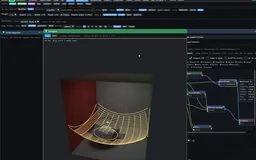
A camera becomes a small lattice

Drag horizontally and vertically through 45 actual camera captures. The low-resolution images are deliberately visible, and the official Rive runtime only selects stored poses.

Draws with Official Rive WebGL2; host selects a stored camera key

Artifact Ordinary .riv with 45 image poses and native vector tick keys

Export Download camera-lattice.riv; no custom backend or GPU Canvas required

Purpose Real bounded two-axis camera bake showing the cost of replacing a live view domain with samples.

Made with 45 actual captures of the browser-authored transport-bake scene, packed with ordinary Rive 7 image and key types.

Demonstrates Two camera inputs can address an ordinary .riv; views remain discretely sampled and adding time multiplies the budget.

Open separately ↗

Wheel over the scene may zoom; move outside it to scroll the page.

Preview of A camera becomes a small lattice

Nine azimuths × five elevations, each 256 × 192. The ordinary .riv is 1.81 MiB and decodes to 8.44 MiB of images. Native keyed vector ticks track both sample coordinates. No shader or retained 3D runs in this viewer.

Suspended · activate to run; playback pauses after the full panel leaves the vertical viewport.

20 · Transient studies

Light-in-flight needs the right geometry and clock

Image Native Wavefront graph and a projected wavefront drawing over the glass scene. The solver has restricted Snell/image-source and ray-grid constructions; a guide-style display does not make it a general wave-optics solver.
Description · at a glance

A time gate selects contributions by their path arrival time. A gated beam is a short segment along a traced leg. Near a point-like source, many first-leg beams look like radial ticks on a sphere. Accumulation can make that pattern denser, but cannot turn radial segments into the tangential surface of a wavefront. Rings, shells and swept slices release different dimensions and therefore produce a different kind of picture.

The source separates a held-time accumulation from motion through time: changing the clock resets the relevant running mean. A narrower gate can make movement easier to read; it also changes the amount of transport represented. Increasing sample count, changing gate width and changing primitive family answer different questions.

The captured sequence is from the earlier direct 3D lab; its clock and material controls make the selected interval visible. The newer graph separates that same workflow into cached TracedPaths, Clock and display nodes. These interfaces document successive ways of organizing the experiment, while the underlying question remains which path-length interval is contributing to the image.

Retained path data is the natural starting point for interactive beam time gates: changing the interval selects portions of existing paths instead of loading a new image for every time sample. Use the native RIVX engine for its full supported display, or the official-Rive browser replay for a bounded path subset. New geometry, visibility or refraction still requires the appropriate native computation.

A deliberate comparison: paths versus fronts

“* Hedgehog or shell: why a beam front looks static” uses a shared path cache and clock for beams and rings. Solo the Display layers at the same instant: a beam window makes radial pieces of flight paths, while swept rings can make tangential arcs. More paths refine the chosen geometry; they do not turn radial segments into a surface.

The optical-time surface

“* Wavefront: the front as a coloured surface” renders connected cells along specular branches. Branch colour carries path history, and travel through glass uses optical distance, producing a visible delay. This is a geometric-optics front construction for countable specular branches, not a diffraction solver or a complete diffuse wavefront.

Image Working browser companion: a finite arrival band around a medium-scatter anchor becomes confocal ellipsoids when the detector leg is included. Open the transient-ball tab in the live photon study to inspect both clock conventions.
Theory / mathematicsA transient view conditions a retained path population on timeGeometry and clock must refer to the same transport records.

Lab3D's optical-timing option follows optical travel length, including refractive segments. The current Scene3D TracedPaths cache and earlier bounded vector replay instead use cumulative geometric distance at one scene unit per ns, without refractive-index slowdown. A narrow gate selects intervals of the stored clock; it cannot add missing optical timing. Compare beams, shells and other primitives using the same path records and clock convention. Regenerating unrelated paths while scrubbing time would mix sample noise with the temporal change. The new relay port and hourglass study explicitly accumulate optical length; each live demo identifies its own clock.

Holding a time window can accumulate repeated samples of that particular conditional view. Changing the clock invalidates that held-time mean. The time width is also part of the observable: a broad gate integrates a thicker transport interval, while a thin gate exposes more temporal structure and sampling noise.

There is a further distinction between displayed ink and linear radiance. Source-over composition, coverage and tone mapping affect the image. Comparisons to the transient volume-path-tracing reference therefore progress from support and position, to profile shape, to carefully calibrated linear quantities. A compelling moving front alone is not an energy-validation result.

t=1c∑jnjℓjt=\frac{1}{c}\sum_j n_j\ell_j
The optical-timing model: ℓj is segment length and nj its refractive index; c converts optical length to physical time. The current Scene3D cache's geometric clock omits these index factors and uses its declared scene-unit scale.
Source evidenceTime-resolved lightmap computationoffline_projs/RIVX/backend/src/scene3d/scene3d_lm_tof.cppGeometric wavefront representationoffline_projs/RIVX/backend/src/scene3d/scene3d_wavefront.hpp
Theory / mathematicsA time slice uses the world-space coarea factorThe thickness in time is not automatically a thickness in distance.

Intersecting a swept surface with a narrow time interval turns an area density into a density along the surviving front. The conversion depends on how rapidly travel time changes while moving on that actual surface. A parameter-coordinate gradient omits the metric of the surface and can give the wrong scale.

The implementation notes identify two concrete geometric factors: an edge/flight construction depends on the sine between the edge and flight direction, while a two-flight construction carries a half-angle factor between the flights. These follow from the geometry rather than a universal numerical constant. Near a degenerate configuration, the limiting measure and estimator gate matter more than simply making the rendered band thicker.

This derivation explains why time-of-flight visualization cannot be made consistent by adjusting alpha until different primitives look equally bright. The optical interval, surface measure and released variables all enter the conversion.

λ=σ Δτ∥∇Sτ∥\lambda=\frac{\sigma\,\Delta\tau}{\lVert\nabla_S\tau\rVert}
σ is density per unit area on surface S, τ is the transport-time coordinate, Δτ is a narrow time interval and ∇Sτ is its gradient measured on the world-space surface. λ is the corresponding leading-order line density along a level set, where the gradient is nonzero.
Theory / mathematicsIntegrate the projected track-length kernel along the visible chordA point-like record can have an analytic projected footprint with explicit gates.

The photon-ball footprint uses a radial track-length kernel integrated along the viewing chord. The resulting atan expression differs from an arbitrary soft disc or a Gaussian splat. A partial chord can be evaluated using two endpoint terms, so depth or time restrictions can change the actual interval of integration rather than only multiplying a fully integrated disc by a fade.

The ideal expression has a singular central behavior. The implementation regularizes the pole and approximates the resulting appearance through finite display bands or gradient stops where required by the representation. The support radius, regularization and display quantization must therefore remain visible parts of the model. Analytic integration of this one kernel does not remove Monte Carlo sampling error in the retained photon population.

G(r)=atan2⁡ ⁣(R2−r2,r)2πr,0<r<RG(r)=\frac{\operatorname{atan2}\!\left(\sqrt{R^2-r^2},r\right)}{2\pi r},\qquad 0<r<R
R is support radius and r is perpendicular distance from the projected center. This is the full symmetric chord expression before central regularization.
G[s0,s1](r)=arctan⁡(s1/r)−arctan⁡(s0/r)4πrG_{[s_0,s_1]}(r)=\frac{\arctan(s_1/r)-\arctan(s_0/r)}{4\pi r}
s0 and s1 are the accepted endpoints along the viewing chord, measured relative to its center. Their choice carries geometric clipping or a time restriction.
ExplanationA refracted wavefront and a time-sliced photon ball solve different constructionsThe native analytical route traces how a source wavefront bends; a medium primitive releases scattering coordinates at an already reached anchor.

The native Wavefront solver uses image-source constructions for planar paths and Snell-traced meridians through a sphere with accumulated optical distance. Revolving those meridians gives an axisymmetric refracted front; another path builds a more general traced ray grid. This is geometric optics with restricted path families, not a full wave-equation simulation.

The browser’s time-sliced ball starts at a medium collision V with a retained prefix clock τV. A source-time shell satisfies |x−V| = τ−τV in the homogeneous exterior; adding a straight homogeneous detector leg gives |x−V|+|x−C| = τ−τV. The latter is an ellipsoid with two foci. A finite kernel thickens the surface; occlusion and additional interfaces can clip or invalidate this simple form.

The moving hourglass instead follows source rays through both refractive interfaces and selects their stored optical clock. It offers a complementary live view of bent and focusing fronts. Its finite angular sheets are a browser approximation, distinct from the native analytical evaluator and from the medium-anchor construction.

Source evidenceSnell meridians, image sources and optical clocksoffline_projs/RIVX/backend/src/lab3d/wavefront_solver.hppNative analytical and ray-grid wavefront drawingoffline_projs/RIVX/backend/src/lab3d/lab3d_analytic.cppTime-ball temporal strata and confocal geometryoffline_projs/RIVX/backend/src/lab3d/timeball_band.hpp
Recorded examples · 4Follow one pulse through the relayFour time-gated views show the bright contribution progressing through the retained paths.
Image Relay pulse, view 01: the time-of-flight control reads 2.66, selecting a later interval along the path cache.
Image Relay pulse, view 02: the time-of-flight control reads 4.33, selecting a later interval along the path cache.
Image Relay pulse, view 03: the time-of-flight control reads 5.25, selecting a later interval along the path cache.
Image Relay pulse, view 04: the time-of-flight control reads 6.09, selecting a later interval along the path cache.
Recorded examples · 3Transient media and wavefrontsTime gates, media and analytical wavefronts test how much transient structure survives a compact drawing.
Image Time-gated beams traverse a participating medium while the editor exposes the retained transport controls.
Image A dense volumetric time-of-flight display shows overlapping path support across a narrow temporal gate.
Image An analytical wavefront is shown inside the medium as a geometric alternative to drawing every photon path.
21 · Real photon data → editable display

Keep the transport; choose how it is drawn

Video A sampled beam front moves around the obstacles while temporal and beam controls are varied.
Description · at a glance

The dense scattering studio extends the retained demonstration with fresh transport. Exponential free flights, Henyey–Greenstein directions and weighted absorption produce actual medium collisions through multiple orders. Set scattering and absorption separately; change photon count; reuse a cache, resample, or accumulate independent path batches. Moving or resizing a lens, changing its material or moving the lamp invalidates and retraces that scene.

The golden clouds now release native photon coordinates at real medium vertices. Rings sweep azimuth at a sampled flight distance and polar angle; spheres release both angles; cones release distance and azimuth; planes release two consecutive flight distances. They are separate from the pavilion’s pulse-wavefront loops. The primitive budget controls how many retained families are drawn, while the photon count controls transport sampling. Schematic and rendered views expose the same construction.

Progressive mode averages independent batches in a linear HDR framebuffer. Photon count and primitive budget limit work per batch; they do not cap the accumulated total. Only the current bounded batch and the running image mean need to remain in memory. Scene, view and drawing changes reset that mean so incompatible samples are not mixed. More passes stabilize this regularized drawing; they do not establish convergence to the full transport solution.

The browser now reads an actual native RIVXP1 photon record: 8,000 traced paths, their stored throughput and arrival clocks, and surface normals. A beam is clipped to the current time interval before projection. Points sample the same legs; surface mode displays the recorded hits. No camera-angle image sequence is required.

Relief samples smoothed deposits in each receiver’s local plane, including the relay’s illuminated right wall. Displaced hatch segments then become ordinary Rive shapes. This fixes the floor-only assumption that left RelayLab’s relief empty. Orbiting updates projected geometry rather than warping an already rendered image.

The relay preset ports the native RelayLab sphere, mirror-panel and spot-light geometry into a bounded browser tracer. The same path cache shows all three transmitted lens events, either as continuous segments, point samples or surface deposits. Optical delay accumulates n times distance through glass. The optional reference layer uses analytic glass and mirror intersections with simplified surface lighting; photon overlays remain visible as X-ray diagnostics.

The diffuse pavilion provides a separate home for rings and arcs. Floor scattering events release equal-solid-angle hemispherical rings with a Lambertian cosine weight. A moving pulse selects radius from arrival time. These curves deliberately avoid delta interfaces, whose refraction would break a free ring sweep. Finite directional quadrature and drawing widths make this a transport visualization rather than an unbiased density estimator.

The mixed relay combines an analytic reference backdrop, beams, points, surface deposits and receiver relief. Native-family mode separately exposes angular sweeps and time-sliced balls. A self-contained HTML export preserves the chosen controls and data, plus both drawing runtimes. Original native-cache download, browser path JSON and projected SVG remain distinctly labeled outputs.

The curve route also ends in a real ordinary .riv. Export current Rive ink saves the exact projected mark order, widths and colors as standard shapes. The generated RelayLab example has 1,732 strokes in about 126 KiB; it reimports in the official runtime with a pixel-identical vector layer. This fixed drawing excludes GPU shading, while the separate HTML keeps interactive projection and all mixed layers.

Scene and medium sliders now retrace a small preview batch while the pointer is held. Releasing or settling the control restores the selected full budget and resumes its previous running or paused state. Preview photons never enter the production HDR average; the temporary noise buys direct visual feedback while editing.

Image The exported relay relief reopened in the unmodified official Rive runtime. This is the actual ordinary .riv artifact, with 1,732 projected vector marks; it is not a screenshot embedded inside the file.
Theory / mathematicsA stable drawing is not yet a converged estimatorThis laboratory studies representation. RadianceLab studies the complete light-transport estimators.

Beams are a particularly useful match for a segment-and-feather drawing vocabulary: a whole path leg can remain one continuous primitive. The ring, shell, cone and plane views expose other sampling coordinates, but this browser uses a bounded family population, regularized weights and finite display footprints. Even the beam view should not be read as an unbiased reference image.

The strength of higher-dimensional photon estimators is real; it depends on the complete sampling measure, Jacobians, support and visibility treatment. Progressive consistency also needs an appropriate bandwidth schedule. Averaging fixed-width marks here reduces variation around a smoothed display, not every source of transport or reconstruction bias. For those estimator comparisons, continue in RadianceLab.

Theory / mathematicsFun fact: a strange-looking primitive can still be a valid estimatorVisual appearance, sharpness, unbiasedness and consistency answer different questions.

A photon primitive need not look like a tiny photograph. With the appropriate sampling density, transport factors, change of variables and visibility, a point, beam or surface can estimate the same physical quantity. Photon-surface methods combine complementary constructions with multiple importance sampling; that combination can reduce the severe variance of an individual construction.

Unbiased means correct in expectation; it does not promise a clean finite-sample picture. Consistency concerns the limit as sampling increases. Kernel density estimators also need suitable bandwidth reduction to remove smoothing bias. More samples at a fixed blur radius give a steadier blurred result. Missing path families and heuristic weights do not become correct merely by accumulating longer.

Here the presentation goal is crisp, readable structure at an interactive budget. Retaining a caustic fold or temporal support can preserve a feature that a broad blur would erase; sharpening an already blurred image cannot reconstruct the missing transport. The browser displays make their finite footprints and approximations explicit. RadianceLab carries the fuller estimator comparisons.

Interactive experiment

Keep the paths. Change the drawing.

A dense multi-scattering relay, small native-family explanations, beams and real Rive relief. Compare constructions, edit the supported scene and export a working browser suite.

A dense cloud of photon primitives

Edit the three-lens relay with immediate low-sample photon feedback, then refine at the selected budget. Compare beams, rings, spheres, cones and planes; inspect time gates and the Snell-map caustic envelope.

Draws with Custom WebGL2 + official Rive guides

Artifact Retained paths, editable scene and self-contained hybrid HTML

Export Export standalone HTML / browser path-cache JSON

Purpose Interactive browser transport/representation study.

Made with Authored browser scattering and finite primitive construction, informed by RIVX and RadianceLab.

Demonstrates Scene edits retrace; display changes can reuse paths. Primitive support, sampling and reconstruction are distinct.

Open separately ↗

Wheel over the scene may zoom; move outside it to scroll the page.

Preview of A dense cloud of photon primitives

While a slider is held, a 400-photon / at most 48-family preview follows the edit. Release restores the full budget. Production accumulation averages independent batches in HDR; preview samples are excluded.

Suspended · activate to run; playback pauses after the full panel leaves the vertical viewport.

Live ordinary Rive geometry

Light has a shape.

A caustic boundary, a swept emitter and a volume made of spatial slices. Three constructions share an ordinary Rive endpoint: orbit them, inspect the geometry and export the drawing.

Find the boundary of focused light.

Refract a ray family through glass, find its focal envelope and move a plane through the support. Orbit the construction and export the visible Rive paths.

Draws with JavaScript construction → official Rive WebGL2 paths

Artifact Ordinary .riv paths and fills; no GPU Canvas or custom types

Export Export drawing .riv; current projection, without the live scene evaluator

Purpose Interactive geometry diagnostic with actual Rive playback and drawing export.

Made with New browser adaptation informed by native analytic-fan and UV-plane mechanisms; not a native editor export.

Demonstrates The boundary of a complex optical family can become a compact ordinary Rive drawing.

Open separately ↗

Wheel over the scene may zoom; move outside it to scroll the page.

Preview of Find the boundary of focused light.

Snell entry and exit rays form a finite neighboring-ray approximation to the caustic envelope. RGB index offsets separate three envelopes. The projected footprint describes support geometry; it does not solve surface irradiance.

Suspended · activate to run; playback pauses after the full panel leaves the vertical viewport.

Capability family

Follow selected ideas deeper.

Further path-drawing and time studies explain what each approximation preserves and where its assumptions end.

22 · Browser sample · official Rive runtime

Orbit the light paths—keep the drawing vector

This is an official Rive JavaScript/WebAssembly demonstration. The host computes projection and time clipping; official Rive loads the artboard, updates a bounded set of shapes, and draws their paths. The custom host supplies 3D input rather than replacing the Rive renderer.

Retain a native photon-path cache in world coordinates, then move the camera and time gate in the browser. The host clips and projects the active intervals; official Rive draws the resulting marks through 384 reusable shape slots. No image is baked for every camera direction.

Compare a continuous beam with point samples along the same leg. The point view spends its shape budget on discrete locations; the beam can describe a whole surviving interval with one elongated mark. The counters expose when the budget, rather than the transport data, limits the display. This is a concrete reason to keep structure live.

The experiment uses a hard temporal box gate and four-color display palette, with no new visibility solve or extinction/scattering weights. Its native cache clock advances one ns per scene unit of geometric travel, without refractive-index slowdown or added camera-flight distance. It shows retained paths through Rive, not a full RIVX3S player or a radiometric reconstruction.

Interactive schematic

One path cache, a live camera and time gate

One path cache, a live camera and time gate

Compare beams with point samples under a fixed 384-shape budget, rendered by official Rive.

Draws with Official Rive WebGL2; host projects paths

Artifact Native path data + ordinary Rive shape pool

Export Native photon record; browser host supplies projection/time interaction

Purpose Actual official Rive drawing driven by a retained path host.

Made with Retained native photon data, an ordinary shape pool and browser projection/time controls.

Demonstrates A bounded Rive shape pool can redraw a selected moment without storing every camera image.

Open separately ↗

Wheel over the scene may zoom; move outside it to scroll the page.

Preview of One path cache, a live camera and time gate

Implemented replay of retained native world paths through official Rive WebGL2. Camera/time projection runs in the host; visibility and transport are not recomputed. The displayed palette and finite path budget are explicit approximations.

Suspended · activate to run; playback pauses after the full panel leaves the vertical viewport.

23 · Finite sheets and light in flight

Spend accuracy where it reveals the structure

Description · at a glance

Remove angular spokes switches the surface from triangular angular footprints to independently sampled photon hits. Up to 512k emitted rays build a source-normalized finite-kernel photon map. This removes the triangle boundaries at their source; the volume remains an hourglass-sheet preview. The kernel ranges from 0 to 0.5 m: zero removes extra world-space blur while retaining a normalized pixel footprint. Camera, gate and kernel edits reuse the retained hits; increasing the ray budget keeps the samples already traced. Changing the emitted-ray budget, restarting photons or editing the receiver kernel holds the current animated pose and starts refinement. Turn scene motion back on to continue the moving preview.

Controls that need a rebuild show Standby before work begins, then Refining with emitted-ray progress. Repeated edits coalesce to the latest settings. Ready means the selected finite sample budget is complete; this fixed-kernel receiver remains biased. Angular cells stay available as a diagnostic view, with their spoke artifact explained beside the smooth-receiver switch.

For a caustic preview, revealing a coherent structure quickly can matter more than resolving every noisy sample. Trace angular ray families through glass, join compatible neighbouring segments into triangles, and let the rasterizer cover their projected area. The fold of that mapping creates the hourglass and its receiver footprint.

The browser study offers one sphere, three coloured source–sphere pairs and a two-sphere chain. Changing IOR rebuilds the traced transport; orbit changes the projection; the optical gate filters the retained sheets. Source time uses accumulated refractive-index-weighted distance. Camera-arrival mode adds a straight eye leg, so it does not solve camera refraction.

A two-sphere chain is not guaranteed to show two visible waists. In the earlier arrangement the lower sphere enclosed the first focus, and the rays left it diverging. The separated-focus preset uses a smaller, lower second lens and a narrower source cone. A path-leg filter isolates transport after the first or second exit, and the original overlap remains available for comparison.

Participating-medium relief is now a live drawing mode. A finite world-space track-density field and optical-time bins drive a slice of curves: width can encode the field, or a sinusoidal sideways displacement can reveal it, or both. The final segments are ordinary Rive shapes. This is an explicit NPR encoding of a finite smoothed field, not a new unbiased volume estimator.

Dancing lenses, a moving two-focus chain and a breathing analytical ellipsoid add a second clock: scene pose. The solver retraces at each pose, including quadratic intersections, gradient normals and refractive delay. The light-flight calculation freezes that pose; it does not model Doppler effects or glass moving during a nanosecond flight. Motion uses fewer angular samples and refines when paused.

Beauty mode now reconstructs the retained photon radiance in HDR before tone mapping; toggle it against the schematic sheet view and adjust its reconstruction width. Medium density, scattering albedo and Henyey–Greenstein anisotropy control a bounded single-scattering preview. The glass view uses two-interface camera refraction with screen-space photon lookup, while the Schematic rays: interior control exposes the retained internal Snell chords. These display approximations do not turn the finite-sheet study into a calibrated transport reference.

This hourglass study adapts the finite-sheet preview explored in RadianceLab into a browser instrument with Rive contours and controls. It carries over the geometric construction and makes selected parameters interactive; RadianceLab remains the home of the fuller estimator derivations and transport comparisons.

ExplanationRasterization alone does not imply biasKeep the unbiased crossing evaluator, the fast preview and the finite mesh-sheet construction distinct.

Native strategy 20 has a correlated raster gather that calls the same exact crossing evaluator; its use of rasterization is not itself a reason to call it biased. A separate fast-preview setting deliberately draws finite sheets. Strategy 32 extends the construction to finite triangular charts and more general refractive geometry.

This browser implementation is a bounded finite-sheet experiment inspired by the fast preview. It uses angular quadrature, interpolated optical lengths, a clamped grazing denominator, capped density and display exposure. It therefore has bias and finite-tessellation error. Analytical sphere intersections and Snell/Fresnel transmission are real computations, but the displayed glass shell, attenuation and caustic brightness do not establish full path-tracer equivalence.

That division is useful for RIVX: GPU triangles carry the dense field, while Rive supplies scene-aware contours and interaction cues. The work can remain visually responsive without attempting to turn every transport sample into an individual Rive object.

Exportable browser experiment

Move the lenses. Then move through light-time.

Animate a scene pose independently of photon arrival. Pause to refine the optical field or export the entire interactive study.

Two changing refractive stages

The lower lens moves through the first lens’s bundle. Switch the path leg to inspect each exit, then sweep the optical gate.

Draws with Custom WebGL sheets + official Rive curves

Artifact Self-contained HTML browser study

Export Export this browser study; includes scene, code, runtime and settings

Purpose Live finite transport study with real Rive contour/relief output.

Made with Browser Snell/Fresnel solver, finite sheets and an official Rive shape pool.

Demonstrates Retained optical structure supports time gates and vector relief; beauty reconstruction is biased.

Open separately ↗

Wheel over the scene may zoom; move outside it to scroll the page.

Preview of Two changing refractive stages

Actual Snell/Fresnel paths, finite volume sheets, a progressive high-sample surface receiver and reflective/refractive beauty shading. Official Rive draws scene contours and optional medium relief. The finite kernels and display reconstruction are biased.

Suspended · activate to run; playback pauses after the full panel leaves the vertical viewport.

Interactive experiment

A participating medium, drawn with curves

A participating medium, drawn with curves

A slice of the medium starts as actual Rive curves. Move it through the field and choose width, sideways sine, or both; switch back to photon display to inspect the new beauty reconstruction and medium controls.

Draws with Custom WebGL sheets + official Rive curves

Artifact Self-contained HTML browser study

Export Export this browser study; includes scene, code, runtime and settings

Purpose Live finite transport study with real Rive contour/relief output.

Made with Browser Snell/Fresnel solver, finite sheets and an official Rive shape pool.

Demonstrates Retained optical structure supports time gates and vector relief; beauty reconstruction is biased.

Open separately ↗

Wheel over the scene may zoom; move outside it to scroll the page.

Preview of A participating medium, drawn with curves

Actual Snell/Fresnel paths, finite volume sheets, a progressive high-sample surface receiver and reflective/refractive beauty shading. Official Rive draws scene contours and optional medium relief. The finite kernels and display reconstruction are biased.

Suspended · activate to run; playback pauses after the full panel leaves the vertical viewport.

24 · Theory and algorithm selection

A swept primitive has a domain of validity

Video The named analytical photon-ball mode produces a broad luminous region in the room; the view and transport settings are adjusted to inspect it.
Description · at a glance

Sweeping a sampled direction into a ring or shell introduces directions that were not explicitly traced. The contribution must account for the distribution at the vertex being left. A diffuse surface emits a cosine-weighted hemisphere, a medium follows its phase function, and an ideal dielectric has discrete specular branches rather than a smooth density that can be spread arbitrarily over a shell.

The capability ladder records which constructions admit or refuse a transport class. Its registry currently describes those conditions for the inspection panel; it is not itself an automatic runtime dispatcher, and enforcement is incomplete in parts of the evaluator family. The broad beam/point route provides important context, but the declaration of a fallback architecture does not prove complete path coverage.

The live relay study ports the native medium-sweep definitions into an inspectable browser view: ring, meridian arc, sphere, cone and radially integrated ball. Its conditional collision samples come from clear segments after the relay lenses, not from spreading a delta glass event. The original decorative pulse rings remain separately named. This regularized, finite display is not the complete native estimator; planes and parallelepipeds remain native examples.

f(ω)=4πp(ω),Eω∼U(S2)[f]=1f(\omega)=4\pi p(\omega),\qquad \mathbb E_{\omega\sim U(S^2)}[f]=1
The documented release-density correction compares the actual directional density with a uniform-sphere baseline. It redistributes existing power; applying an extra reflectance factor at the wrong stage would double-count it. This expression does not turn a delta-specular event into a continuous lobe.
Theory / mathematicsSweeping a random variable requires its densityA sphere releases two angular variables; a ring releases one conditional variable.

Replacing a sampled point by a swept primitive integrates over variables that the path originally sampled. A spherical sweep varies the full direction; a ring holds the polar angle and varies azimuth. A uniform azimuth ring is therefore not generally the same integral as uniform spherical emission. The normalization has to follow the released variables and the angular lobe at the vertex being left.

The implementation expresses a full-sphere angular law as a density relative to the uniform sphere. Diffuse release, a participating-medium phase function and a glossy lobe have different support and weights. The photon payload already includes the factors assigned to the sampled anchor path, so applying reflectance a second time at the display primitive would double count it.

Delta events are a separate case. An ideal mirror or refraction event is not a smooth angular density that can be released into a continuous sphere merely for a nicer picture. The declared capability table records such restrictions, but the registry is not a complete automatic proof or dispatcher for every combination of current display options.

f(ω)=4πp(ω),EU(S2)[f]=1f(\omega)=4\pi p(\omega),\qquad \mathbb{E}_{U(\mathbb S^2)}[f]=1
p is a normalized density per unit solid angle. f is its weight relative to uniform sampling on the sphere.
w(ϕ∣θ)=f(θ,ϕ)12π∫02πf(θ,φ) dφw(\phi\mid\theta)=\frac{f(\theta,\phi)}{\frac1{2\pi}\int_0^{2\pi}f(\theta,\varphi)\,d\varphi}
The ring keeps polar angle θ and releases azimuth φ. This conditional weight has mean one around a ring with nonzero supported mass; unsupported cases need a gate, not division by zero.
λ=Φ2πR\lambda=\frac{\Phi}{2\pi R}
For a uniform supported ring, radius R and total retained quantity Φ give line density λ. Nonuniform conditional release adds the weight w around that ring.
Source evidenceSweep variables and their geometric tangentsoffline_projs/RIVX/backend/src/lab3d/photon_sweep.hppDeclared estimator domainsoffline_projs/RIVX/backend/src/scene3d/scene3d_rungs.hpp
Theory / mathematicsA finite spherical band has an exact angular massChanging band count should refine geometry rather than introduce a predictable brightness gain.

Approximating a spherical integral by latitude bands requires the mass of each finite band. Sampling sinθ at its midpoint and multiplying by the angular width is only a midpoint quadrature. At low band counts, that approximation produces a systematic gain even before any spatial or visibility approximation enters.

The corrected implementation uses the exact sine integral over the band. This removes the known band-count gain from both the corresponding sphere and transient-shell helpers. It does not make every sphere, cone or mixed-family density estimator exact: finite support, spatial quadrature, visibility and denominator compatibility remain separate issues.

This is a useful example of the laboratory’s intended workflow: identify a knob that should change resolution, derive the quantity that must remain constant, and check it independently of the beauty image. A prettier shell alone would not reveal a normalization error.

The source documents corrections made when that distinction was missing. A release density redistributes a contribution according to the appropriate lobe; a ring's azimuthal symmetry is valid for some anchors and not for others. These are changes to the mathematical meaning of the estimator, not simply improvements to its appearance.

∫θk−Δθ/2θk+Δθ/2sin⁡θ dθ=2sin⁡(Δθ/2)sin⁡θk\int_{\theta_k-\Delta\theta/2}^{\theta_k+\Delta\theta/2}\sin\theta\,d\theta=2\sin(\Delta\theta/2)\sin\theta_k
θk is the midpoint of a latitude band and Δθ its width. Multiplication by the azimuth interval gives its solid angle.
G(n)=π/(2n)sin⁡(π/(2n))G(n)=\frac{\pi/(2n)}{\sin(\pi/(2n))}
For n equal polar bands, this is the gain from the old midpoint-width factor relative to the corrected factor. It tends to one as n grows, but equals π/2 for one band.
Theory / mathematicsComplementary plane families need a common measureRemoving a singular-looking denominator is not enough to construct an unbiased mixture.

The complementary plane construction groups several releases of path variables. Their represented areas contribute to a common denominator, with the probability of the required continuation included for families that need it. Degenerate configurations are handled through that area expression: a two-flight contribution can shrink continuously toward zero when the legs become collinear instead of inventing a finite plane.

This family also has a domain. The joint construction at the specified second event assumes a supported medium prefix; it should not be generalized to every surface or delta path by changing only the visible primitive. The estimator notes explicitly separate a mass-normalization fix from remaining fixed-query density bias and from incompatible ring/shell mixture terms.

The present laboratory is therefore strongest when it compares a supported family against a reference under declared conditions and exposes the primitive’s footprint and weight. The four-way sweep controls are not a blanket claim that every arbitrary mixture is unbiased.

σ=WD2,D2=AUV+q1(AVT+AUT+ATT)\sigma=\frac{W}{D_2},\qquad D_2=A_{UV}+q_1\left(A_{VT}+A_{UT}+A_{TT}\right)
W is retained path weight, the A terms are the represented areas of the named variable-release families, and q1 is the probability that the required continuation exists. σ is an area density. The family labels and admissible prefixes are defined in the estimator notes.
Source evidenceSweep variables and their geometric tangentsoffline_projs/RIVX/backend/src/lab3d/photon_sweep.hpp
Theory / mathematicsA photon arc is not a short photon ringCompare the variables released by each primitive, rather than identifying it only by its silhouette.

Use P = V + d ω(θ, φ). A sweep integrates or samples a coordinate conditional on those held fixed; the associated scattering density and change of measure matter. The browser uses finite tessellation and regularized view weights to make these constructions inspectable. A delta reflection/refraction is not an eligible smooth angular distribution.

PrimitiveFixedReleased
RingDistance d, polar angle θAzimuth φ
Arc / meridianDistance d, azimuth φPolar angle θ
SphereDistance dBoth angular coordinates
ConePolar angle θDistance and azimuth
Solid ballAnchor and finite supportRadius and both angles
Time-sliced ballArrival clockIso-time sphere or confocal ellipsoid
Source evidenceNative old-lab sweep coordinatesoffline_projs/RIVX/backend/src/lab3d/photon_sweep.hppRadianceLab photon primitive reference implementationoffline_projs/RadianceLab
Recorded examples · 10A path cache, several photon primitivesPoint, beam, ring, sphere, cone, disk, plane and stacked views make the representation choice visible.
Image Beam estimation connects deposits into extended contributions along each traced leg.
Image Ring estimation spreads the selected contribution around swept directions, with ring occlusion enabled.
Image Point-density view with raw-Jacobian and dangling-segment diagnostics exposed.
Image Beam view with the single-photon debug controls enabled and individual path structure visible.
Image Ring view with the debug controls exposed, making the circular contribution geometry visible.
Image Swept spherical primitives displayed with tessellation and wall/glass occlusion controls.
Image Cone primitives expose the directional shape of the swept contribution.
Image Disk primitives intersect the Relay Lab volume; the occlusion explanation is open beside the view.
Image Plane primitives display another dimensional release of the retained path information.
Image A stacked configuration combines ring and beam entries, with conditional per-leg rules visible.
Recorded examples · 5Native photon primitive geometryThe fixed path cache can be re-expressed through several projected primitive families and diagnostic supports.
Image Photon paths are displayed as projected cones with screen-space analytical softening.
Image Ring primitives retain angular structure while reducing the number of paths drawn.
Image Swept photon planes expose a higher-dimensional display primitive and its projected footprint.
Image An analytical caustic outline isolates the projected support used by the native primitive display.
Image The plane-to-volume diagnostic exposes how a swept surface becomes a volumetric display footprint.
25 · Temporal lightmap export

A dissolve is an equation, not two opacity sliders

Description · at a glance

Later export work carries changing wall illumination using a finite set of baked time slices. The images can switch at slice boundaries or be stacked and animated through opacity. This supersedes the older limitation that exported walls always remain at their settled illumination. It does not provide arbitrary animated pixels: the file reuses the slice images that were baked.

Source-over composition makes a naïve symmetric crossfade incorrect. Two half-transparent layers do not produce one fully covered wall; at their midpoint some background remains visible, producing a periodic dip. The exporter therefore derives opacity schedules from the desired visible weights of the ordered stack. This is a small mathematical detail with a conspicuous visual consequence.

wj=αj∏m>j(1−αm)w_j=\alpha_j\prod_{m>j}(1-\alpha_m)
For layers drawn in increasing order, the visible weight of layer j is its opacity multiplied by the transmittance of every layer above it. Opacity tracks must be derived from these visible weights to avoid unintended dark pulses.
Theory / mathematicsSolve the opacity schedule for the desired weightsIndependent complementary alpha sliders do not form a normalized crossfade.

For source-over compositing, a layer is attenuated by every layer above it. Its contribution is therefore not simply its own alpha. If two layers are both faded with complementary alpha, the lower one is additionally attenuated by the upper one and the resulting weights no longer sum to one over a transparent background.

A normalized two-slice blend can keep the lower slice opaque while the upper slice takes the desired interpolation weight. More general slice stacks must solve their alpha schedule in the actual paint order. This is an encoding problem before it is an animation-polish problem.

The quantities being blended also need care. Linear light can be accumulated before tone mapping, while a blend of two already tone-mapped PNGs is a display interpolation. The integrated lightmap includes terms that are not necessarily present in each shipped transient slice, so summing exported images is not an independent conservation test of the integrated estimator.

The validation reads back which image assets the imported animation actually references. Merely counting embedded slices would miss a file that stores every image but points every pose at the first one. Export correctness is tested at the behavior the user sees.

wj=αj∏m>j(1−αm)w_j=\alpha_j\prod_{m>j}(1-\alpha_m)
Layers are numbered in painter order, with larger m above j. wj is layer j’s effective premultiplied contribution after the layers above it.
α0=1,α1=β⟹w0=1−β,w1=β\alpha_0=1,\quad\alpha_1=\beta\quad\Longrightarrow\quad w_0=1-\beta,\quad w_1=\beta
For two opaque source slices, β∈[0,1] gives normalized source-over interpolation when the lower slice remains opaque.
Interactive schematic

Solve the opacity schedule

Solve the opacity schedule

A small live composition lab: animate the blend, introduce a third slice and reverse paint order. Compare naive opacity with solved visible weights.

Draws with Browser teaching diagram

Artifact Synthetic linear-RGB composition

Export Explanatory companion; no large scene asset or bake

Purpose Explanatory composition experiment; not a Rive scene.

Made with Authored synthetic fields and source-over calculations in JavaScript.

Demonstrates The opacity schedule affects visible mixture weights; this supports the adjacent Rive time-slice export.

Open separately ↗

Wheel over the scene may zoom; move outside it to scroll the page.

Preview of Solve the opacity schedule

Two or three opaque synthetic linear-RGB slices. Playback targets 60 fps; the lab loads no scene, video or .riv asset. Its finite RGB fields illustrate source-over algebra, independently of the native renderer.

Suspended · activate to run; playback pauses after the full panel leaves the vertical viewport.

Capability family

What survived, and what I learned.

Inspect drawing costs, player requirements and optional studies, then return to what the exploration produced.

26 · Rive-friendly NPR and performance probes

Design for the Rive drawing budget

Description · at a glance

How rich can a scene become while its final drawing still uses ordinary Rive primitives? These experiments try tone bands instead of dense shading samples, fitted soft marks instead of an image, continuous beams instead of many points, and keyed paths instead of duplicated frames. Measuring their costs reveals where each construction becomes unwieldy and where a surprisingly compact drawing is enough.

More visible paths usually cost more, but their area, vertex count, feather, overlap, clipping and update frequency also matter. Official Rive batches compatible paths; the custom renderer performs more work per shape. A small cached lightmap can outperform thousands of paths even if the paths fit into fewer draw calls.

The table preserves separate CPU submission and GPU timestamp measurements from the same paired native study, with the official runtime optimized. Values are milliseconds, not browser frame-rate predictions. The application and official archives had different compiler settings in the earlier baseline; comparing that O0 runtime with optimized C++ overstated the custom backend’s advantage.

WorkloadCustom CPU / GPU, msOfficial O2 CPU / GPU, ms
256 hard shapes; fixed total area0.086 / 1.2650.213 / 0.092
2,048 hard shapes; same total area0.612 / 9.2321.679 / 0.603
256 squares; no feather0.114 / 0.8800.208 / 0.095
Same squares; 8 px feather0.165 / 8.5380.296 / 0.216
256 shapes; eight containing clip layers0.504 / 7.8100.206 / 0.084
ExplanationTreat representation as an experimentCompare what the drawing preserves, the error it introduces and the work it asks of the player.

The live studies make the representation visible. Native paired probes measure rendering costs under controlled workloads. Together they guide authoring choices; they are not a claim that a vector approximation is always faster than its shader or image source.

InvestigationExisting evidenceQuestion it answers
Contours and NPRLive isocurve light/camera edits; native hatching, relief and tone-region outputsWhich boundaries and tone variations survive a smaller geometric vocabulary?
Curves and soft fieldsCurve Atelier sampling residual; fitted Gaussian / ordinary Rive ellipse comparisonsHow do sample count, profile layers and fitting error change the drawing?
Motion and reuseKeyed glass/NPR playback; native ordering and serialization measurementsWhich properties can be keyed on shared geometry, and when must objects or images be repeated?
Coverage and rendering costPaired native CPU/GPU probes for paths, vertices, feather, clipping and overdrawWhich operation dominates this workload on this tested renderer?
ExplanationA logical-flush limit is not a scene-wide shape limitBatch capacity, oversized draws, memory and target-device performance are different constraints.

The pinned renderer reserves finite path and contour IDs and bounds its tessellation-resource texture. Ordinary overflow requests another logical flush; a single draw or clip stack that still cannot fit is rejected. There is no universal safe count for the entire scene. Thousands of tiny disjoint paths and thousands of overlapping feathered paths are different workloads.

On the custom backend, clipping and feather repeatedly touch per-shape coverage buffers. Cached geometry and paint-independent feather coverage can help, but retain scaffolding and memory costs. On the web, blend-mode copies and the selected runtime backend add further constraints.

Theory / mathematicsA time gate clips a trajectory; it need not select thousands of pointsThe beam advantage depends on which interval survives and how expensive that interval is to draw.

In a homogeneous medium with a light-path clock, arrival changes linearly along a straight flight segment. A box time gate can therefore clip the segment endpoints before constructing its projected path. Including the camera leg makes the arrival function nonlinear, but nondecreasing for a unit-index straight segment. A path aimed toward the camera can have an almost constant total arrival, so a narrow gate may still retain a long interval.

Beams can reduce sampled display points and stored temporal frames. Their footprints, occlusion fragments, feather and transport weights still matter. This replay compares representations of one cached population; a statistical comparison needs equal-error radiance measurements and the complete estimator weights.

τ(s)=τ0+s+∥a+su−c∥c0\tau(s)=\tau_0+\frac{s+\|\mathbf a+s\mathbf u-\mathbf c\|}{c_0}
For unit direction u, a is the segment start, c is the camera, c₀ is propagation speed and τ₀ is earlier arrival. This unit-index model includes both the new light-path distance and camera distance; refractive optical paths require the corresponding indices.
ExplanationUse vectors where their structure helpsCrisp contours and editable marks are concrete benefits; dense radiance need not become one path per photon.

Keep semantic outlines, shading regions, hatches and annotations as vectors. Retain full geometry-derived contours where available; contours extracted from a low-resolution buffer cannot recover information that buffer never contained. Use textures or specialized accumulation for dense radiance, then compose the useful vector layer with it.
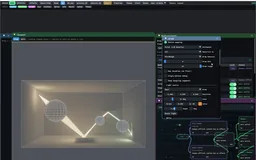
This is consistent with Rive’s own guidance on mixing vector and raster. Current official documentation also introduces GPU Canvas for 3D, so the limits of this project’s exporter should not be presented as permanent limits of every future .riv runtime. Compatibility must name the actual container, feature subset and runtime.

27 · Export architecture

Choose what survives the bake

Video A short baked sequence carries an illuminated front through the room while its camera view is adjusted.
Description · at a glance

The exporter turns the evaluated scene into a stream of drawables and then writes the destination representation. Exported names identify whether an object is a textured mesh, stroke, fill or feathered shape. This lets the document explain its own construction when inspected in another tool.

For animation, an export can duplicate pose-specific drawables or reuse stable objects and key their properties. Object count, keyed-property count, image assets, file size, serialization time and playback cost must be measured separately. Reducing the visible draw tree does not guarantee that every one of those quantities shrinks.

The live laboratory below tests those dependencies directly. Capture an image and three surface-illumination charts, then change the camera, emitter or surface color. The diffuse chart can follow a new projection because its lighting remains attached to the geometry; only the retained scene can evaluate a new light.

RepresentationPreservesMain tradeoff
Vector fills / strokesExplicit contours and selected temporal behaviorPrimitive count and representation changes between poses
Feathered ellipsesApproximate soft splat appearanceFitting and many individual drawables
Textured image meshesBaked surface appearanceTexture resolution, perspective approximation and view-dependent terms
Baked pose sequenceThe exported camera path or clock sequenceOriginal 3D degrees of freedom are not retained
Custom 3D recordWorld-space sample geometry and selected time controlsRequires its custom renderer
Theory / mathematicsApproximate a projective texture map with affine piecesThe image can be shared even when the mapping needs more geometry.

A wall lightmap is one image sampled by a subdivided image mesh. The subdivisions approximate perspective texture mapping because the destination's interpolation does not provide the same perspective divide as the source renderer. More mesh vertices are not the same as more textures, and the inspection-oriented per-cell export is a different cost choice from the consolidated face mesh.

The exporter estimates perspective distortion and chooses a bounded subdivision. The second derivative of the projective map explains why smaller cells help: piecewise-linear error is quadratic in cell width away from a projective singularity. The implementation’s subdivision cap is a cost bound, not an unconditional pixel-error guarantee at grazing angles.

A consolidated image mesh and many independent image objects are different encodings of the same subdivision. Consolidation preserves shared asset use while reducing object overhead. The corresponding native texture preview is useful, but official-player rendering is the check that the exported mapping and object order behave as intended.

u(s)=as+bcs+du(s)=\frac{as+b}{cs+d}
Along an edge of a projected plane, s is a screen-coordinate parameter and u is its projective texture coordinate; a, b, c and d describe that mapping.
∥u−ulinear∥∞≤h28max⁡∣u′′∣\lVert u-u_{\mathrm{linear}}\rVert_{\infty}\leq\frac{h^2}{8}\max|u^{\prime\prime}|
For a twice-differentiable map over a cell of width h, this interpolation bound explains subdivision. It applies where the denominator stays away from zero; a hard subdivision cap can leave larger residual error.
Source evidenceLight through vectors: graph, baking, refraction and projection derivations ↗Scene export orchestration and drawable serializationoffline_projs/RIVX/backend/src/scene3d/scene3d_export.cpp
ExplanationView dependence determines which assets must be repeatedDiffuse lightmaps, mirror images and changing illumination have different cache keys.

A diffuse surface bake can be reused across camera poses while its geometry and lighting remain fixed. A mirror or refractive appearance image depends on the eye, so an orbit may need a new asset per sampled pose. Illumination varying with the transport clock adds another axis: the export must retain time samples or recompute a representation in a custom player.

This produces a practical cost decomposition. Shared surface images mainly cost texture storage and projected mesh data. View-dependent images scale with the authored views. Vector patterns cost paths and their changing geometry; a dense cloud mapped into runtime objects costs components and per-frame evaluation. There is no single export-quality slider that controls all of these terms.

Replacing an appearance layer with a cheaper representation can reduce one term without improving the others. The export tiers make those tradeoffs explicit so a compact .riv snapshot, an authored orbit and a retained 3D artifact can each have a clear purpose.

Live representation experiment

Capture a state. Then change one dependency.

Capture a state. Then change one dependency.

Move the light, orbit the camera or recolor a surface. Compare a real frozen image, three captured surface-illumination textures and the scene evaluated again; choose whether material color survives the bake.

Draws with Custom WebGL2 + CPU surface bake

Artifact Browser representation and derivative laboratory

Export In-page image and illumination capture; existing actual .riv comparison linked separately

Purpose Live experiment in which dependencies survive a bake.

Made with Authored browser reference fixture and its image/receiver-chart capture tools.

Demonstrates Changing camera, light or albedo exposes what each stored representation retains.

Open separately ↗

Wheel over the scene may zoom; move outside it to scroll the page.

Preview of Capture a state. Then change one dependency.

A controlled browser experiment with actual image and surface-texture captures. Custom WebGL2 reprojects the baked charts or recomputes a bounded Lambertian scene. This is not a native RIVX export or official Rive playback.

Suspended · activate to run; playback pauses after the full panel leaves the vertical viewport.

28 · Optional comparison · one scene, different stored information

What survives the export?

Description · at a glance

The glass export raises a practical question: which controls should still work after delivery? This smaller controlled scene compares a sampled light timeline, continuous shading at a fixed view and a retained scene that can also orbit.

Its ordinary .riv deliberately contains 25 image poses plus vector accents. That sample bake is one option, not a description of every RIVX export. The other panes use a host WebGL renderer. This study compares retained information; the separate four-pair gallery compares GPU Canvas with host rendering.

ExplanationScene information, GPU lighting, Rive marksThree layers share one controller, each keeping the information it needs.

The scene layer supplies geometry, masks and material identities. The GPU layer evaluates direct illumination, visibility and a compact glass response. The Rive layer draws contours, the light cue and stylized caustic marks. Those marks derive from the scene and controller rather than from GPU pixel readback; they are semantic overlays, not reconstructed light transport.

The portable artifact contains 25 light poses over a 200-degree arc, separated into five named regions, plus 171 vector marks. Its 640 × 420 images occupy an approximately 8.1 MiB .riv. This first export is a bounded sample bake, not a compact analytical lighting basis: camera and baked materials stay fixed, and the light timeline steps between samples.

The live fixture uses Schlick Fresnel, Beer tint, two sphere refractions and one reflected ray. Its caustic is an artistic lobe; it does not compute multiple-bounce global illumination. Its small retained-scene schema is specific to this study, not a universal loader for native .rivx files.

OutputWhat remains interactiveBoundary
Portable .riv — workingAuthored light timeline and vector accentsFixed viewpoint, fixed baked materials, finite image resolution
.riv + live WebGL2 — working prototypeContinuous lighting, roughness and glass IOR; synchronized Rive marksGeometry and visibility are supplied by the custom shader
Official GPU Canvas .riv — separate working instrumentsEmbedded GPU scenes, native draggable controls and vector instrumentsThe four signed showpieces use the official host; native RIVX exporter integration remains separate
Retained scene — working studyLight, materials and camera orbit; view-dependent glass and contoursRequires its scene-aware viewer; this fixture covers analytical spheres
Live export

Sampled light, live shading, retained scene

Sampled light, live shading, retained scene

Compare the portable lighting samples with continuous GPU shading, then orbit the retained scene. The same scene parameters drive the Rive contours and caustic accents without reading rendered pixels back during interaction.

Draws with Official Rive + custom WebGL2 lighting

Artifact Matched three-output comparison

Export Dedicated browser scene bake → ordinary .riv; middle pane is a WebGL prototype, not GPU Canvas .riv

Purpose Controlled representation comparison, including genuine baked .riv.

Made with Shared authored scene fixture, dedicated bake utility and browser live renderer.

Demonstrates A baked light arc retains its samples; a retained scene can change camera and material.

Open separately ↗

Wheel over the scene may zoom; move outside it to scroll the page.

Preview of Sampled light, live shading, retained scene

Real official .riv playback beside two live shader views. The middle pane in this earlier comparison is a WebGL2 prototype. For complete official GPU Canvas documents, use the instrument gallery and its same-scene delivery comparison.

Suspended · activate to run; playback pauses after the full panel leaves the vertical viewport.

29 · Compatibility and delivery

The file determines its runtime

Description · at a glance

Standard .riv output contains supported objects and animation that the official JavaScript/WebAssembly runtime can import. Its generated browser page demonstrates that authored result independently of the native editor. The existing .riv page fetches its pinned runtime dependency from a CDN; the newer official-Rive path replay bundles its runtime locally. That ordinary .riv wrapper uses Canvas; the path replay uses Rive’s advanced WebGL2 API. Both are official Rive runtimes.

The .rivx name instead covers sibling containers with different records and requirements. They are not ordinary .riv files with an optional extension appended. The RIVX3D page embeds a custom WebGL2 viewer for retained photon splats and manifolds, including orbit and time gating. It is a representation viewer: its recorded manifold rings are drawn whole, without a new occluder-clipping solve. The recorded-ring panel now includes a separate Snell/Fresnel sphere specimen comparing unrestricted candidates with a broadened dielectric directional kernel. It does not retrofit missing directions or material metadata into the archive.

The new world-path replay adds a third route: ordinary Rive shapes perform the drawing, while a small browser host projects a retained native path cache and updates a bounded pool. It keeps camera and temporal interaction without storing per-view images, while deliberately omitting a new visibility or transport solve. This is narrower than the native live scene engine and different from the custom WebGL2 RIVX3D renderer.

ArtifactPlayerRemaining interaction
Standard .rivOfficial Rive Canvas runtime in the generated wrapperBaked animation, state and controls actually exported
RIVX-PATHS-1 world-path replayOfficial Rive WebGL2 plus a small projection/time-gate hostOrbit and box gate over retained native paths; bounded display, no scene retrace
RIVX3D browser pageEmbedded custom WebGL2 rendererOrbit and time gating over retained records
RIVX3S sceneNative RIVX scene/graph engineNative graph evaluation and supported rendering; no general browser evaluator
RIVXP1 photon replayCustom replay implementationContainer-specific transport/display controls
ExplanationMagic bytes select a loader; the extension is not a capability promiseThe RIVX formats are sibling containers, not one progressively extended Rive stream.

The loader identifies the six-byte format marker and dispatches to the matching reader. These containers are not ordinary RIVE data with an optional appended payload. Some can reconstruct ordinary drawables for a Rive backend; others require a custom primitive renderer or the native engine. That distinction applies even when all filenames end in .rivx.

The scene and pipeline formats retain editable configuration. The 2D Gaussian format stores a compact field consumed by an instanced custom path. The retained 3D player recomputes projection from world records in WebGL2, while the native replay format has a different compute requirement. A browser player for one container is not evidence that every sibling is browser-compatible.

The retained 3D viewer currently draws complete recorded rings; it does not perform fresh general occluder clipping for every camera position. Its time gates and primitive profiles are the viewer’s declared operations. The ordinary Rive preview uses the official runtime and its network-loaded dependency, whereas the exported retained-3D HTML packages its player content for standalone viewing.

A compact scene description needs the scene engine that interprets it. A photon replay may require compute resources beyond the WebGL2 viewer. Compatibility must therefore be stated per container and export route, rather than promised from the shared filename suffix.

Container familyRetained materialReplay consequence
RIVX1–4Editor document dataReconstruct through the matching application loader
RIVX5–6Look and effect-pipeline configurationRebuild rendering and effect state
RIVXG1Two-dimensional Gaussian fieldDedicated instanced Gaussian renderer
RIVX3DWorld primitives and relevant temporal recordsCustom WebGL2 projection/player; declared visibility limits
RIVX3SCompact scene representationEngine reconstruction; not the generic official Rive loader
RIVXP1Native replay recordsCompute-based replay rather than the WebGL2 viewer
30 · Working with the laboratory

Inspect, export, reopen, compare

Description · at a glance

A useful session begins by choosing the representation to preserve. For backend work, load one scene and compare official and custom rendering before adding effects. For transport work, inspect the scene, cached paths, active estimator and display mapping separately. For export, choose the destination runtime first and then the animation axis, representation tier and resource budget.

Reopen the export in its intended player. Check camera poses, draw order, image bindings, animated opacity and the controls that should remain interactive. These can change during export even when the editor looks correct, so small test scenes check them after reimport.

  • Identify the current backend and the exact input consumed by an effect or estimator.
  • Record camera, clock, gate width, sample budget and exposure when comparing transport views.
  • Select textured, vector, keyed or custom-record export deliberately; inspect the reported omissions and fallback tier.
  • Validate the imported artifact in the intended player, not only the exporter preview.
  • Treat file size, drawables, keyed properties, image assets and playback cost as separate measurements.
ArtifactWhat to verify after export
Standard .riv + generated .htmlOpen the official-runtime player. Check paint order, occlusion, camera/clock poses, embedded image bindings and named [stroke] / [fill] / [mesh+tex] / [feather] components.
RIVX3D + generated .htmlOpen the custom WebGL2 player. Orbit and scrub the retained photon/manifold data. This is a custom renderer, not official Rive playback or a live retracing of all visibility.
RIVX3S projectReopen in the native application to recover the scene record and graph workflow. A tiny scene description does not contain the full renderer.
Trained-cloud output directoryKeep capture transforms, source images, seed provenance, training status, metric JSON and final PLY together; a preview PNG alone cannot identify the training experiment.
ExplanationValidation follows the quantity being preservedA successful file import, a good image fit and a correct estimator answer different questions.

The most useful workflow pairs each conversion with a specific observable. A photon kernel can be checked by summing its linear texel contributions; a trained cloud by held-out target views; a vector conversion by the imported player’s rendered image and object tree; a temporal export by its effective compositing weights. None of these checks substitutes for all of the others.

The source record contains earlier experiments, later corrections and queued designs. The detailed explanations here use the current engine/export/estimator notes together with the implementation and named presets. Earlier blanket timing claims, proposed automatic estimator dispatch and general clipping or transport features not supplied by the current player are not promoted into present capabilities.

The unresolved cases remain useful research directions: a released primitive needs a valid measure and domain; a finite spatial estimator needs a convergence check beyond total mass; an export needs a bounded representation error and an actual player test. Those are concrete next steps attached to working systems rather than additional unrelated effects.

Performance evidence follows the same discipline. The current engine notes supersede earlier broad timing claims and separate CPU submission, GPU elapsed time and wall time. Paired measurements account for build configuration and machine state. The result is a system whose limitations guide representation choices: use the existing runtime where its vocabulary and batching fit, retain a custom representation where the missing information is essential.

QuestionEvidence that addresses it
Did deposition preserve its assigned quantity?Linear discrete mass sum with the full launched-path normalization
Did the cloud reproduce observed appearance?Declared capture rig, held-out views and target/result images
Does the standard file animate correctly?Official import plus rendered pose/time comparisons
Is the custom player compatible?The particular container, loader, graphics API and limitations
Is one representation cheaper?Matched scene plus components, keys, assets, draw work and measured timing boundaries
Source evidenceExport/import validation casesoffline_projs/RIVX/backend/tests/export_import_tests.cpp
31 · Related authoring experiment · inverse rendering

Optional: fit the scene before exporting it.

Description · at a glance

Keeping a forward scene model also permits inverse tools: adjust light and material parameters until the rendered pixels match a target. This browser experiment performs that fit, then converts the recovered scene into a fixed-projection ordinary Rive polygon drawing.

The connection to RIVX is the authoring-to-drawing pipeline. The optimizer itself is a separate inverse-rendering study, not a native RIVX feature or a capability comparison with GPU Canvas. It opens separately so it does not interrupt the export walkthrough.

ExplanationWhat belongs to the host, and what reaches RiveThe solver changes scene parameters; the export stores the resulting vector drawing.

A lighting control defines more than another image: a small change reveals which pixels respond, in which direction and by how much. This browser experiment displays a signed central difference of linear luminance with respect to light angle. Cyan marks a decrease, orange an increase, and a selectable step exposes the finite width of hard-shadow changes.

The same bounded forward model can recover selected light and appearance parameters from target pixels. Choose ceramic, metal or lacquer, then add mokume bands, woven inlay or porcelain waves. Solve for light angle, power, roughness, bump relief, tint and pattern contrast. Relief changes shading normals; the sphere silhouettes remain fixed.

Compound surfaces connect to LTC’s material experiments; the image-residual loop connects to the portfolio’s inverse-design work. The research project hosts this same executable study. Leave Live update enabled in the Rive drawing, then orbit, relight or change the material: the host rebuilds actual ordinary Rive polygons as you edit. Export saves the current projected drawing; the solver and 3D scene remain authoring operations.

ExplanationWhat the sensitivity and solver actually measureChoose bounded scalar unknowns; keep the target image separate from solver state.

The differential view adds a matching CPU/GLSL diffuse and GGX response, known ceramic/metal/lacquer materials, procedural colour patterns and analytic bump normals. The separate surface-bake comparison preserves its simpler Lambertian irradiance semantics. Bump relief changes shading normals, not geometry, silhouettes or visibility.

The sensitivity image central-differences linear luminance with respect to light angle before tone mapping. The inverse solver receives sampled linear target colours and estimates the selected bounded scalars. It uses a measured angle survey, damped Gauss–Newton and residual-tested backtracking. Material and pattern family remain known discrete choices; pattern contrast is a scalar, not a recovered arbitrary texture.

Accepted steps become smooth visual transitions. Instant solve skips that presentation delay and reports measured numerical work. Visibility and sharp highlights still make the objective nonconvex. This scene does not establish general material, geometry or full-texture recovery. The paired Inverse Render Lab route uses the same model and solver, so the research demonstration grows with this showcase.

32 · Effects · editing · rendering and export · two backends

The tools that grew around the question.

Description · at a glance

These workflows grew around the same export question. A rendered scene suggested keys, images and contour paths; an existing .riv suggested editing its elements and changing how they are drawn. Together they became a studio for rendering, editing and export, so I could try these ideas without starting from scratch each time.

The effect stack can use shapes, contours, identity and motion from the evaluated artwork. A filter may work on the image, but the platform also knows what produced that image. That scene information is what makes richer drawing and animation possible.

Image An existing Rive animation becomes a lighting study: the native effect stack and its controls remain visible.
The platform allowsWhat you can do
1 · Add effectsStack content-aware treatments on existing Rive files; export supported vector results, bake selected appearances, or retain live effects in a matching viewer.
2 · Make simple editsSelect and transform supported objects, edit curve controls, adjust colors and materials, then save or export the result.
3 · Render and animateUse photon mapping and time-of-flight studies; deliver keyed .riv animation, isocurve approximations, a Rive-controlled GPU viewer, or an authored GPU Canvas instrument.
4 · Extend the backendUse the official open-source Rive renderer or the custom RIVX drawing route, with extended curves, splats and shape-aware fields.
ExplanationHow the studio grew from Rive scriptingFrom a 3D scripting experiment to an authoring studio and a programmable drawing backend.

The project joins three kinds of work: authoring richer scenes, extending how they are drawn, and delivering the result through an appropriate player. The scene may contain 3D motion, light transport, soft fields or temporal effects. The presentation may keep live computation, express it as Rive curves and regions, or bake selected dependencies into images and keys. Choosing that boundary is the common task across the platform.

The work began with a 3D Rive scripting prototype: more convincing than expected, but expensive when many samples and drawing updates ran through the script layer. It led to two complementary tools: a desktop authoring studio and an enhanced drawing backend. Returning the result to ordinary Rive then became a representation problem: reuse projected motion as keys, reconstruct illumination with surfaces or curves, and express soft fields with controlled marks.

GPU Canvas adds another way to explore these ideas, with live shader evaluation inside the document. The ordinary-vector experiments keep asking a different question: how much of a shaded scene can be expressed through paths, fills and animation? Rebuilding an image from that smaller vocabulary reveals patterns, approximations and drawing styles that are interesting in their own right.

Following these questions produced several working forms: ordinary .riv exports, signed GPU Canvas instruments and specialized browser viewers. Each preserves a different part of the scene. Their differences are part of what the project explores.

ExplanationKeep the behavior that the audience actually needsA live document preserves interaction; a portable animation preserves a selected performance.

The same illuminated room can be stored as six surface images, a collection of Gaussian primitives, a sequence of projected vector poses, or a retained 3D record. These alternatives differ in what can still change after export. Moving the camera over a diffuse lightmap reuses surface illumination; moving around an already projected drawing cannot reveal a newly visible surface. A mirror image depends on the eye position even when the room and light remain fixed.

The native application is the authoring and research workbench. Ordinary .riv files carry a representable drawing or authored animation. GPU Canvas .riv files carry supported shader computation inside a Rive document. A hybrid browser suite carries its own additional runtime and scene data. Native .rivx project files are a separate family of editable records; the suffix does not promise a universal browser player.

A diagram may need controllable contours; a product page may need a small authored orbit; a rendering study may need free camera and time inspection. Those needs suggest different retained data and players. Vector contours can scale cleanly; dense radiance stored in a texture keeps its finite pixel resolution.

An ordinary .riv can still contain native animation, state machines and parameter interaction. A bake constrains the scene dependencies it discarded; it does not mean “no extra backend, no interaction.” View-dependent glass stored over one camera orbit cannot answer an arbitrary new view, whereas keyed contours can still be recoloured or restyled.

RepresentationStored informationA change it can accommodate
Surface bakeIllumination in object or face coordinatesCamera reprojection over the baked surfaces
Projected vector animationAn ordered drawing and keyed posesPlayback inside the authored pose/time domain
Retained world primitivesPositions, sizes, directions and optional time recordsA new projection computed by its custom player
Shader pipeline configurationSource scene, effect choices and parametersRe-execution of the configured renderer and effects
ExplanationFrom scripting to a controllable rendering boundaryEach stage made a different part of the same pipeline available to author, inspect or deliver.

The original competition work explored a small 3D world using the host’s drawing vocabulary. Repeated geometry updates, many soft contributions and transport work made that execution path unsuitable for the intended scene budget. The recordings preserve the prototype’s behavior and authoring controls; the native laboratory then exposes the renderer and primitive costs directly.

The direct C++ route keeps the existing Rive animation runtime while supplying a renderer and factory implementation. This separates loading and animation from drawing. It also makes it possible to retain geometry-derived fields, batch specialized primitives, and inspect the official and custom backends under the same application controls.

Discovering GPU Canvas changed where a live computation can be delivered. It did not erase the questions that motivated the renderer and export work: which data is available to an effect, which approximation preserves the intended appearance, and which interactions survive in the chosen player.

33 · Working tools · visual experiments · representation questions

What the exploration led to

Description · at a glance

The original ambition—turn a real-time 3D render into .riv—opened up several different projects inside one exploration. Some paths reconstruct a drawing; others retain a live renderer. Implementing the drawing interface led to new primitives, which led to editing and effects, and eventually to light transport with several export representations.

Some branches offer practical workflows. Others answer a question that was interesting enough to build: what would happen if this field, motion or optical effect became a vector drawing? Working artifacts, measured costs and visible limitations show how far each idea went.

The depth is in following selected ideas through their implementation. The vector-backend instrument, for example, connects official animation evaluation to captured path commands, a browser beam renderer and an exported player. That complete experiment stands on its own; extending every native feature to every player is a separate choice.

RouteWhat it achievesRemaining boundary
Signed GPU Canvas instrumentsFour complete Rive documents combine native interaction and vector explanation with embedded GPU rendering.Authored through the official CLI; not an automatic conversion of arbitrary native Scene3D graphs.
Portable vector-beam backendOfficial Rive animation drives actual path commands, a custom beam renderer and an ordinary Rive selection layer; the complete player exports as HTML.A browser implementation of selected drawing features. It does not include the full desktop backend or load every .rivx format.
Native 3D + content-aware NPRGeometry, fields and drawing styles remain live together for scene and representation experiments.Not a complete browser scene-engine port.
Standard .riv snapshot / finite animationPlayable official-runtime asset with supported meshes, images and vector objects.View-dependent glass and transport time still need data for the authored domain.
Keyed mesh / polygon exportReuse stable topology and order; new refusal checks prevent unsafe fold combinations.Not all photon/topology-changing content keys well; less data does not guarantee more FPS.
Gradient-sweep ToF clipA fixed beam stroke uses a compact moving gradient schedule instead of many frame objects.Held camera and display approximation; export-time culling and interpolation have limits.
Retained RIVX3D browser displayOrbit and gate stored splats/manifolds through its custom WebGL2 renderer.Whole-ring visibility limitations; this route is not drawn by official Rive.
Official-Rive world-path replayOrbit and gate native cached paths through a bounded reusable vector pool.No fresh scene visibility, refraction or transport; explicit budget/palette approximation.
Dense Gaussian/photon vectorsUseful research and fitting demonstrations.No general equal-quality speed win; aggregation, dedicated accumulation or texture bakes often fit better.
Trained Gaussian browser showcaseAn external native-format PLY retains anisotropy and view-dependent colour.Capture support and trained appearance remain finite. Compare custom WebGL2 with a bounded ordinary Rive ellipse approximation.
Finite-sheet hourglass experimentRefracted sphere/ellipsoid bundles, optical time slicing and independent progressive surface photons.Finite kernels and bounded reflection branches; separate from the full native strategy 20/32.
One-file Rive effect exportSource .riv, official runtime and custom effects reopen together offline.Screen-space subset; native semantic and spacetime fields are not exported.
Browser scattering studioFresh medium scattering, editable supported lenses and lamp, conditional photon families and progressive path accumulation.Bounded scattering orders and sampled primitive display; exports the hybrid viewer, not a universal .riv scene engine.
ExplanationWhat the evidence can establishMeasured costs and correctness checks are reported at their actual scope.

A fresh native pressure probe passed eight structural checks; the controlled O0/O2 renderer comparison comes from the recorded paired study. Export tests cover official import, property replay, topology and paint-order fallback. Those tests do not supply a mobile frame-rate guarantee or a new equal-error transport benchmark.

The low-overhead world-path experiment deliberately keeps display work bounded. Its result tests whether useful interactive structure can survive as a small Rive drawing. It does not replace the native scene engine or claim to reproduce the complete shaded scene.

RIVX explores authoring, drawing and representation around official Rive. Its evidence is the behavior of the working experiments and the measured tradeoffs between their outputs. Each result can be judged at that scope.

Full reading set · 4 documents

More in-depth tech documents

The complete articles are included below. Open a title for the full derivation, implementation discussion and original figures; each document loads when you reach it.
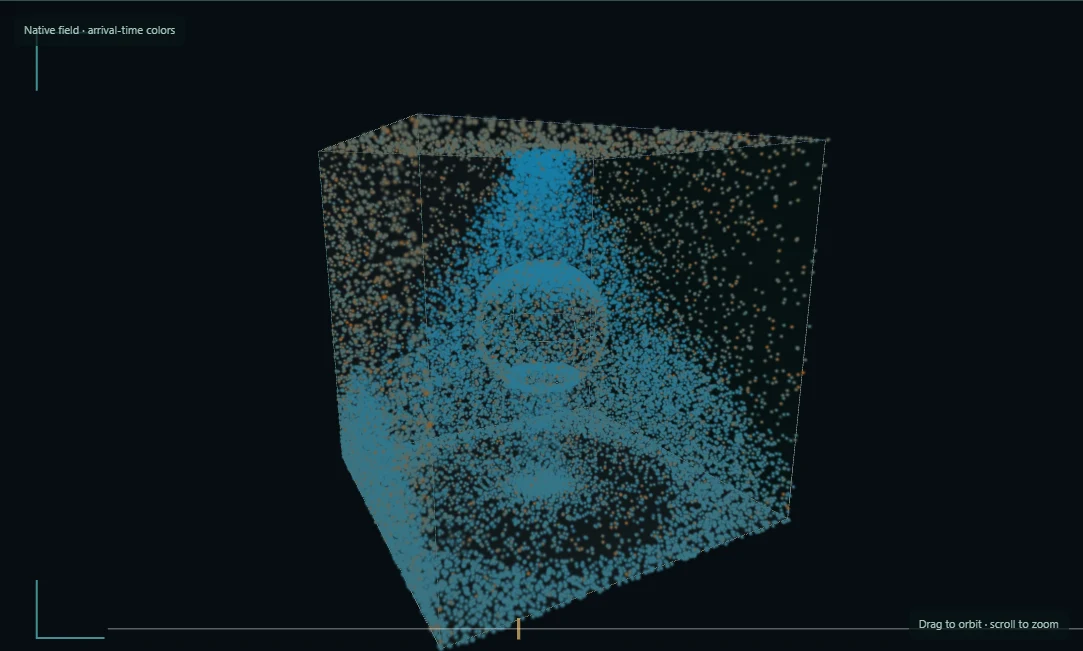
Full document · 01Light through vectors — 3D rendering, baking and exportImplementation-oriented deep dive into refraction, photon-lightmap normalization, Gaussian splats, shared drawables and Rive export. Measurements and implementation-status notes describe the recorded source snapshot; marked screenshot placeholders are unrecorded examples.
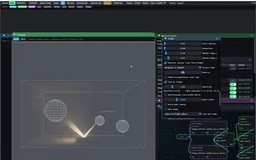
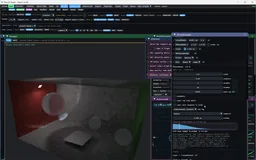
Open this document to read its complete text, figures and examples here.

Full document · 02RIVE+ engine — rendering and non-photorealistic techniquesTechnical overview of the two renderers, auxiliary buffers, stylization, spacetime volumes, vector beams, curve families and document format. This earlier snapshot predates the full native 3D story; effect counts and RIVX version numbers are historical, while “research-level” describes algorithmic difficulty rather than a claim of original research.

Open this document to read its complete text, figures and examples here.

Full document · 03API contracts and renderer interfacesDetailed separation of the official Rive runtime from the custom render-interface implementations, resource ownership, image decoding and binary export. Code excerpts and source line references describe the documented snapshot.

Open this document to read its complete text, figures and examples here.

Full document · 04Native architecture and module structureArchitecture map of the official runtime, custom renderer, library graph, editor and test suites. File counts, library counts, source-line totals and the stated export scope describe this earlier source snapshot; consult the brochure for later 3D and browser-player capabilities.

Open this document to read its complete text, figures and examples here.

Choose the representation and its player

Export routeWhat it preservesPlayer
Standalone .riv · frames, keys or vector bakingAuthored animation, supported vector effects, images and approximate isocurves.Official Rive runtime.
Rive-driven WebGL / hybrid bundleRive animation and GPU-rendered fields coordinated by an included viewer.Official Rive plus the included WebGL host.
Official-Rive world-path replayLive camera and time gate over a fixed cache; 384 reusable shapes.Official Rive WebGL2 draws shapes projected by the browser host.
RIVX3D · retained primitive viewerOrbit and time gating over retained samples.Custom WebGL2 viewer.
Native RIVX scene / graph projectEditable graph, extended curves and splats, rendering and cached transport.Native RIVX scene engine.

Current scope

  • Export depends on the effect: vector-compatible results can become .riv; richer shader and auxiliary-buffer effects use a raster bake, hybrid viewer or the enhanced RIVX backend.
  • Keyed .riv preserves an authored animation. New camera views, refraction or lighting changes need the corresponding retained data or fresh computation; baked images retain their source resolution.
  • Signed GPU Canvas studies have their own authored GPU behavior. General desktop scene/effect-stack conversion to that form is not yet available; other browser exports preserve their selected workflow.
  • The official-Rive world-path replay uses 384 shapes and four display colors over a fixed cache. It is a transport-structure visualization; it does not recompute visibility or scattering weights.
  • The backends have different feature coverage and costs. Native timings and export checks are available; controlled mobile/browser and equal-error transport comparisons remain open.
Explore this fieldCurve Atlas Photon Primitives
Page reviewed September 21, 2026. Demonstrations and technical notes reflect the showcased version.
Project overview